Artículo de asistencia para Lexmark XC8160
Lexmark CX/S72x, CX/S82x, CX860, and CX/S92x: Unexpected 'Low Disk Space. Contact Your System Administrator', 'Disk Near Full Level', or 'Un-formatted Drive' Stop Messages

Single-Function: All Lexmark Color SFPs
Multifunction: All Lexmark Color MFPs
Error manifests as "Low disk space. Contact your system administrator", "Disk Near Full Level", or "Un-formatted Drive".
This error is caused by an incorrectly partioned hard-disk drive (HDD) is preventing the device from using the drive's entire capacity. If you see an abnormally low Optional Disk Memory value of 4.6GB, then proceed to the solution below.
To obtain this value, go to Reports > Print > Print Directory report.
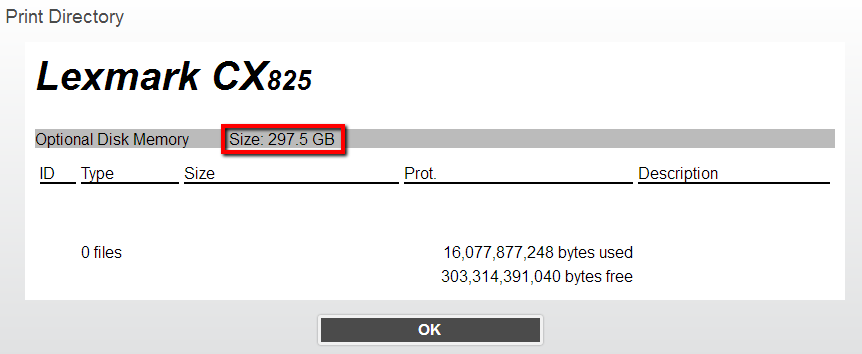
Perform a single-pass HDD disk erase to fix this issue.
From the embedded web server (EWS):
Obtain the device's TCP/IP address. If unsure how to obtain this address, print or view this address by selecting Reports > Network > Network Settings Page from the control panel.
Enter the IP address into a browser's web address bar, for example,
http://device_ip_address
.
Navigate to
Device > Maintenance
.
Select the following settings under
Erase Hard Disk:
- Sanitize all information on hard disk
- 1 Pass Erase
(method)
- Erase downloads
- Erase buffered jobs
- Erase Held Jobs (All held jobs)
Select
Start.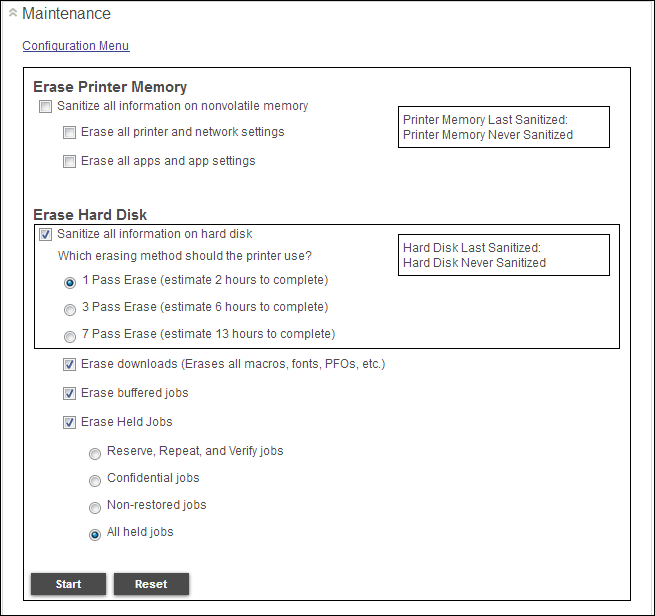


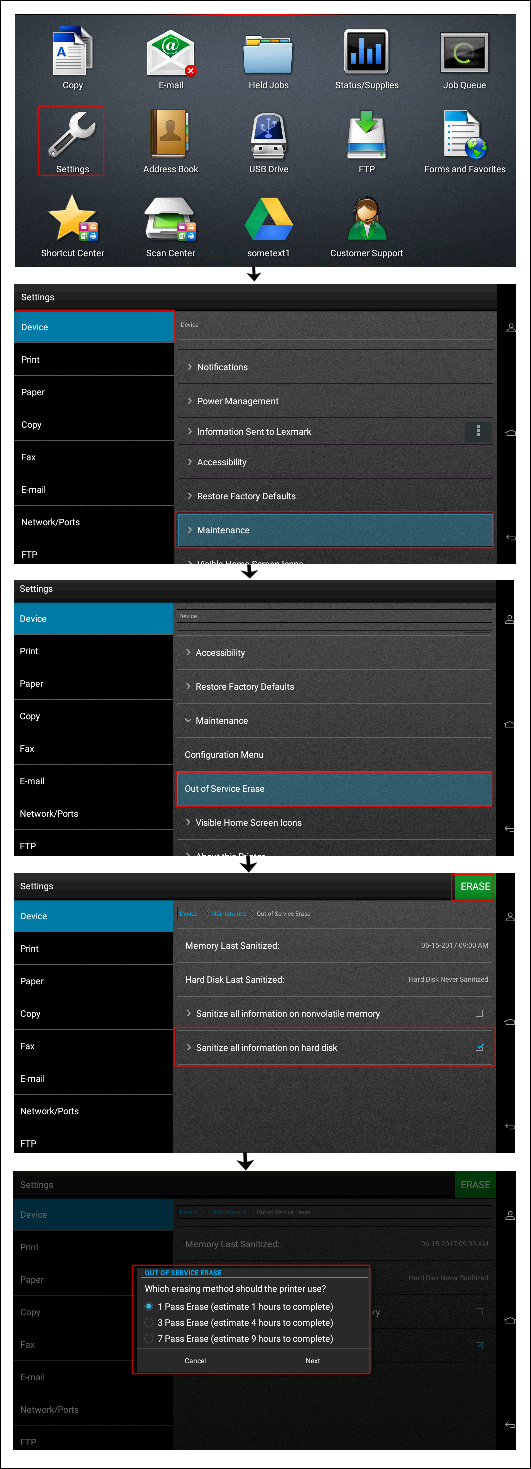
From the control panel:
Navigate to Settings Device > Maintenance > Out of Service Erase > Sanitize all information on hard disk (check the box on the right to select all options below).
Tap the green ERASE icon.
Have the following available when calling Lexmark Technical Support;
Printer model(s)
Printer serial number
Toner/imaging unit/waste toner bottle part number and serial number
LEGACY ID: SO8464
Calificar este artículo
Agradecemos sus opiniones. Las utilizamos para identificar el contenido que debe actualizarse para mejorar su precisión o utilidad.
¡Gracias por su colaboración!