Artículo de asistencia para Lexmark X738DE
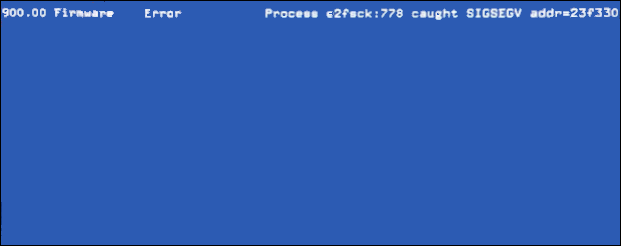
900.00 Sending Fax with the X738 MFP
W
hat you will see
| The MFP sending a fax... | Equipped with... | Results in a 900.00 error with these details: |
X738de.... | HDD... |
 |
Products affected
- Lexmark X73x Series MFPs with current .P675 code level
- The recipient fax machine, which is also an MFP
- Reformatting the fax storage does not alleviate the issue.
Suggested remedy
Enter the Configuration Menu and perform the Wipe Disk procedure (if a Hard Drive is installed). To do this:
Boot the device into Configuration Menu (press and hold down keys 2 + 6).
Then go to or select "Wipe Disk".

Note: This setting initiates either a single pass wipe or a multiple pass wipe of the entire hard disk. Select Disk Wipe (fast) to complete a single pass wipe and replacement of the file system. Select Disk Wipe (secure) to complete a multiple pass wipe at a more basic level.
Explanation and precautions
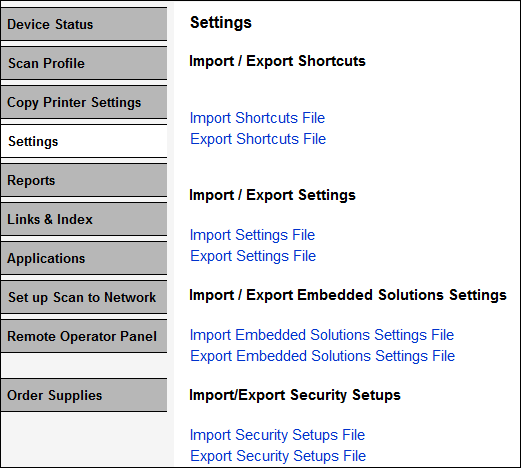
This is a read/write failure on the HDD. If you experience this error and decide to perform this procedure, it is wise to perform a backup of all shortcuts and settings. This is performed via the product's embedded Web server under Settings > Import/Export Settings.
 |
S
till Need Help?If you require additional assistance, please close this article and locate

NOTE: When calling for support, you will need your printer model/machine type and serial number (SN).
Please be near the products described in this article to expedite the support process and reduce callbacks.
LEGACY ID: SO7515
Calificar este artículo
Agradecemos sus opiniones. Las utilizamos para identificar el contenido que debe actualizarse para mejorar su precisión o utilidad.
¡Gracias por su colaboración!