Artículo de asistencia para Lexmark X734DE
Lexmark Device Quota App Displays 'User Quota Could Not Be Found: Please Contact System Administrator'

Solution: Device Quota eSF Solution Software
Multifunction:
X46x Series MFPs, X65x, X73x, X86x, X792 MFP, X925 MFP, X548 MFP
*An x denotes any number within a given printer series.
An error “User Quota Could Not Be Found: Please Contact System Administrator” is displayed on the device using the Device Quota application. This error occurs after users have already been added via Device Quota's EWS configuration settings.
Apply the Security Template via the Embedded Web Server (EWS) under Settings > Security > Security Setup > Access Controls.
To do this on X46x, X65x, X73x, and X86x MFPs, set the 'Use Profiles' access control to use the Security Template that is designated for Device Quotas.
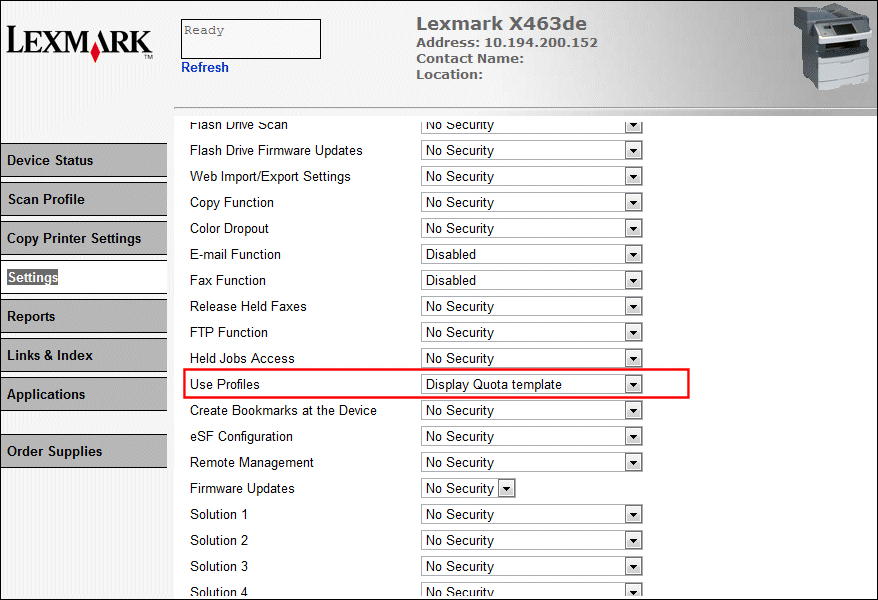
Click the image to enlarge it.
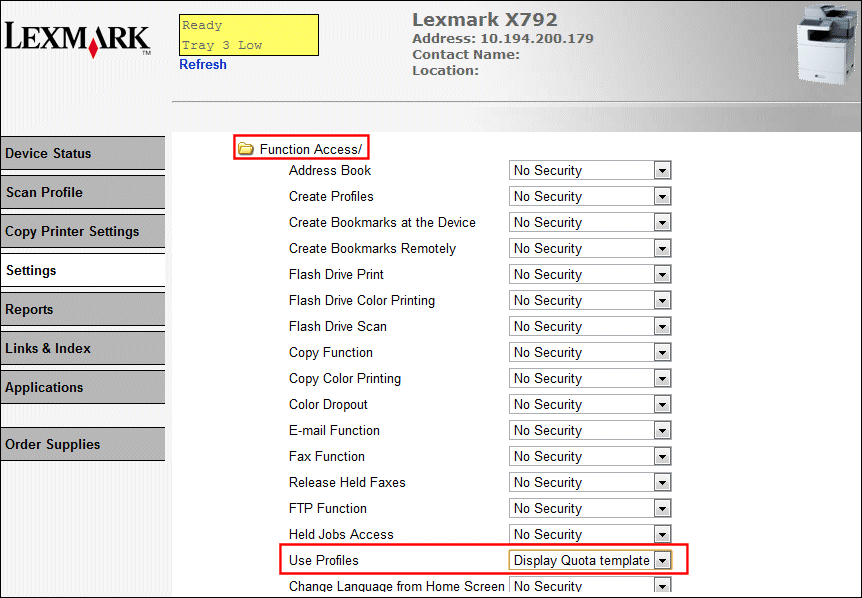
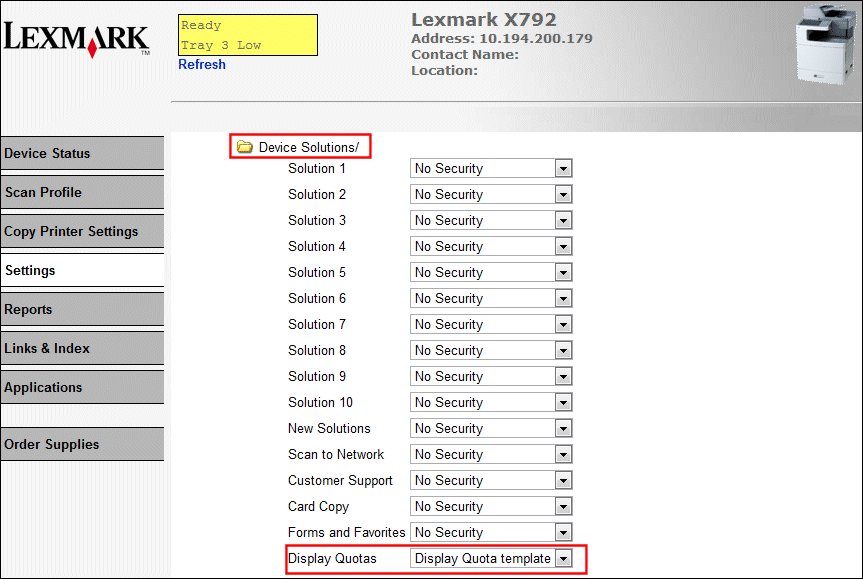
To do this on X792, X548, and X95x MFPs, perform the same procedure as above, but also locate Device Quota under Device Solutions to apply the same Device Quota security template.
Under | Under |
 |  |
Have the following available when calling Lexmark Technical Support;
Printer model(s)
Printer serial number
If you need help locating your printer model and serial number,
LEGACY ID: SO6829
Calificar este artículo
Agradecemos sus opiniones. Las utilizamos para identificar el contenido que debe actualizarse para mejorar su precisión o utilidad.
¡Gracias por su colaboración!