Artículo de asistencia para Lexmark X464
Card Copy App Generates a Two-Page File on Email and/or Network Share Output Options
Overview
Card Copy enables users to scan both sides of a wallet-sized card; i.e., insurance card, driver's license, etc., and then select from three output options:
- Print them on one-page.
- E-mail them as a TIFF, PDF, or JPEG file.
NOTE:
Tagged Image File Format ( TIFF), Portable Document Format ( PDF), and Joint Photographic Experts Group ( JPEG) are the available file format options. - Save them to a Network Shared folder.
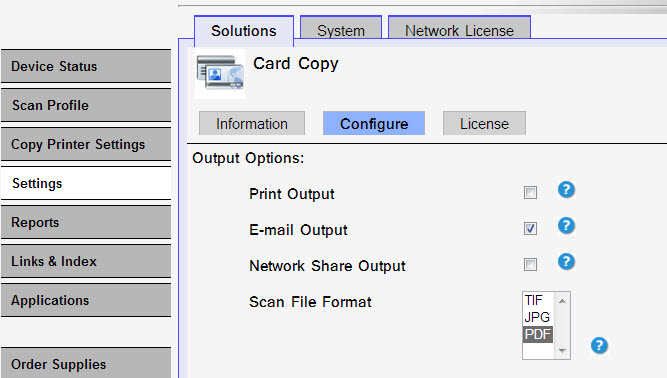 |
When choosing E-mail and/or Network Share as output options, the output will be a two-page file as opposed to a one-page file when choosing the Print option.
Functioning as designed
By design, the Card Copy app output is expected to be a two-page file when selecting E-mail and/or Network Share as output options. This applies to PDF and TIFF file formats. While the JPEG file format will produce two separate files.
NOTE:
If other output issues occur, please contact your next level of support or Lexmark Technical Support for troubleshooting suggestions.Still need help?
If you need additional assistance, please close this window, go to your product's support page and locate

NOTE: In order to expedite the support process, please be prepared to provide information regarding your issue, e.g., name and version of solution, problem description, and affected printer models.
Please call from near the printer in case the technician on the phone asks you to perform a task involving the printer.
LEGACY ID: FA933
Calificar este artículo
Agradecemos sus opiniones. Las utilizamos para identificar el contenido que debe actualizarse para mejorar su precisión o utilidad.
¡Gracias por su colaboración!