Support article for Lexmark X864
The Button for Scan to Network has Disappeared from the MFP Control Panel
What you will see
The Scan to Network icon or button, which initiates your scan from the MFP, is no longer visible.
Illustration
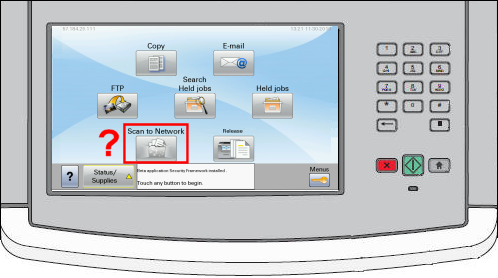
How to turn ON the "Scan to Network" button
| Step | Action | Illustration |
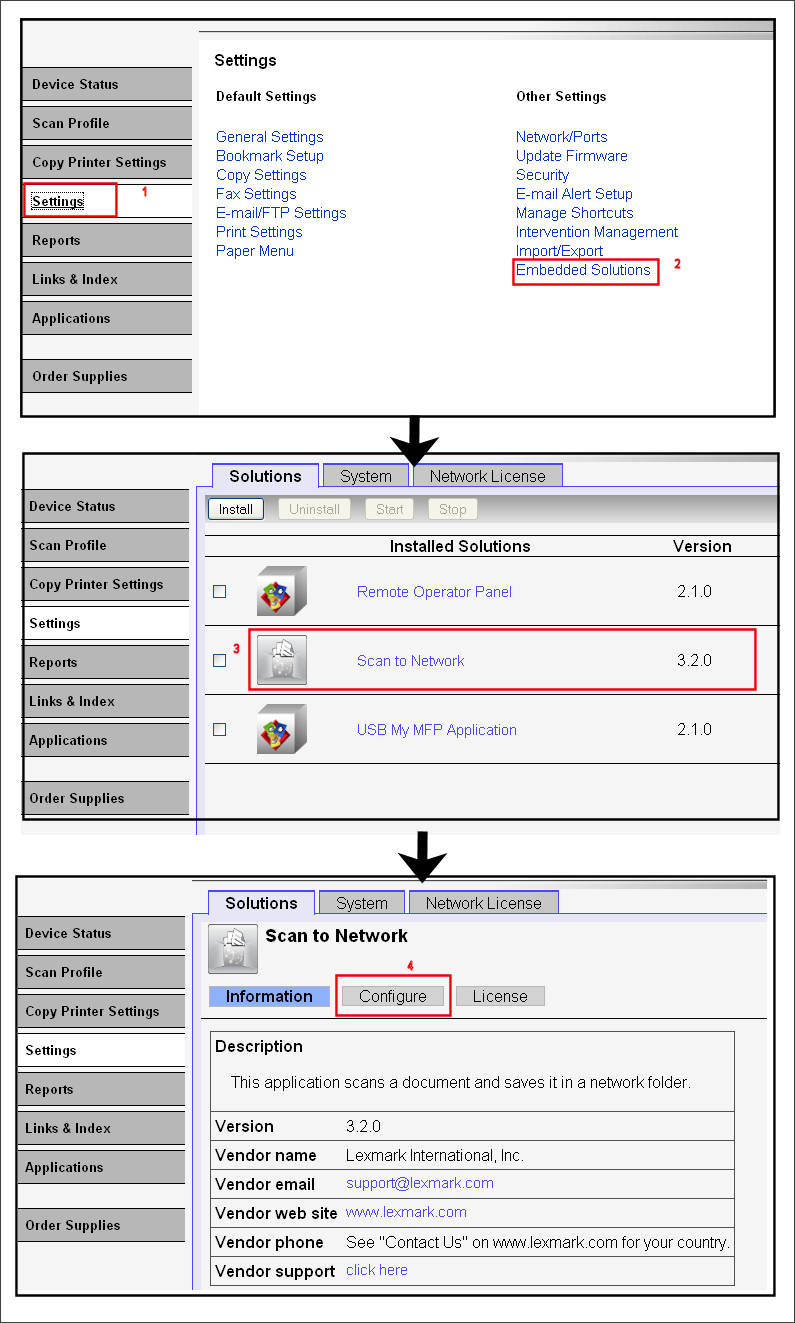
| 1 | Open the printer's embedded web server (EWS). http:// <MFP_IP_Address > , where <MFP_IP_Address> is the IP address of the printer. | |
| 2 | Click Configuration or Settings, and then Embedded Solutions. | Click here. |
| 3 | Click on the Scan to Network (SNF) embedded solution. | |
| 4 | Click Configure (next to Information). | |
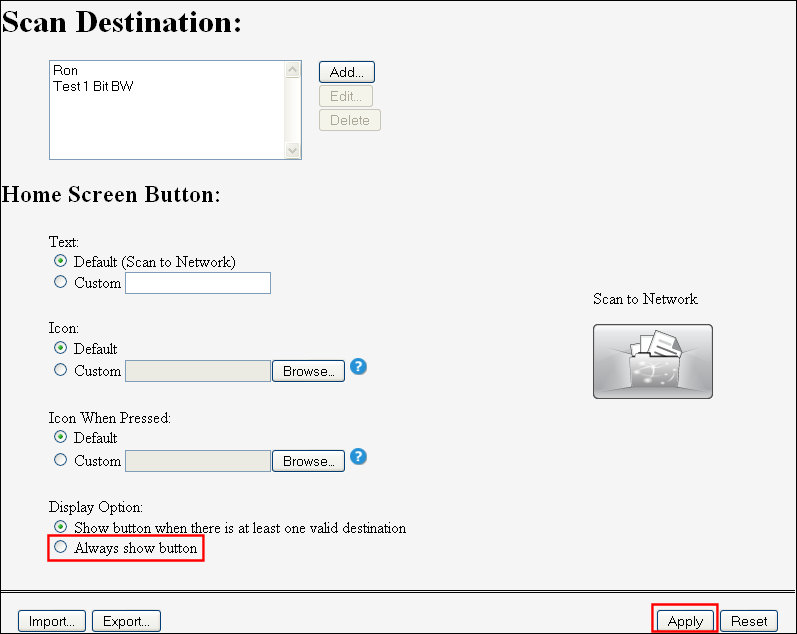
| 5 | Place a checkmark next to Always show button.   Important!The normal behavior (default setting) is to not show this button until a valid (functioning) destination has been created. | Click here. |
| 6 | Click on Apply. |
Click here
Still Need Help?
Contact Lexmark Technical Support, or your 'Software Solution' provider, if you require additional technical support. NOTE: You will be asked for your printer model/machine type and serial number (SN) when calling for support. We
Please call from near the computer and printer in case the technician on the phone asks you to perform a task involving one of these devices.
LEGACY ID: SO6409
Rate this article
We appreciate your feedback. We use it to identify content which needs to be updated for accuracy or usefulness.
Thank you for your feedback!