Support article for Lexmark X850E MFP
A "200", "200.00", or a "200.01" Check Door A Paper Jam Message Appearing on a Lexmark X850e, X852e, or X854e Printer
When a sheet of paper jams, the appropriate jam message will be displayed on the touchscreen print status message bar. The jam number indicates the area where the jam occurred. However, it is best to clear the entire paper path to ensure you have cleared all possible jams.
NOTE: To resolve the paper jam, you must clear the entire paper path and then touch Continue on the sc reen to clear the message and resume printing.
| Step | Action |
| 1 | Open door A by pushing the release latch and lowering the door.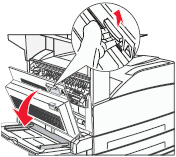 |
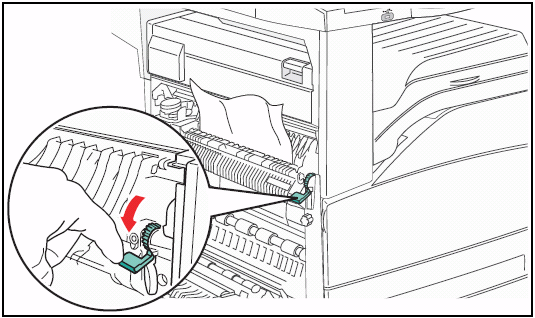
| 2 | Pull any jammed paper up and towards you. CAUTION! There is a fuser roller in this area that will be hot. Avoid directly touching this roller.IMPORTANT: If the jammed print media does not move easily when you pull, stop pulling. Push down on the green lever to make it easier to remove the media. Make sure all paper fragments are removed.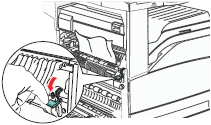 |
| 3 | If the print job consisted of more than one page, you may wish to confirm that the entire paper path is clear. Open all of the access doors/covers and remove any remaining jammed sheets of print media elsewhere in the printer. |
| 4 | Once you have confirmed that the entire paper path is clear, close all covers and doors. |
| 5 | Touch Continue on the screen to clear the paper jam message and resume printing.
|
The next recommended action depends on the error message:
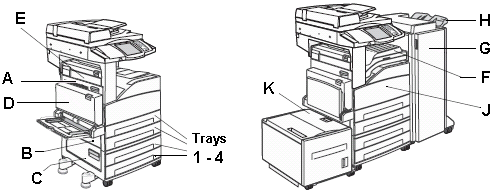
- If there is a new paper jam message instructing you to look in a different area of the printer, another sheet of print media is still jammed in the printer. The following images show the areas where an additional paper jam may occur:Access the area indicated by the error and remove any jammed media. After removing the jam, touch Continue on the screen to clear the message and resume printing. It may be necessary to repeat this procedure for each new paper jam location until all of the jammed sheets are removed.
NOTE: If you cannot find any paper jammed in the printer, power off the printer. Wait twenty seconds or more, then power the printer back on. If the paper jam error returns and you still cannot find a jammed sheet of paper, there may be an issue with the printer. Please contact Lexmark Technical Support or a local service provider. See the Additional Assista nce section below for more information. - If door A is once again indicated as the location of the error, confirm that the area is clear of all jammed paper and paper fragments. If the jamming continues, another issue may be causing the repeated jams. Try the following suggestions:
- Make sure the paper/print media is properly loaded into the paper tray. Also make sure the paper guides on the tray are set correctly. For detailed tray loading instructions, refer to the printer's User's Guide.
- If you are not already doing so, try printing on plain 20 - 24 lb (75 - 90 grams per meter squared) copy paper. Try this even if the paper you are currently using has worked in the past to eliminate any special print media as the cause of the problem. Certain specialty papers (like letterhead stock, textured paper, label stock, and card stock) can cause feed i ssues. For more information on recommended print media, see the chapter labelled 'Understanding paper and specialty media guidelines' in the printer's User's Guide.
- For additional tips on paper jam prevention, see the 'Avoiding Jams' chapter in the printer's User's Guide.If the jamming continues after all of the above recommendations have been tried, the printer may require service to fix the issue. Please contact Lexmark Technical Support or a local service provider. See the Additional Assistance section below for more information.
If you need additional assistance with this issue, please contact Lexmark Technical Support. If calling Lexmark Tec hnical Support for service, please be prepared to describe the problem you are experiencing, the error message on the display, and any troubleshooting steps you have already taken. You will also need to provide your printer's xref_HO2711_xref. This information can be found on a label on the back of the printer. Please call from near the printer in case the technician asks you to perform a task involving the printer.
LEGACY ID: SO3925
Notes:
Infoprint 1540 MFP-----------------------------------------------------------------------------Infoprint 1560 MFP--------------------------------- --------------------------------------------Infoprint 1580 MFP
Rate this article
We appreciate your feedback. We use it to identify content which needs to be updated for accuracy or usefulness.
Thank you for your feedback!