Support article for Lexmark X736DE
TSB (C73x_X73x_118): C73x/X73x ? Marks, Splotches, or Clouds of Toner near the Edges of the Printout
| Bulletin# C73x_X73x_118 | Problem Description | |
| Machine Type/Model | This print quality issue has the appearance of splotches of any color being developed in areas that should be white or should not include the defect color. Solution The defect pictured is caused by defective Toner cartridges. Try performing the Color Adjust Procedure and replace the Toner Cartridge if this does not fix the issue. | |
| Date Created | 06/21/10 | |
| Last Updated | 06/21/10 | |
| Safety Issue? | No | |
| Code Update? | No | |
| Engineering Change? | No | |
| New Parts? | Yes | |
| Old Parts Status | n/a | |
| Voltage: 120/240 | All | |
| Serial No. Range | All |
LEGACY ID: TE160
Overview
Splotches of random color print in areas that should not have them. These marks may not cover the entire page from left to right, but they usually do cover the page from top to bottom.
NOTE: These splotches are not speckled or dotted; rather, the effect is a diffuse and cloudy appearance. See samples below.
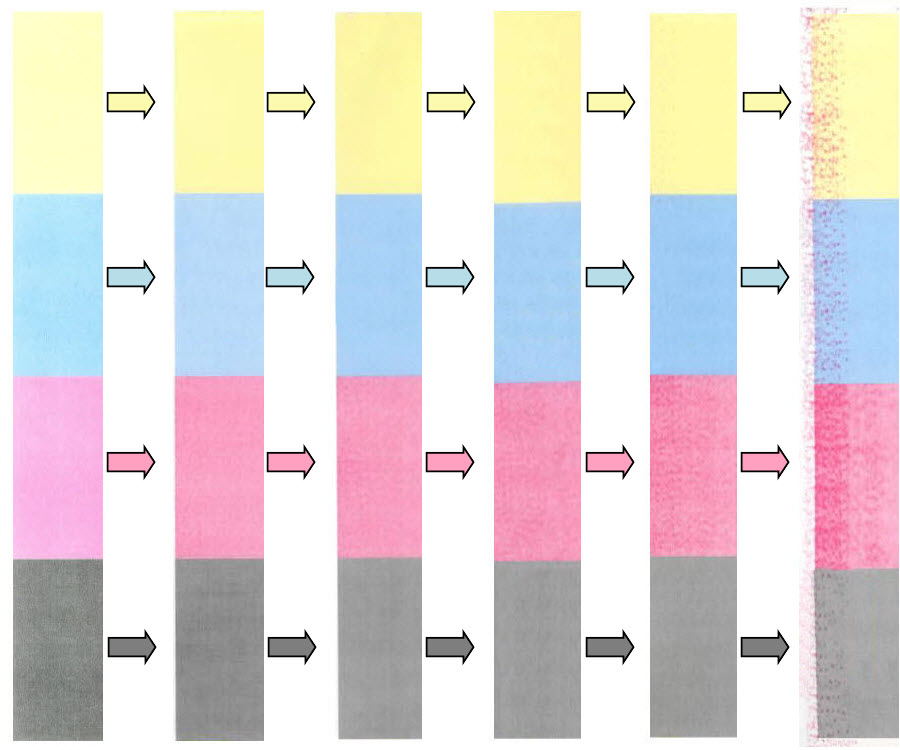 |
| Progression Sample: This shows how the issue changes with more toner cartridge usage. You may not notice it until it becomes severe enough in white areas. |
 | 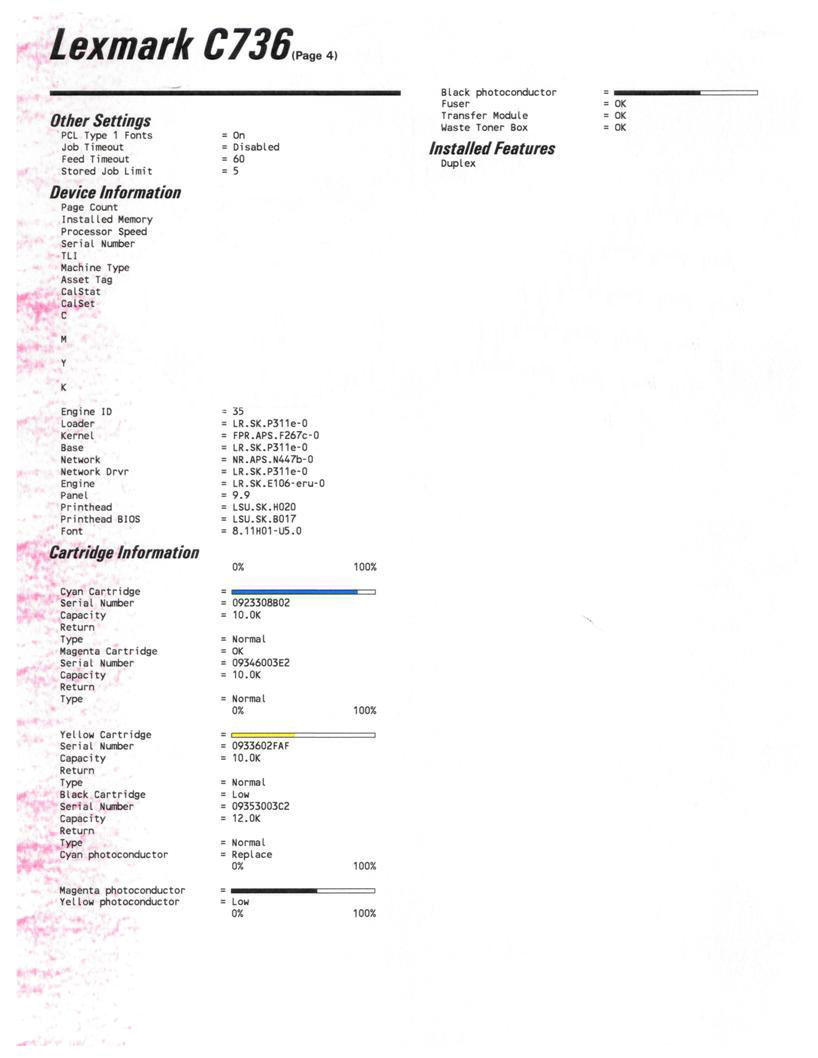 |  |
| Good Result of Print Quality Test Page | Sample Printout | Test result with splotches of magenta printing from top to bottom of the page. |
Troubleshooting
For this kind of issue, the following symptoms can be observed:

The best way to resolve the issue is to perform the Color Adjust Procedure on the printer. See the following steps:
For Lexmark C73x printer
| Step | Action |
| 1 | While the printer is Ready, press the menu  |
| 2 | Press    |
| 3 | Press |
| 4 | Press |
| 5 | The printer will return to Ready mode once the progress bar reach 100%. |
| 6 | Send a print job and check the result. Did the Color Adjust corrected the issue? Yes: Issue resolved.No: Contact Lexmark Technical Support for other troubleshooting suggestions. |
For Lexmark X73x MFP
| Step | Action |
| 1 | While the printer is Ready, touch the  |
| 2 | Press  |
| 3 | Press  |
| 4 | Press |
| 5 | Press |
| 6 | Send a print job and check the result. Did the Color Adjust corrected the issue? Yes: Issue resolved.No: Contact Lexmark Technical Support for other troubleshooting suggestions. |
Still Need Help?
Please contact Lexmark Technical Support if you need additional assistance.
NOTE: When calling for support, you will be asked for your machine/model type and serial number (SN). If you need help locating these, How to Locate the Serial Number, TLI, Config ID, and Machine Type on the Lexmark C734, C736 or X734, X736, X738 Color Laser Printers.
Please call from near the printer in case the technician on the phone asks you to perform a task involving the printer.
LEGACY ID: TE160
Rate this article
We appreciate your feedback. We use it to identify content which needs to be updated for accuracy or usefulness.
Thank you for your feedback!