Support article for Lexmark X464
Lexmark Document Distributor ? How to Identify Which LDD Application Server Processed a Task/Job
Overview
This document outlines the steps in identifying the application server that is processing a task on an Enterprise Type setup (1-N). You can use this when troubleshooting LDD based solutions.
Procedure
Identify the profile/task launched from the printer by following these steps:
| 1. | Know the Icon selected (i.e., Print Release, Device) and then go to the Lexmark Management Console (LMC) to find the profile/task associated with that Icon. |
See sample screen shot below, the profile is outlined in red. 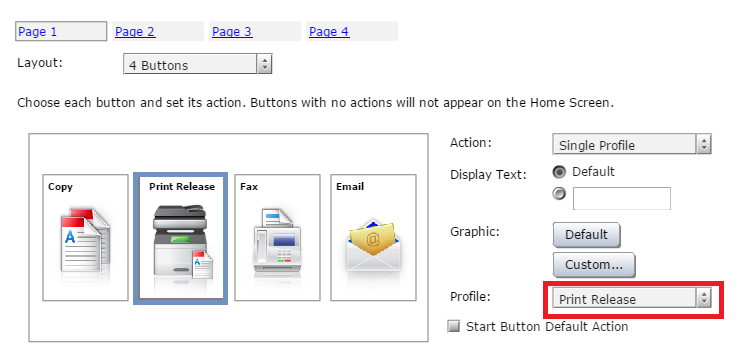 | |
| 2. | In LMC, go to System tab and go to Jobs. For a cleaner view, select Filters and specify the Taskname from the drop-down list as shown in the image below: |
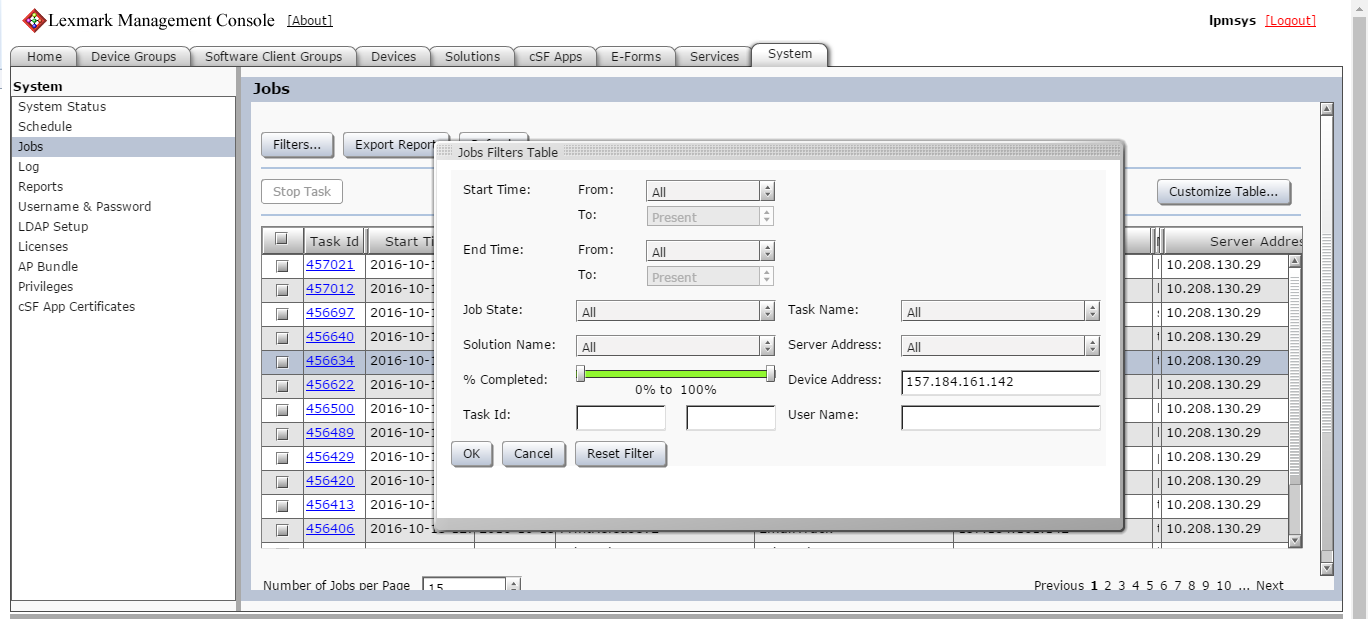
| |
| 3. | In the list pane, you should see the Server Address Column which is the application server that processed that specific job. |
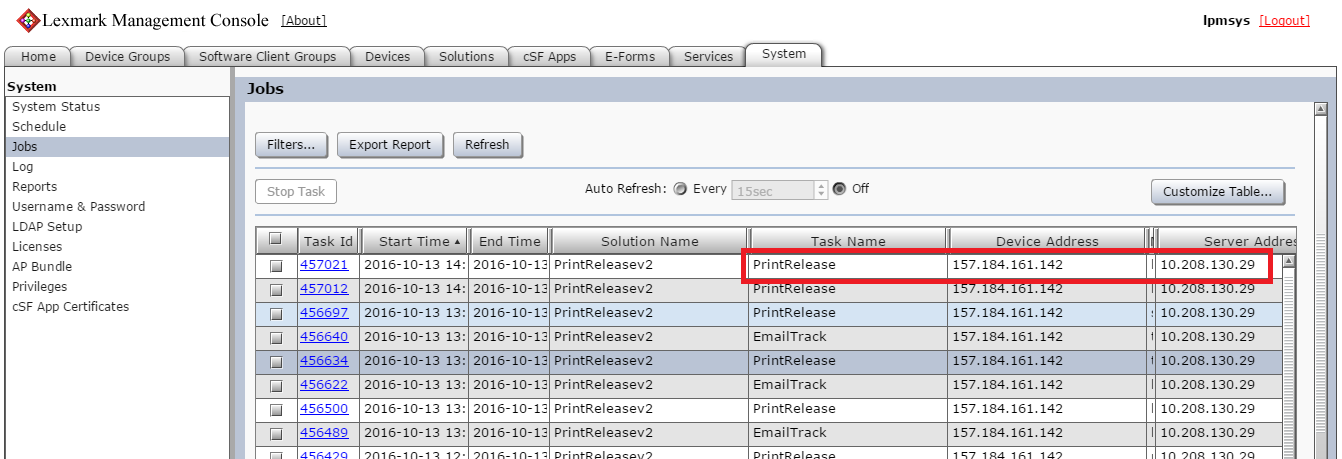 |
Still need help?
If you require additional assistance, please close this window and locate

NOTE: In order to expedite the support process, please be prepared to provide information regarding your issue, e.g., name and version of solution, problem description, and affected printer models.
The support agent may request additional information.
LEGACY ID: HO4039
Rate this article
We appreciate your feedback. We use it to identify content which needs to be updated for accuracy or usefulness.
Thank you for your feedback!