Support article for Lexmark MS911
A 202.95 Paper Jam Appears on a Lexmark MS911 or MX91x with Finisher Installed
What you will see
An MS911 or MX91x printer with newly installed finisher posts a 202.95 paper jam. There may be an actual paper jammed in Door C near the fuser area.
Possible causes
- An improperly installed Horizontal Transport Unit (HTU)
- The Exit sensor housing may not have been removed. In this case, the housing will obstruct the paper path and thus the paper jams.
- The HTU itself is not seated properly. In this case, you may need to hold down Door G in order to keep it closed.
| Click the Image to Enlarge |
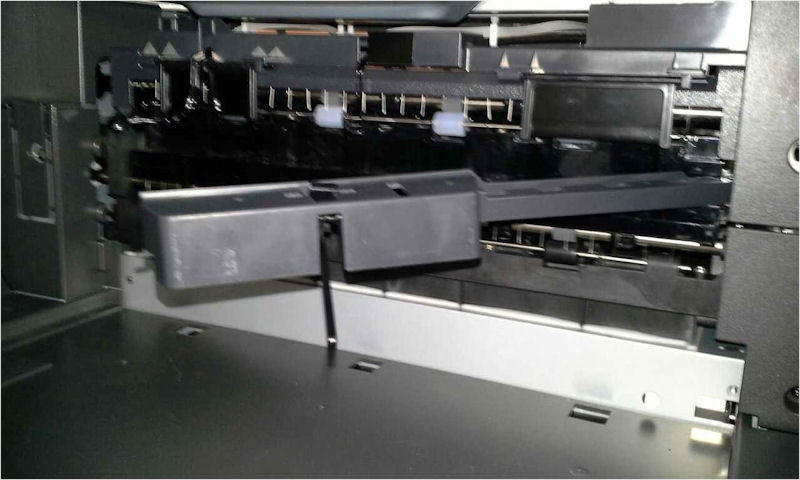 |
| An exit sensor housing that has not been removed will cause obstruction in the paper path resulting in a paper jam. |
Suggested Remedy
Follow the instructions shown in the control panel to clear the finisher of any jammed paper.
To avoid getting this paper jam error, make sure to follow proper finisher option installation. Make sure to remove the Exit sensor housing during installation. This video tutorial presents a step-by-step guide in how to install the finisher option.
| Click the Image to Enlarge |
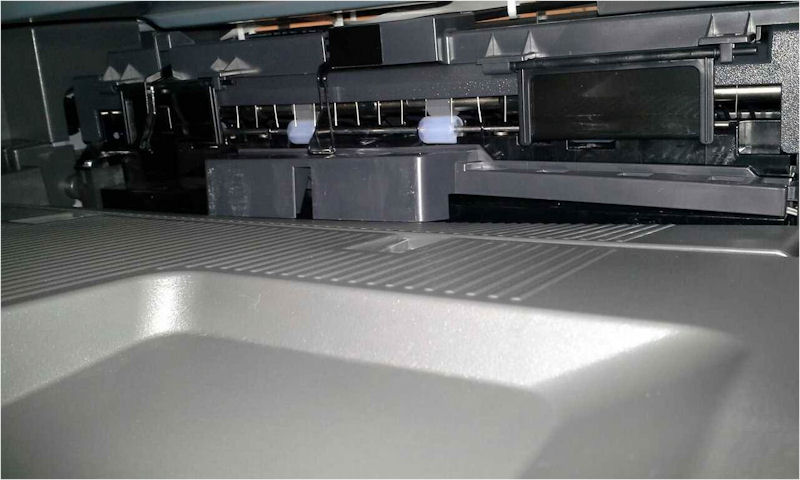 |
| Properly installed Horizontal Transport Unit (HTU) |
NOTE: Should error persist, please contact Lexmark Technical Support for additional troubleshooting suggestions.
Contacting Lexmark
If you require additional assistance, please close this window and locate

NOTE: When calling for support, you will need your printer model/machine type and serial number (SN). Should you need help locating these, Serial Number, Machine Type, and Configuration ID Location for the Lexmark MS, MX, XM, CS, CX, XC, 91X - 92x Series Printers and MFPs.
Please be near the products described in this article to expedite the support process and reduce callbacks.
LEGACY ID: SO7661
Rate this article
We appreciate your feedback. We use it to identify content which needs to be updated for accuracy or usefulness.
Thank you for your feedback!