Support article for Lexmark MS821
How to change Date and Time & NTP server
Issue description
This document shows you how to change the Date and Time & Network Time Protocol (NTP) server.
The following reasons have been cited on why the following settings must be changed or updated.
- The current date is invalid.
- Date skew and the time difference from the server is too large.
- When printer is reset to factory default, you need to recheck the date and time settings if it is correct.
- Technician needs to activate or deactivate NTP.
- The NTP settings need to be accessed.
Solution
Open any browser and type the printer's IP Address and press Enter key on the keyboard to access the printer's embedded web server (EWS).
Go to Settings > Device > Date and Time.
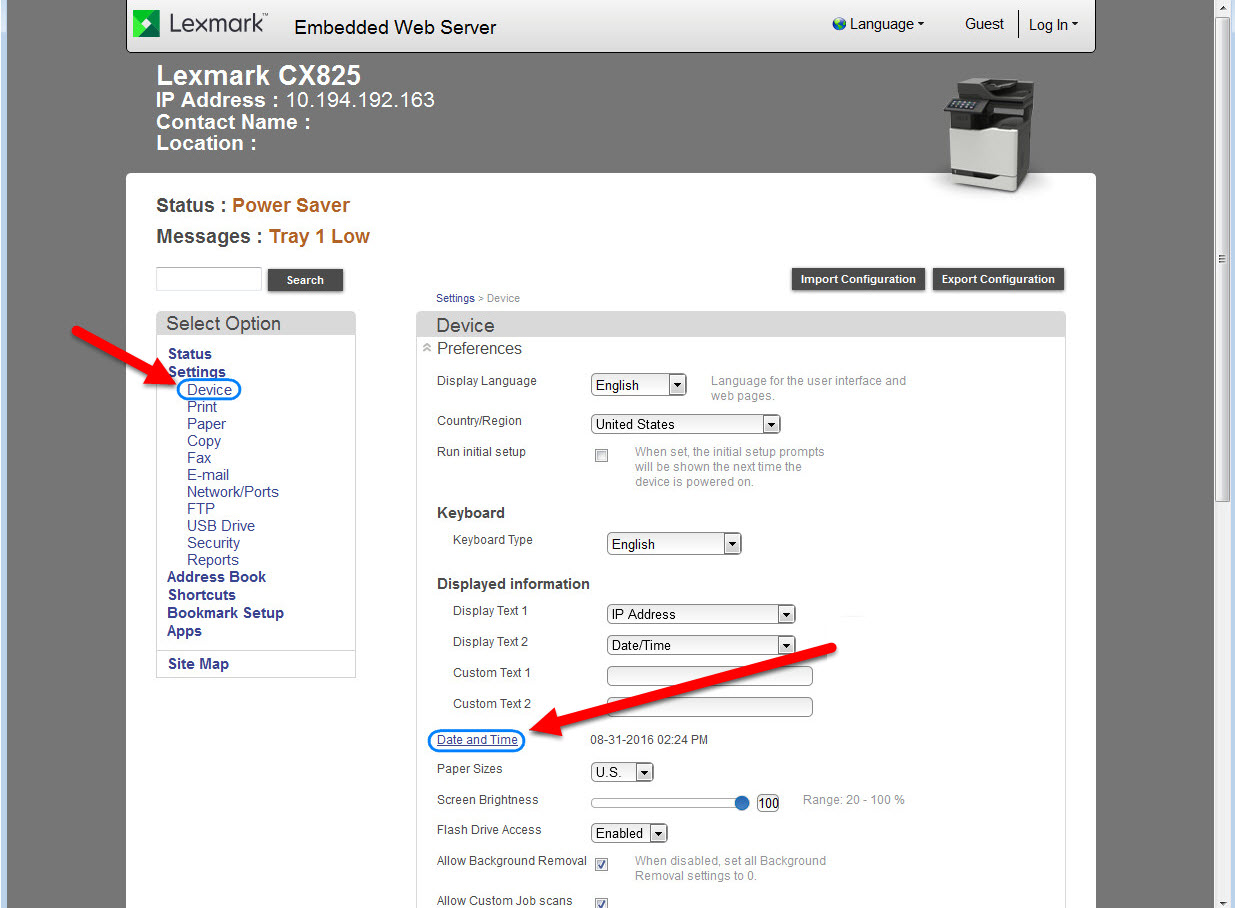
Under Date and Time, the following settings will appear that can be configured and updated.
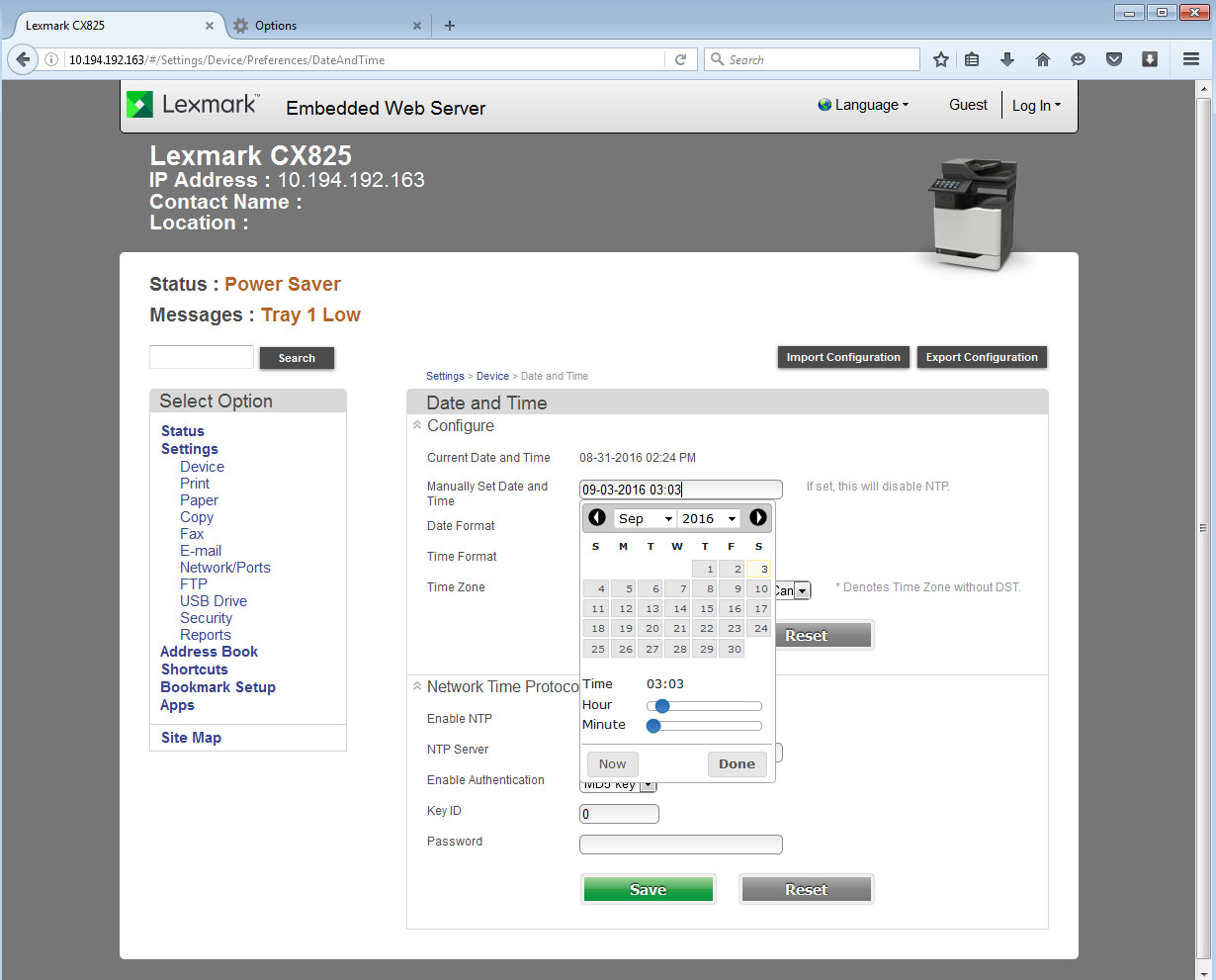

Date and Time Settings
| Configure Options | Date and Time Settings | |
|---|---|---|
(A) Manually Set Date and Time | - You can manually type the date and time using this format MM-DD-YYYYhh:mm where M is month, D is day, Y is year, h is hour and m is minute. - When clicked, a date picker will appear and you can choose which date to set. | 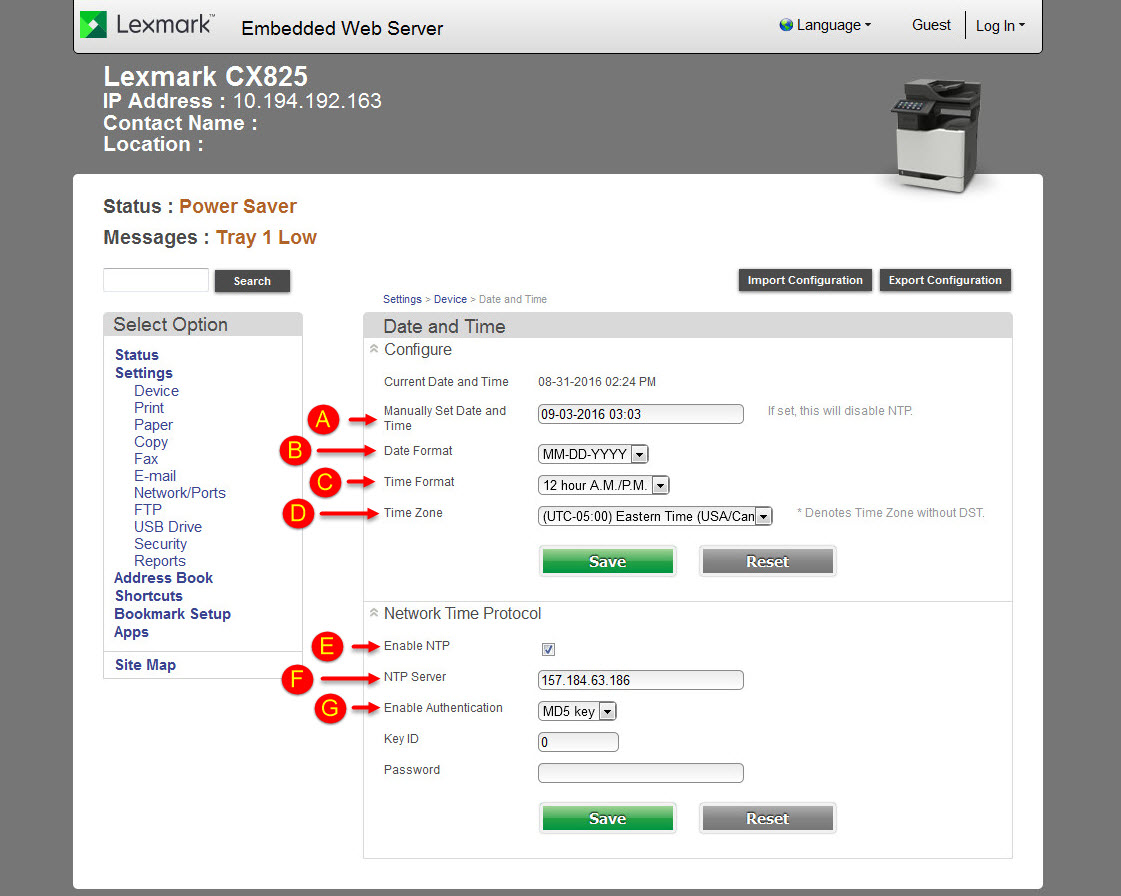 |
(B) Date Format | - Option to change the Date format - There are three options when clicked, the default one MM-DD-YYYY, second option is DD-MM-YYYY, and last option is YYYY-MM-DD. | |
(C) Time Format | - Option to change the Time format - The available options to choose from are 12 hour A.M./P.M. or 24 hour clock. | |
(D) Time Zone | - Option to change the Time zone All time zones are listed when clicked on a drop-down menu box. | |
Network Time Protocol Options | ||
(E) Enable NTP | - You can place a check mark on this to activate or uncheck the box to deactivate. | |
(F) NTP Server | - You can place the IP address of your NTP Server in this field. | |
(G) Enable Authentication | - The available options you can choose from are NONE or MD5. |
LEGACY ID: HO4046
Rate this article
We appreciate your feedback. We use it to identify content which needs to be updated for accuracy or usefulness.
Thank you for your feedback!