Support article for Lexmark CX924
824.00 scanner error upon boot-up
Monochrome: XM9165, XM9155, XM9145, MX912, MX911, and MX910
Color: XC9265, XC9255, XC9245, XC9235, XC9225, CX927, CX924, CX923, CX922, and CX921
An 824.00 Scanner Error appears on the printer display while powering the printer on. The scanner lamp lights up but its assembly is not able to move freely. In some cases, a
t
The error mostly happens on brand new (out-of-the-box) printers. It is possible that some scanner packaging materials, such as screws that are holding the strings (as shown in the sample image) or securing the scanner lamp assembly may have been left in the scanner.
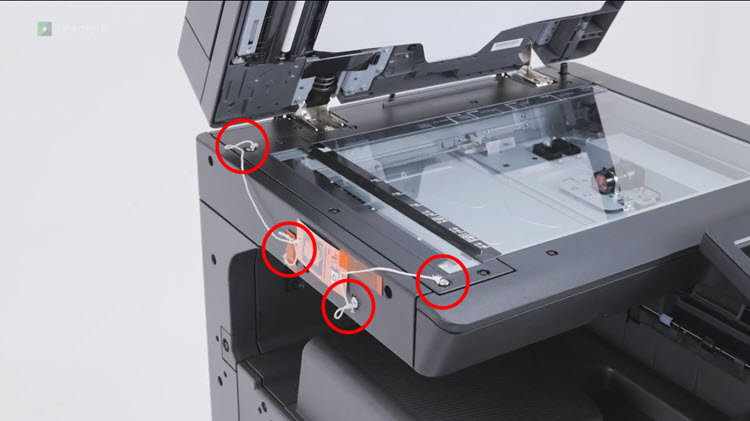
The error code implies that the sensor (scanner lamp home) did not detect the scanner lamp at its home position.
Turn off the printer.
Check the Lexmark device for any packaging material that was missed.
Remove the screws that are holding the scanner lamp (see images below).
NOTE:
There may be rubber screw covers in place as seen in the photos below.
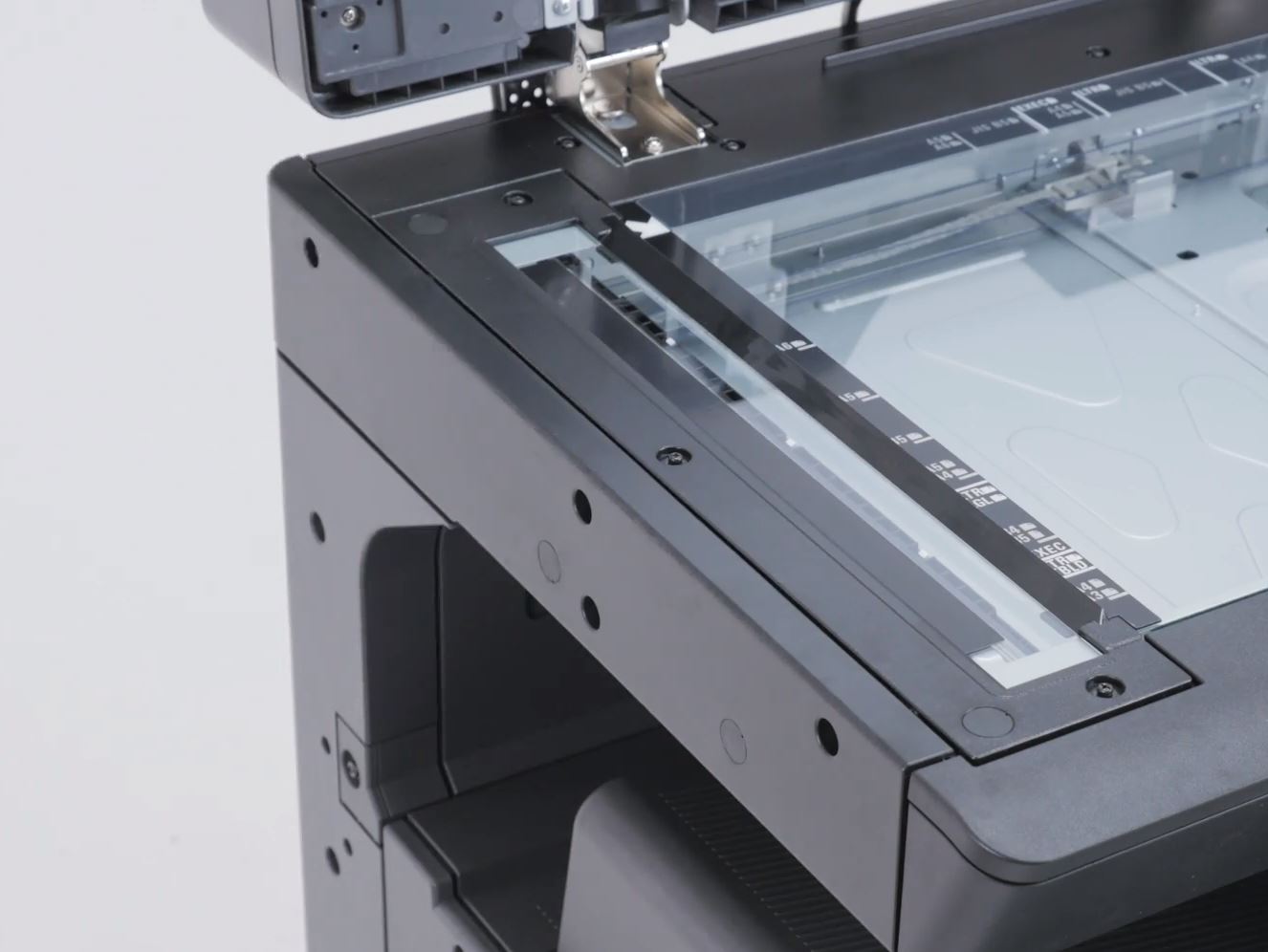 The screws can be removed by an end user, using the tool which is included with the printer.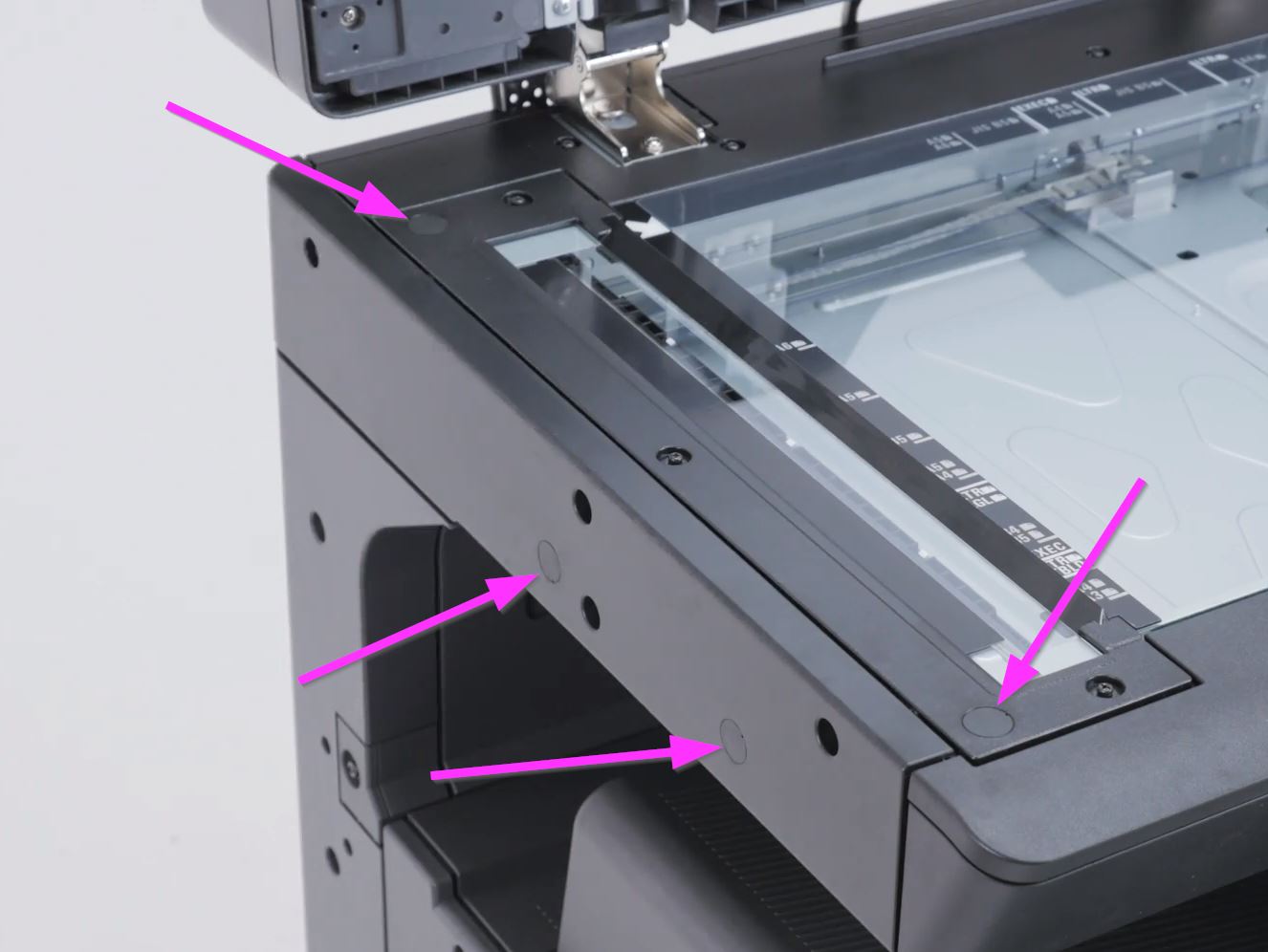
Click here
to view where the tool can be located. Additionally, there may be rubber screw covers in place that
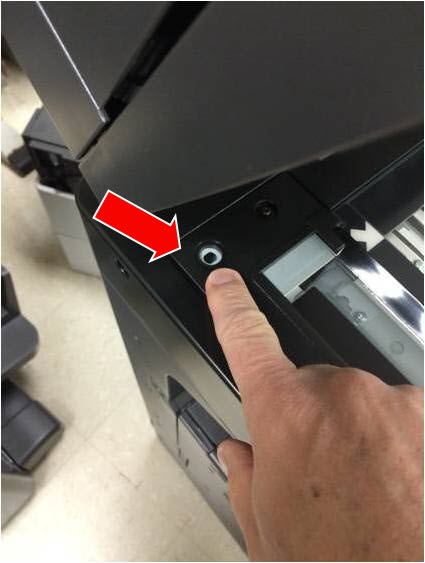
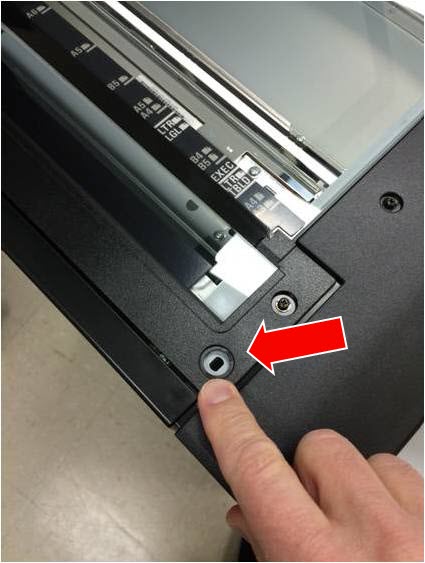
Facing the left side of the scanner where the scanner lamp is located, remove the screws as pointed by the red arrows in the images above. Turn on the printer after making sure that all the packaging materials are removed from the printer/scanner.

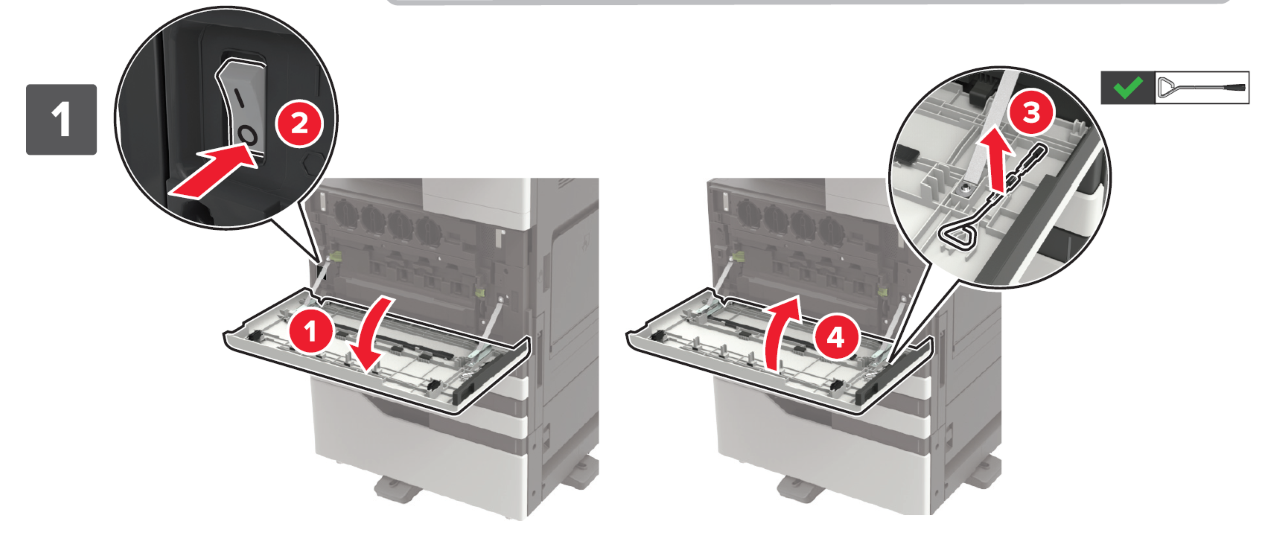
Please check the following resources for additional instructions when setting up the printer and removing the packaging materials.
Related Articles:
- Common Issues Related to Setup and Installation - Common Issues Related to Setup and Installation on the Lexmark CS92x and CX92x
How-To Videos
Setup Sheets
Installing the Staple Finisher
- Installing the Staple Hole Punch Finisher
- Installing the Hole Punch Booklet Finisher
Have the following available when calling Lexmark Technical Support;
Printer model(s)
Printer serial number
LEGACY ID: SO8554
Rate this article
We appreciate your feedback. We use it to identify content which needs to be updated for accuracy or usefulness.
Thank you for your feedback!