Support article for Lexmark CS923
170.73, 166.73, 167.73 and 168.73 error codes
Issue description
The printer posts any of the following error 1xx.73 codes, where xx is any number from
- 170.73 – Tray 1 lift plate did not move to the correct…
- 166.73 – Tray 2 lift plate did not move to the correct…
- 167.73 – Tray 3 lift plate did not move to the correct…
- 168.73 – Tray 4 lift plate did not move to the correct…
Note: The 2500 - sheet tray error code is similar to the Tray 3 lift plate error.
Possible cause
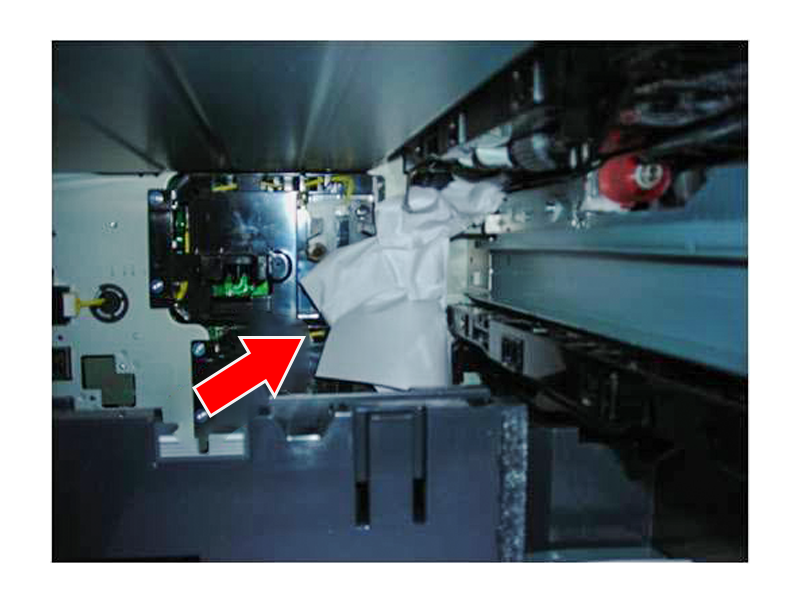
Should you get any of the errors listed above, it is possible that a piece of paper is stuck behind the relevant tray.
This usually happens after getting a 24y.xx paper jam, where y is the number of the tray.
If the paper is stuck in the feed area of the associated tray, opening that tray in an attempt to remove the jam could result in the machine pushing paper behind the tray.
This can happen even if the customer never sees the jammed piece of paper.
Solution
Removing the Paper Trays
Remove the tray and inspect any jammed paper that could have been caught behind it. Make sure to unlock the tray lock (2) as shown in the following image:
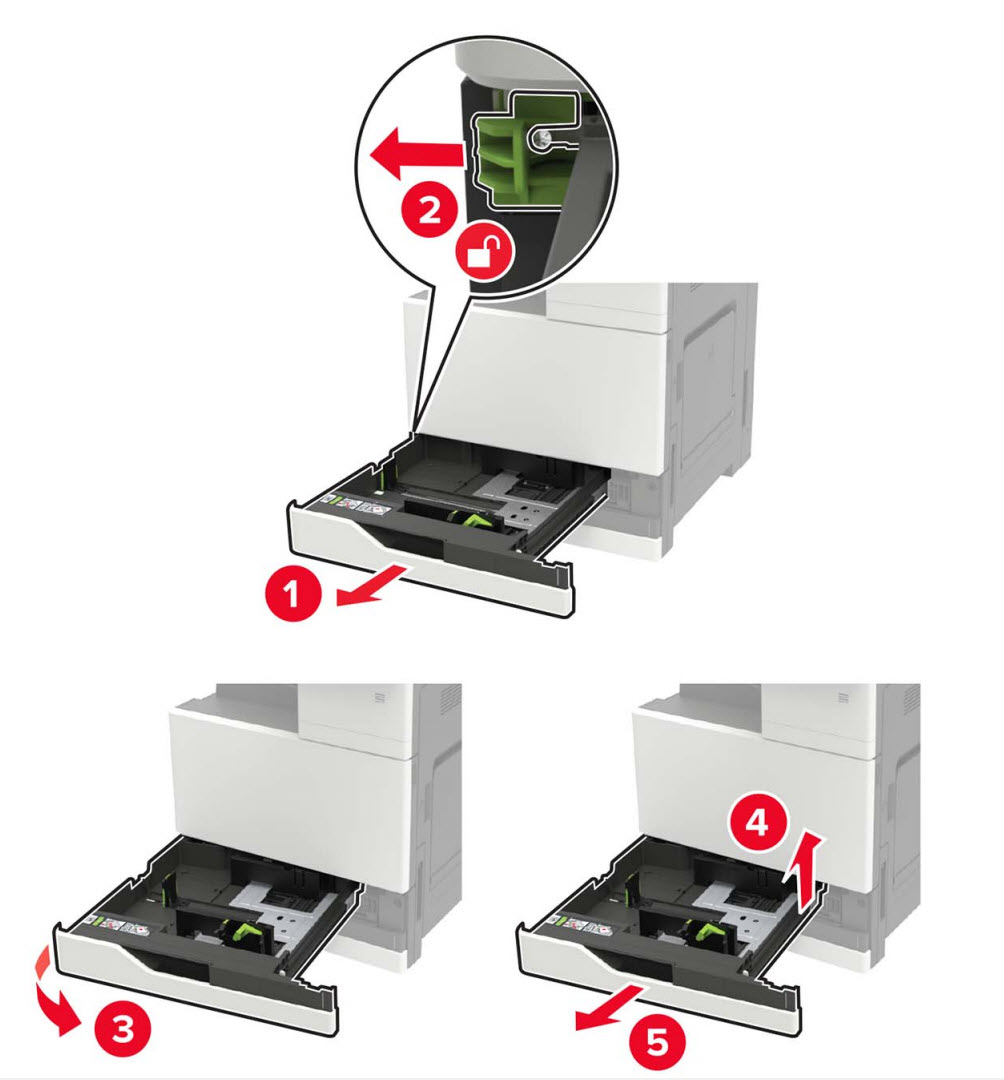
Note: The tray lock for MX91x is black instead of green as shown in the image.
Avoidance
- Method 1
- Help prevent these initial 24y.xx paper jams by making sure that the paper is properly loaded into the tray and make sure that paper guides are locked into the correct position.
- If the problem is happening on the 2500 sheet tray, see this article for additional instructions.
- Effects of improper paper guide alignment:
- If the paper guides are adjusted too tight against the paper stack or adjusted too loose and not touching the paper stack, it leads to paper skew (rotational shift), potential misfeeds, jams, and numerous errors.
- Method 2
- The following procedures help prevent a 1xx.73 error code.
- When partially removing the fed paper, especially those that are stuck in the feed area, DO NOT attempt to remove it by opening the standard trays first.
- Remove the paper jam by following the procedure below:
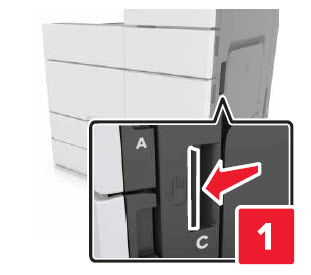
- Open door C (Figure 1a and 1b) or D (Figure 1c and 1d) depending on the jam location. Make sure that it does not hit any cable attached to the printer.
- Remove the jammed paper from any of the following locations:
- Fuser Area
- Below the fuser area
- Duplex area (this or this)
- Above the duplex area


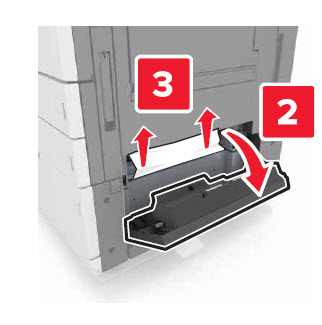
Note: The inside of the printer might be hot. To reduce the risk of injury from a hot component, allow the surface to cool before touching it.

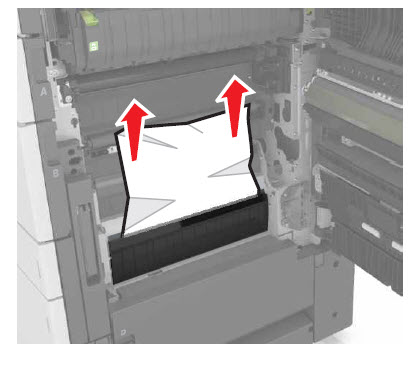
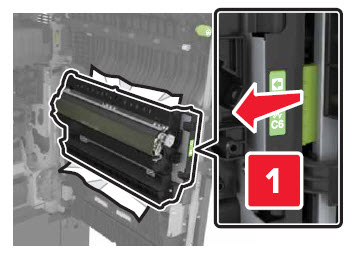
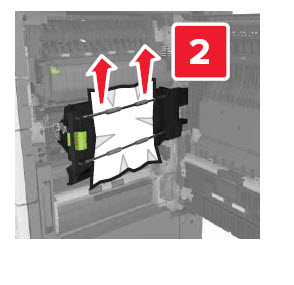
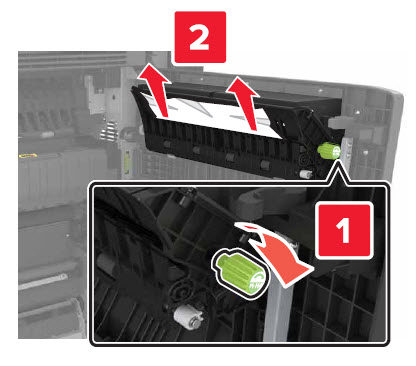
Note: Make sure that all paper fragments are removed.
Removing the paper stuck behind the relevant tray (1xx.73 errors)
Turn the printer Off and remove the tray insert where the paper got stuck behind the tray.
Use a flashlight, look back into the printer and check for pieces of paper.
Pull the paper that got stuck out of the printer.
Power the printer back On and check if the issue persists.

Unable to remove the paper or clear the error?
The printer could require service if the following conditions are reoccurring:
- Any of the service engine errors stated above occur frequently.
- Paper pushed behind the tray cannot be retrieved.
- The error code remains even after removing the stuck paper and performing a power-on reset (POR1) of the printer.
1Power off, wait on 10 seconds and power.
LEGACY ID: SO8576
Rate this article
We appreciate your feedback. We use it to identify content which needs to be updated for accuracy or usefulness.
Thank you for your feedback!