Lexmark CS431
Support article for Lexmark CS431
Paper jam in the manual feeder
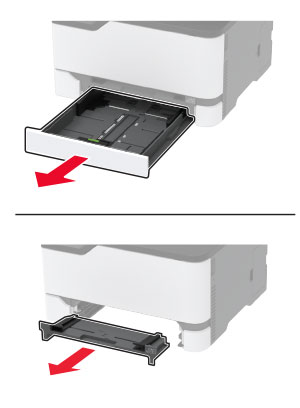
Remove the tray and the manual feeder.
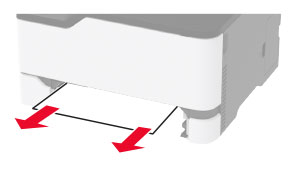
Remove the jammed paper.
Note: Make sure that all paper fragments are removed.
Insert the manual feeder and the tray.

Rate this article
We appreciate your feedback. We use it to identify content which needs to be updated for accuracy or usefulness.
Thank you for your feedback!