Support article for Lexmark C925
'Load Tray 1 Size X' Message on the Lexmark C925 and X925 Series Printers
What you will see
The "Load Tray 1 size x" error messages indicate that the printer has failed to detect the paper size in Tray 1.
Recommended actions
| Steps | Action | Image |
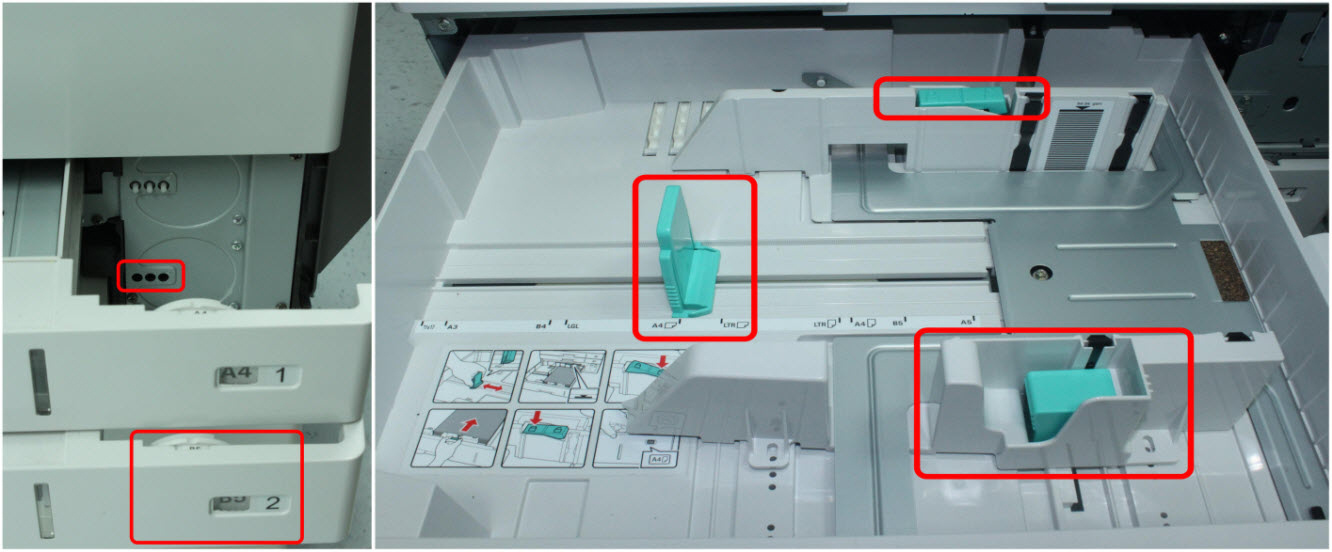
| 1 | Power off the printer/MFP. Open Tray 1. Check the paper size indicator dial on the right-hand side of Tray 1. (Please see red in right-hand images for this and subsequent steps.) | 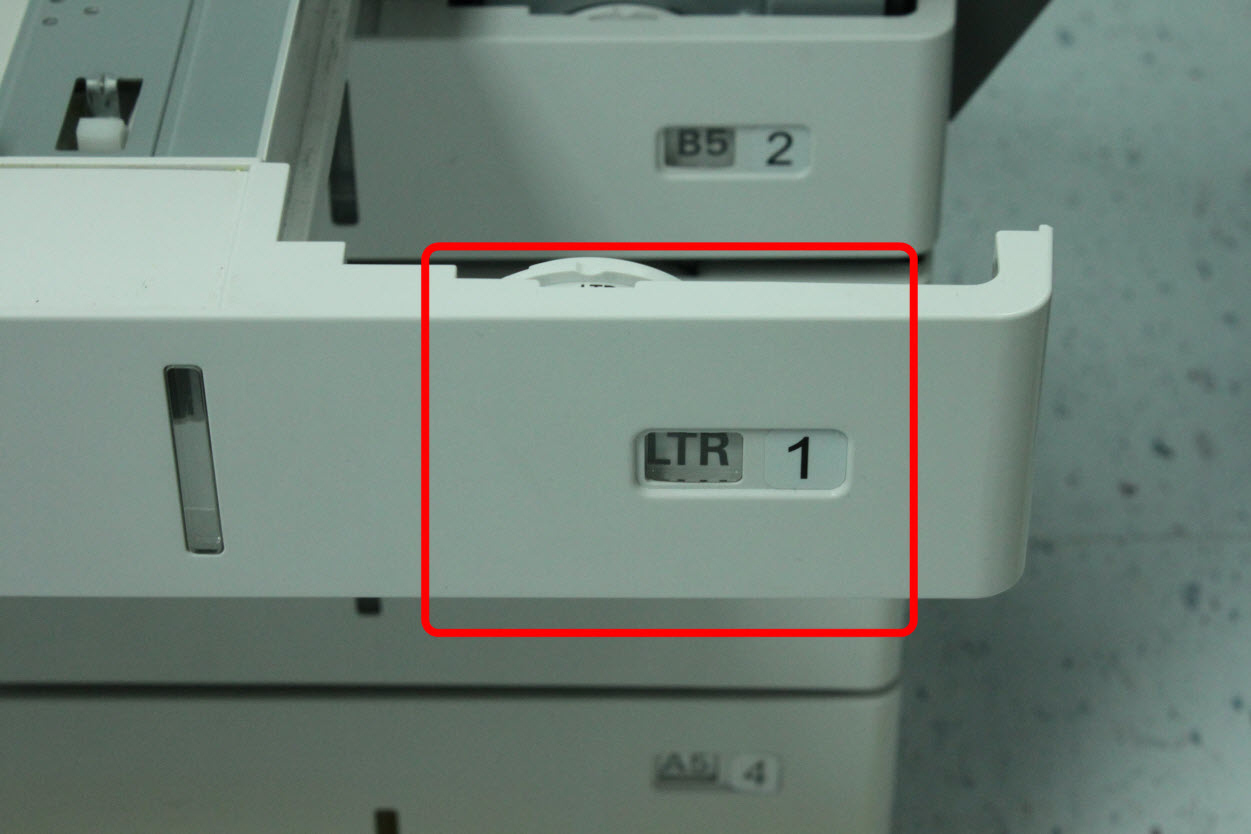 |
| 2 | To set the paper size of Tray 1, rotate the wheel to the specified size. | 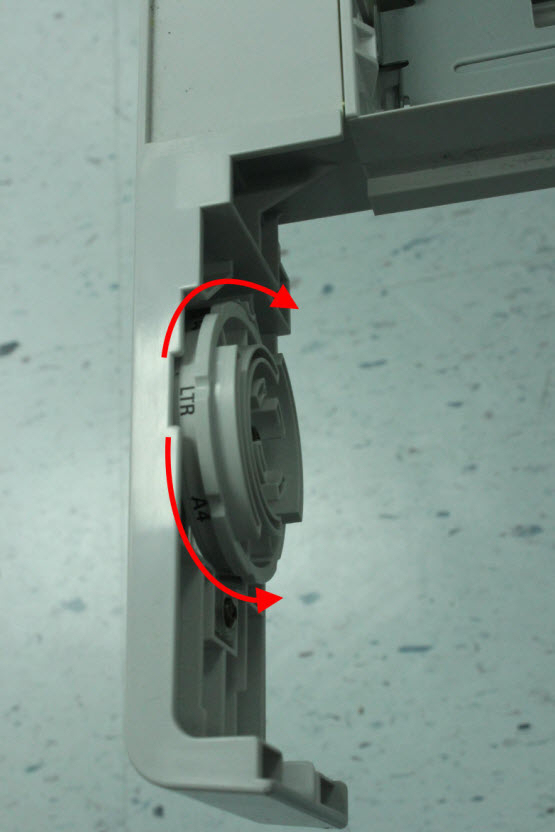 |
| 3 | Ensure that the wheel's paper size indicator is set to the correct paper size. | 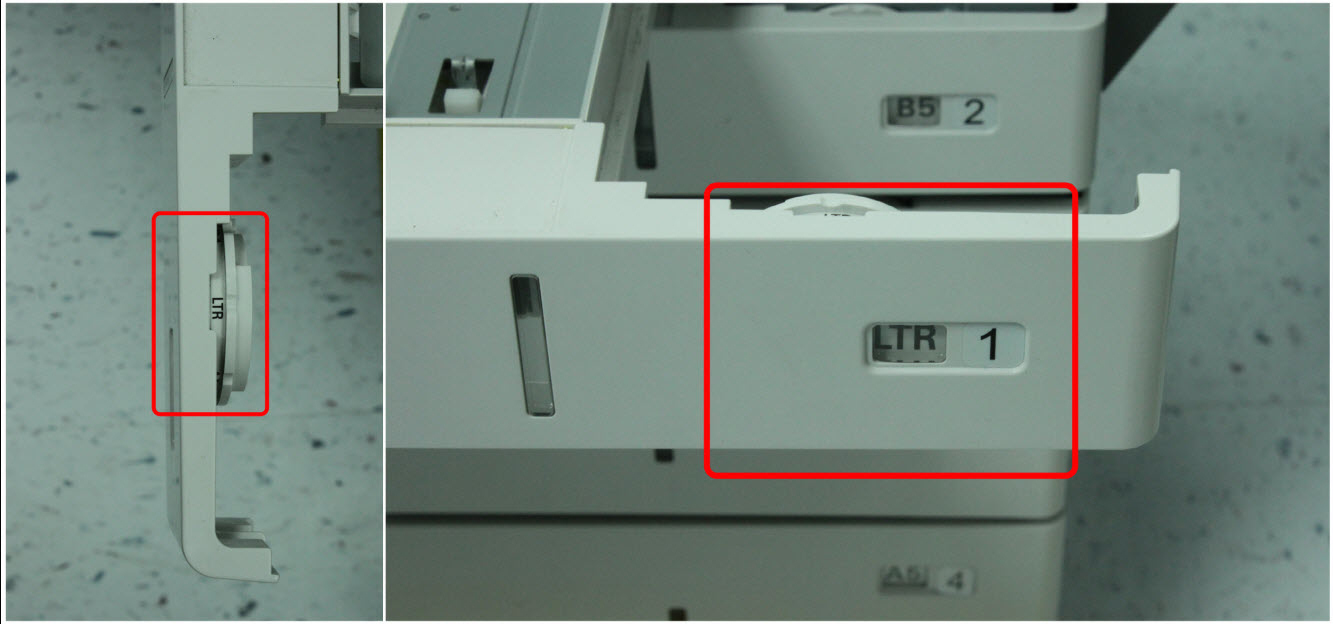 |
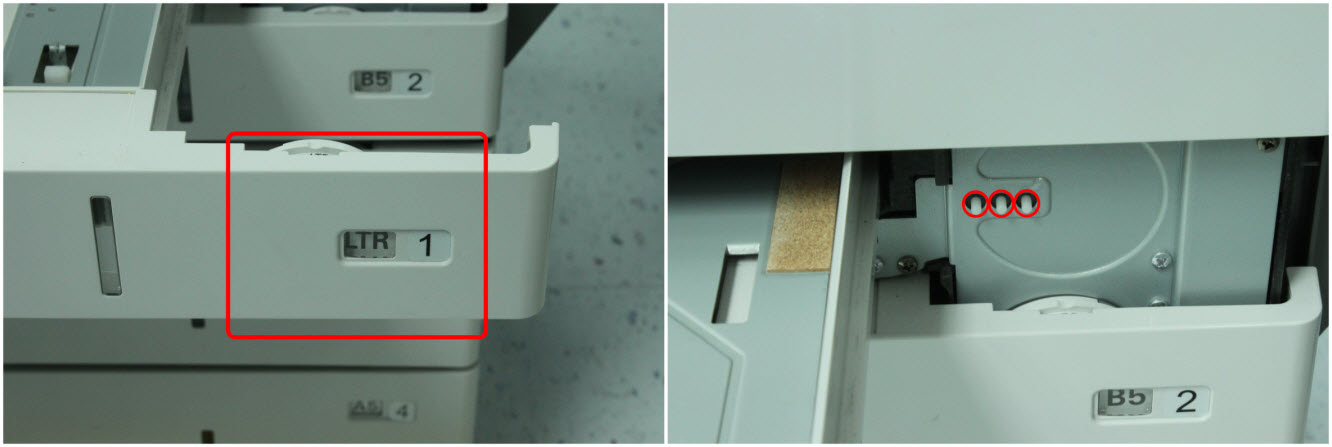
| 4 | Ensure the Tray 1 size sensing wheel on the printer is in place and moves freely. (See red arrow in right-hand image for the normal operating position.) Close the tray.
|  |
| 5 | Using the printer operator panel, verify that the size of the paper loaded in the paper tray matches that of the Paper Size and Type settings in the Paper Menu. Detailed instructions for navigating through the printer menus and changing the paper settings are provided in the | 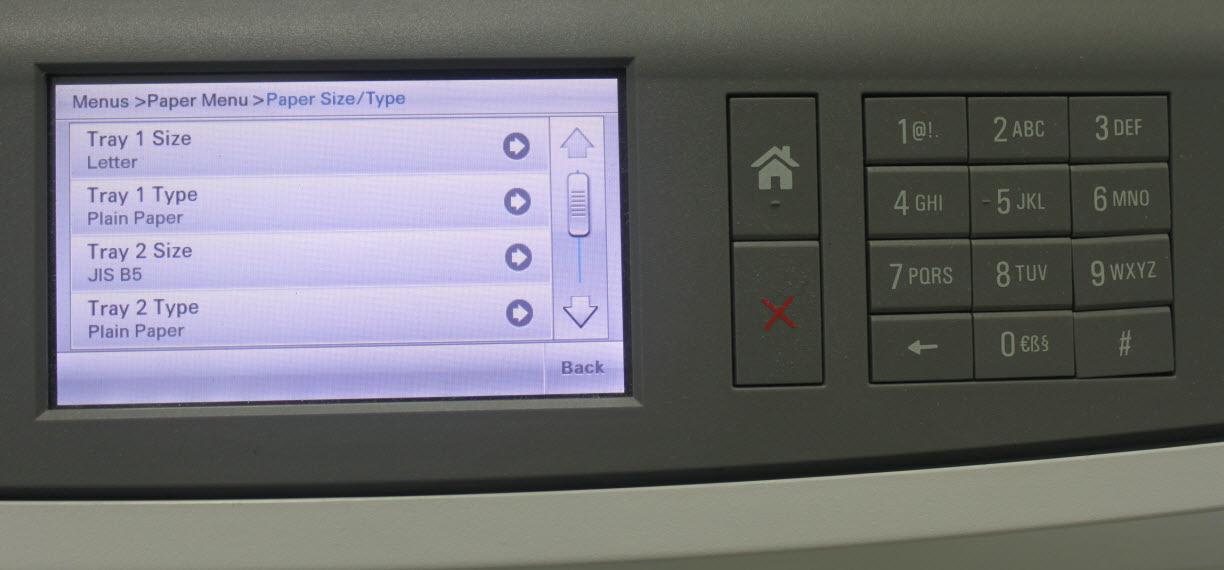 |
| 6 | Resend the print job to the printer. Did the error message return? Yes: Continue to Step 7.No: If the page prints, the printer is functioning correctly. | No Image |
| 7 | Are you printing on regular plain bond copy paper? If not, try printing again with plain copy paper. This will eliminate specialty media as a possible partial cause of the issue. In addition to plain paper, various sizes and types of paper and specialty media can be used in Tray 1. For more information on recommended paper types, please refer to the | No Image |
Still Need Help?
Please contact Lexmark Technical Support if you need additional assistance.
NOTE: When calling for support, you will be asked for your machine/model type and serial number (SN). If you need help locating these,
Please call from near the printer in case the technician on the phone asks you to perform a task involving the printer.
LEGACY ID: SO6301
Rate this article
We appreciate your feedback. We use it to identify content which needs to be updated for accuracy or usefulness.
Thank you for your feedback!