Support article for Lexmark C792
'31.05 Defective Cartridge' Error on the Lexmark C792 or X792 Series Printers
Overview
A malfunctioning toner cartridge usually causes a "31.05 <color> Defective Cartridge" error. Some cases exist in which the issue is temporary, however, and can be resolved without replacing the cartridge. Refer to the information below for directions on clearing this message.
Recommended actions
NOTE: The images in the following table show the Lexmark C792 models. However, these directions also apply to the Lexmark X792 models.
| Steps | Action | Image |
| 1 | If this is the first time the message appears, power off the printer/MFP. Leave it powered off for 30 seconds or more and power it back on. Did this clear the error? Yes: Issue resolved.No: Proceed with Step 2.
| No Image |
| 2 | Power off the printer/MFP again and open the front door. | 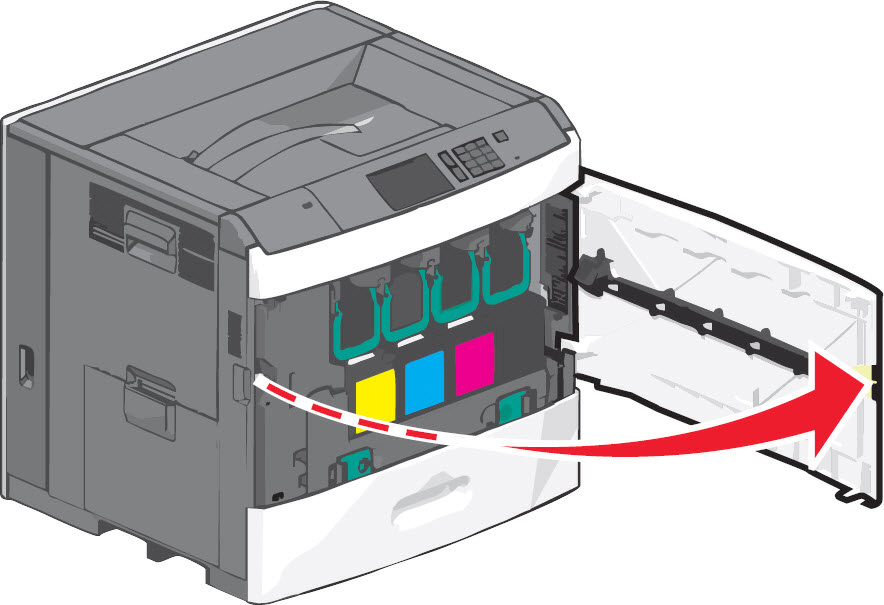 |
| 3 | Grasp and lift the top green handle, then slide the cartridge out of the machine. | 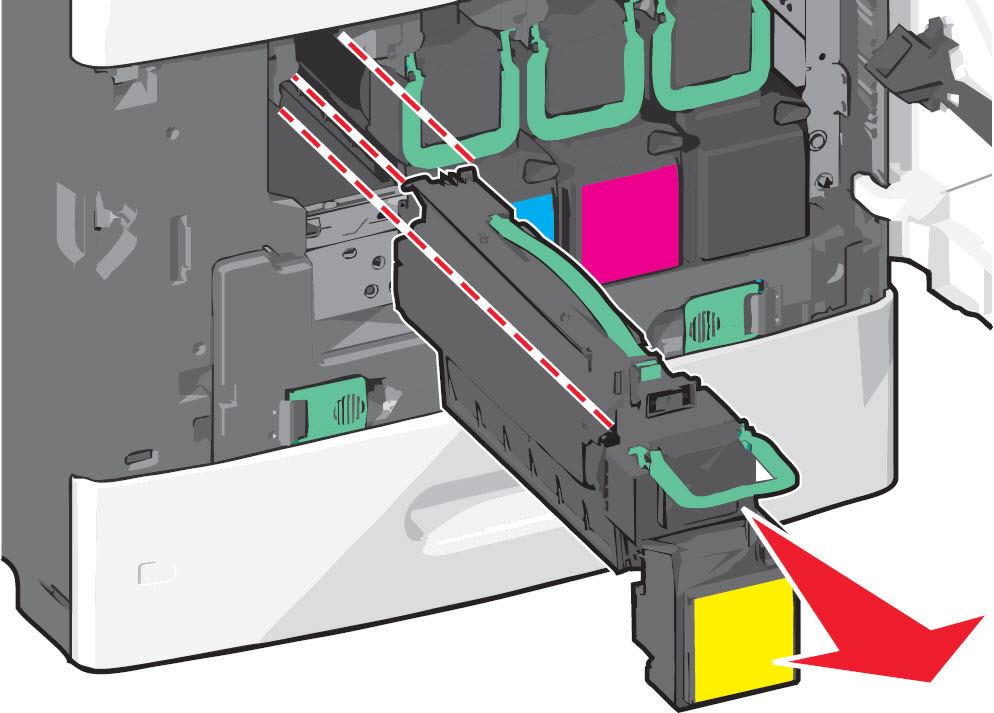 |
| 4 | Verify whether the part number of the toner cartridge(s) you have installed are compatible with your particular printer model.
| No Image |
| 5 | Inspect the print cartridge for damage or excessive toner contamination.
| No Image |
| 6 | Insert the cartridge back into the printer. Then push the green handle back in place to ensure that the cartridge is seated correctly. |  |
| 7 | Close the front door completely. Power on the printer/MFP again. If the error remains, please contact Lexmark Technical Support or a local authorized service provider for additional assistance. | 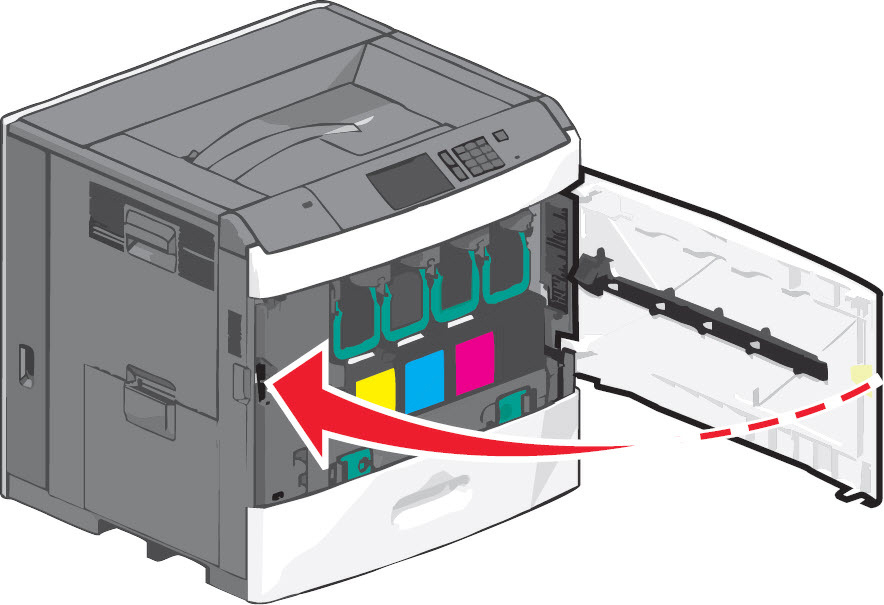 |
Still Need Help?
Please contact Lexmark Technical Support if you need additional assistance.
NOTE: When calling for support, you will be asked for your machine/model type and serial number (SN). If you need help locating these,
Please call from near the printer in case the technician on the phone asks you to perform a task involving the printer.
LEGACY ID: SO6447
Rate this article
We appreciate your feedback. We use it to identify content which needs to be updated for accuracy or usefulness.
Thank you for your feedback!