Support article for Lexmark C792
'82.30 Waste Toner Bottle Missing' error
Issue description
An "82.30 Waste Toner Bottle Missing" error message displaying in the status bar of the printer/MFP's touch screen indicates that the toner waste bottle is either full or missing.
This article outlines the steps to address the "82.30 Waste Toner Bottle Missing" error on a Lexmark C792/X792 Printer MFP.
Solution
Note: Click the embedded links for images. The following images show the Lexmark C792 models. However, these directions also apply to the Lexmark X792 models.
If this is the first time the message appears, power off the printer/MFP. Leave it powered off for 30 seconds or more, then power it back on.
Did this clear the error?
- Yes: Issue resolved
- .No: Proceed with Step 2.
Note: If you have already tried powering the printer off and on, then skip ahead to Step 2.
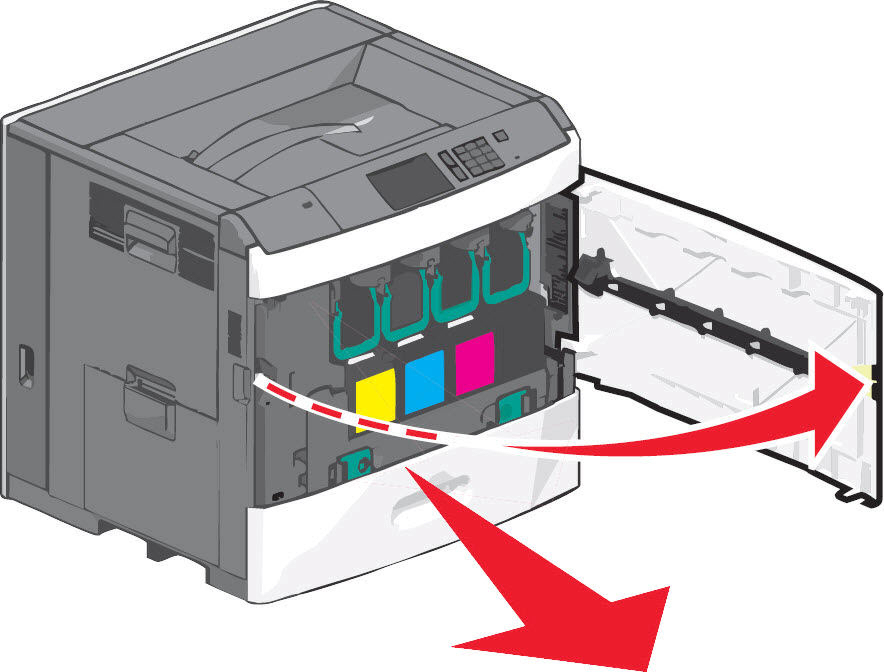
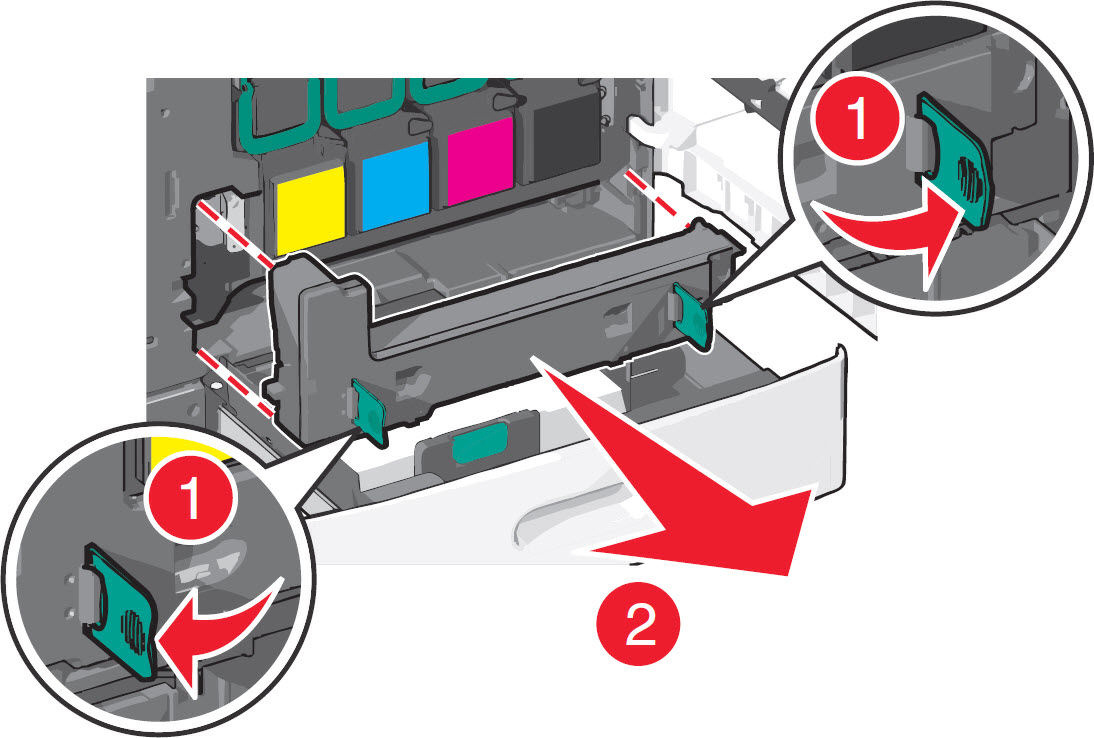
Power off the printer/MFP again and open the front door assembly. Then open the standard media tray.
Inspect the waste bottle for damage or excessive toner contamination. If the bottle is fairly new and almost empty, it may be possible to dislodge loose toner carefully from the inner walls of the bottle by lightly tapping the sides. This should allow any toner stuck to the bottle walls to fall into the bottom.
Note: If damage exists, replace the waste toner bottle.
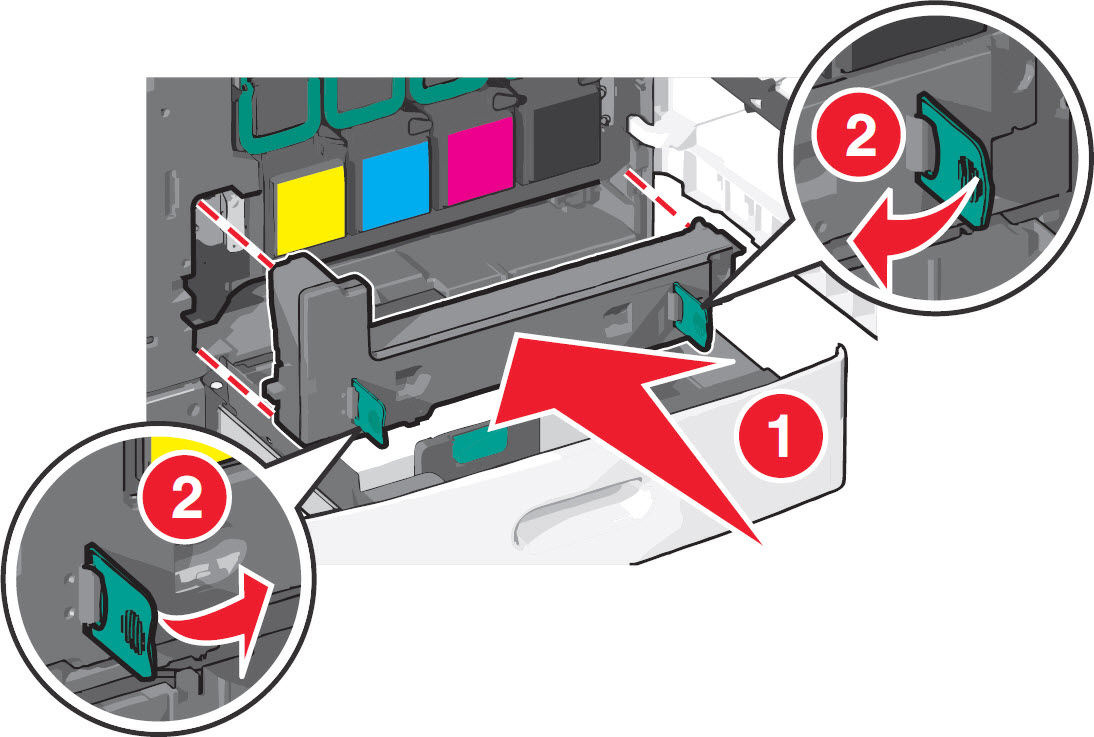
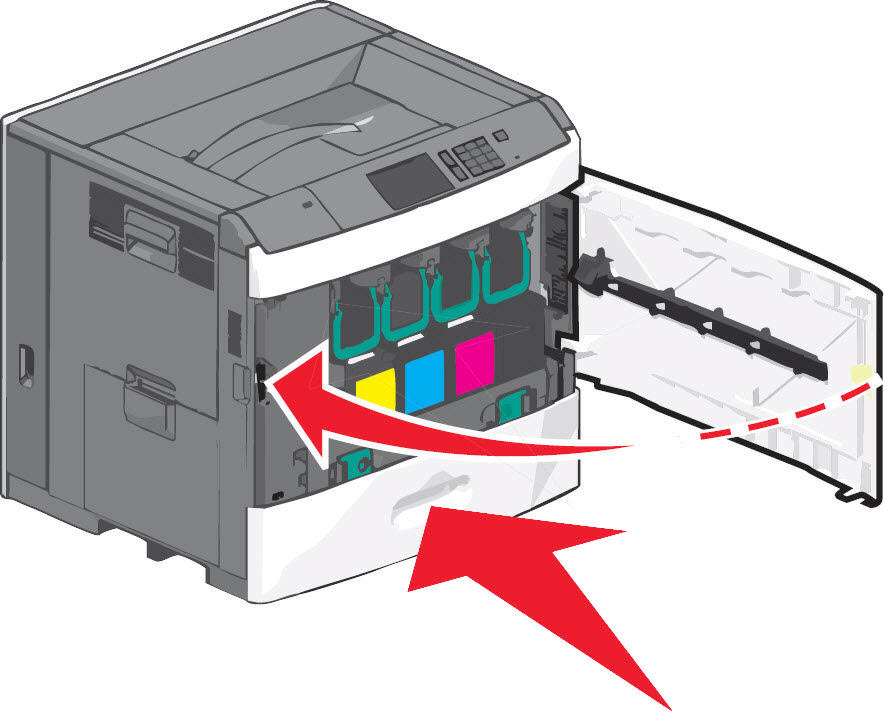
Close standard media tray, and then close the front door assembly completely.
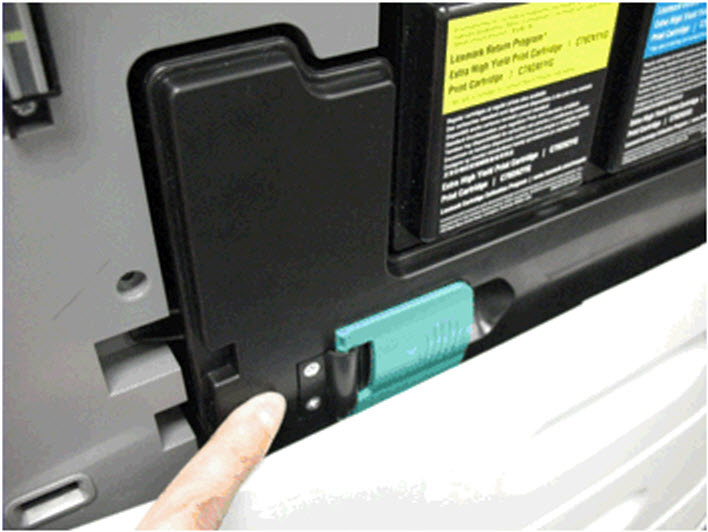
Note: Ensure that the waste toner bottle is installed correctly. Push on the left bottom of the bottle to ensure its proper seating.
Power on the printer/MFP again.
Did this clear the error?
- Yes: Issue resolved. The error can occur if the toner bottle is not properly inserted.
- No: If the issue returns, please contact Lexmark Technical Support or a local authorized service provider for additional assistance.

LEGACY ID: SO6440
Rate this article
We appreciate your feedback. We use it to identify content which needs to be updated for accuracy or usefulness.
Thank you for your feedback!