Support article for Lexmark X463
Capturing the Device Description (DEVD) and Output Queue (OUTQ) settings in AS/400
Overview
This article outlines the steps on how to gather the Device Description (DEVD) and Output Queue (OUTQ) settings in AS/400 systems.
Note: Device Description holds data regarding printer information used on the AS/400, while Output Queue holds information regarding the writer used by device description.
Requirements
- IBM System i Access for Windows
- Access to an IBM iSeries server (AS/400)
Procedure
How to gather the OUTQ settings:
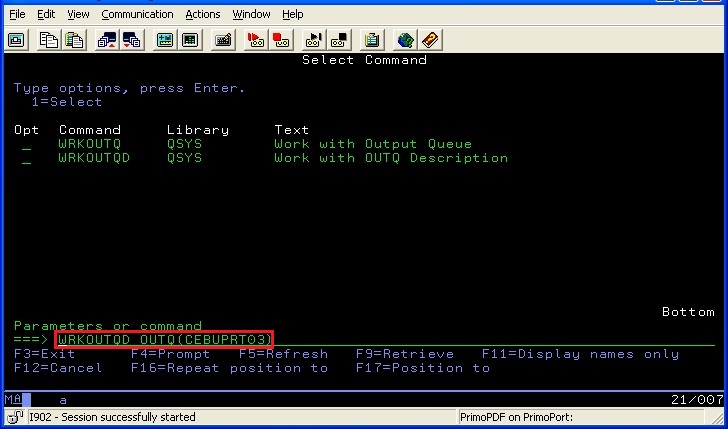
Type WRKOUTQD OUTQ(NAME OF RMTOUTQ) on the command line, and then press Enter.
Note: Make sure to replace the name with the appropriate entry.
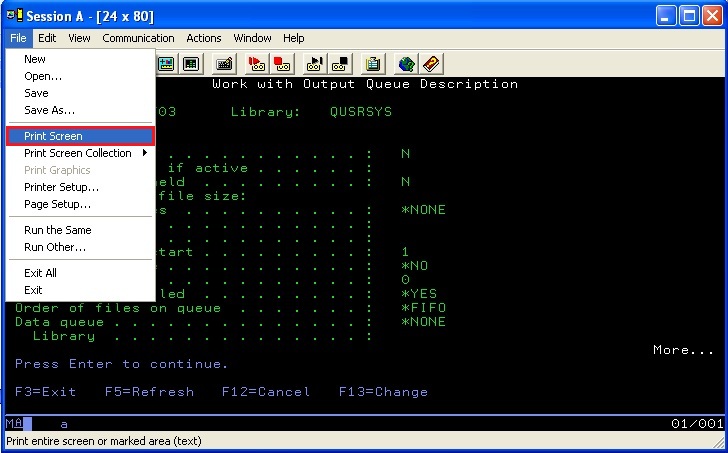
The OUTQ description will display after pressing Enter. Print the settings.
Note: Do this by selecting File > Print Screen for every page on the OUTQ.
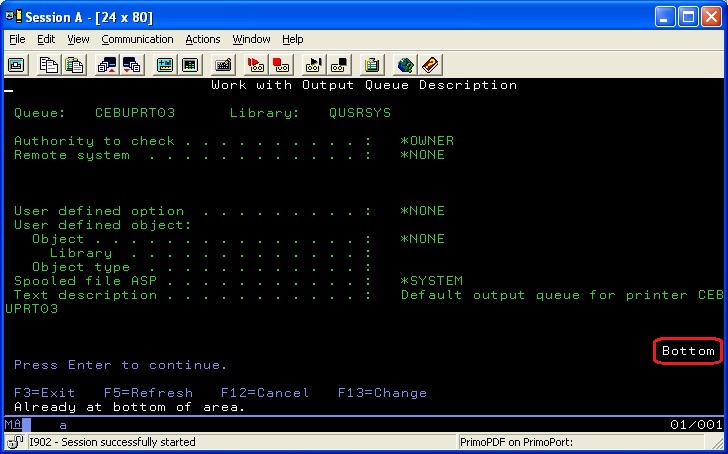
You may press the page down key to go to the next screen, if available. Print the settings.
Note: Repeat until the bottom of the screen shows “Bottom”.

How to gather the DEVD settings:
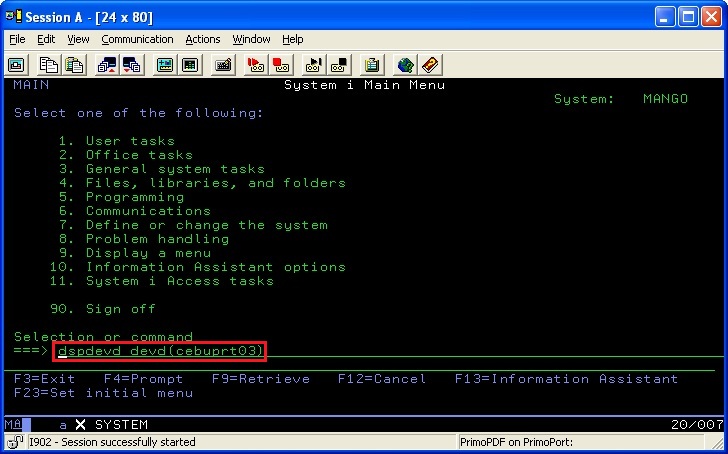
Type DSPDEVD DEVD(NAME OF DEVD) on the command line, and then press Enter.
Note: Make sure to replace the name with the appropriate entry.
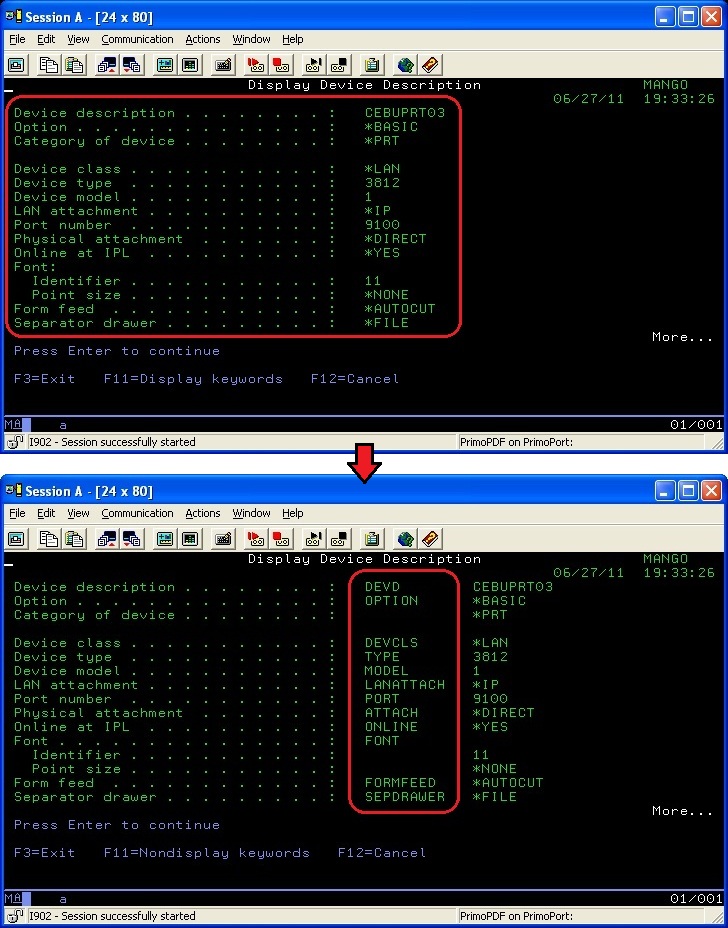
The Device Description displays after pressing Enter. Press F11 to display the keywords.
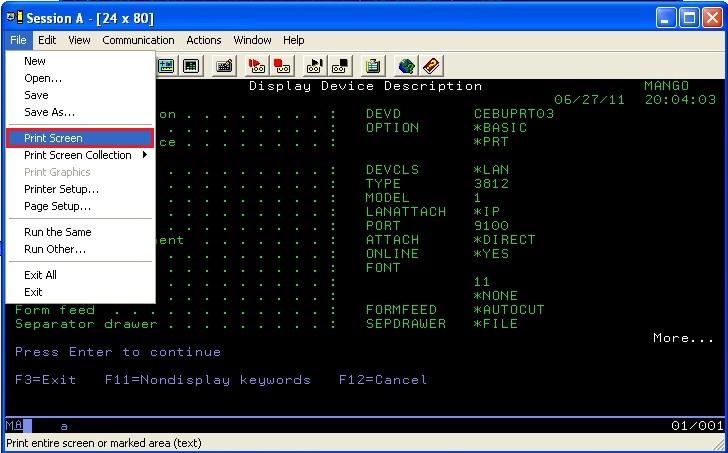
Print the settings.
Note: Do this by selecting File > Print Screen for every page on the DEVD.
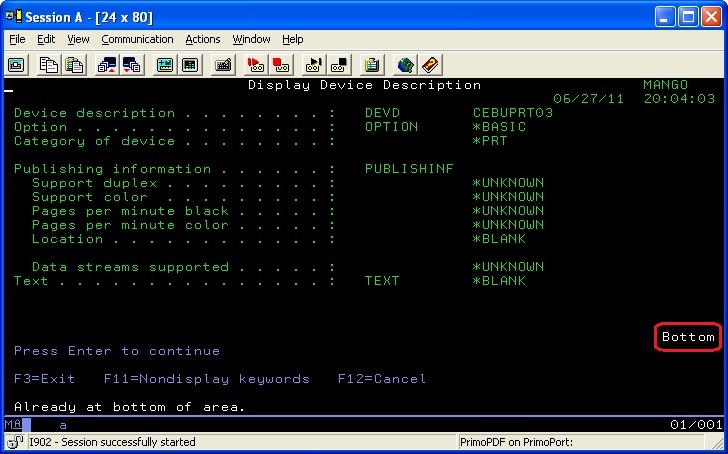
Press the page down key to go to the next screen, if available. Print the settings.
Note: Repeat until the bottom of the screen shows “Bottom”.
Note: Scan the output into a PDF before forwarding to Lexmark; for example, if used for escalation purposes.
LEGACY ID: HO1202
Rate this article
We appreciate your feedback. We use it to identify content which needs to be updated for accuracy or usefulness.
Thank you for your feedback!