Support article for Lexmark X864
Scan to Network errors and suggested troubleshooting tips
Issue description
Scan to Network (SNF) diagnosis topics in this article:
- MFP control panel messages
- Application configuration errors
 MFP control panel messages
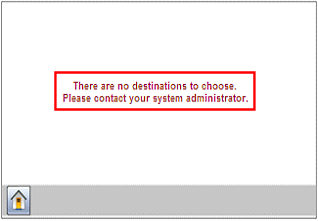
- There are no destinations to choose.
Note:
A created destination points to an FTP directory or a network-shared folder.
The word destination is often used interchangeably with destination profileand profile, and sometimes one might say create a shortcut to a destination.
Possible cause Recommended action No destination is created.
Create the Scan to Network destination. See this article for more information.
Under the Authentication Options section of destination setup, the "Use MFP authentication credentials" is selected; however, no authentication or authentication template is established on the MFP.
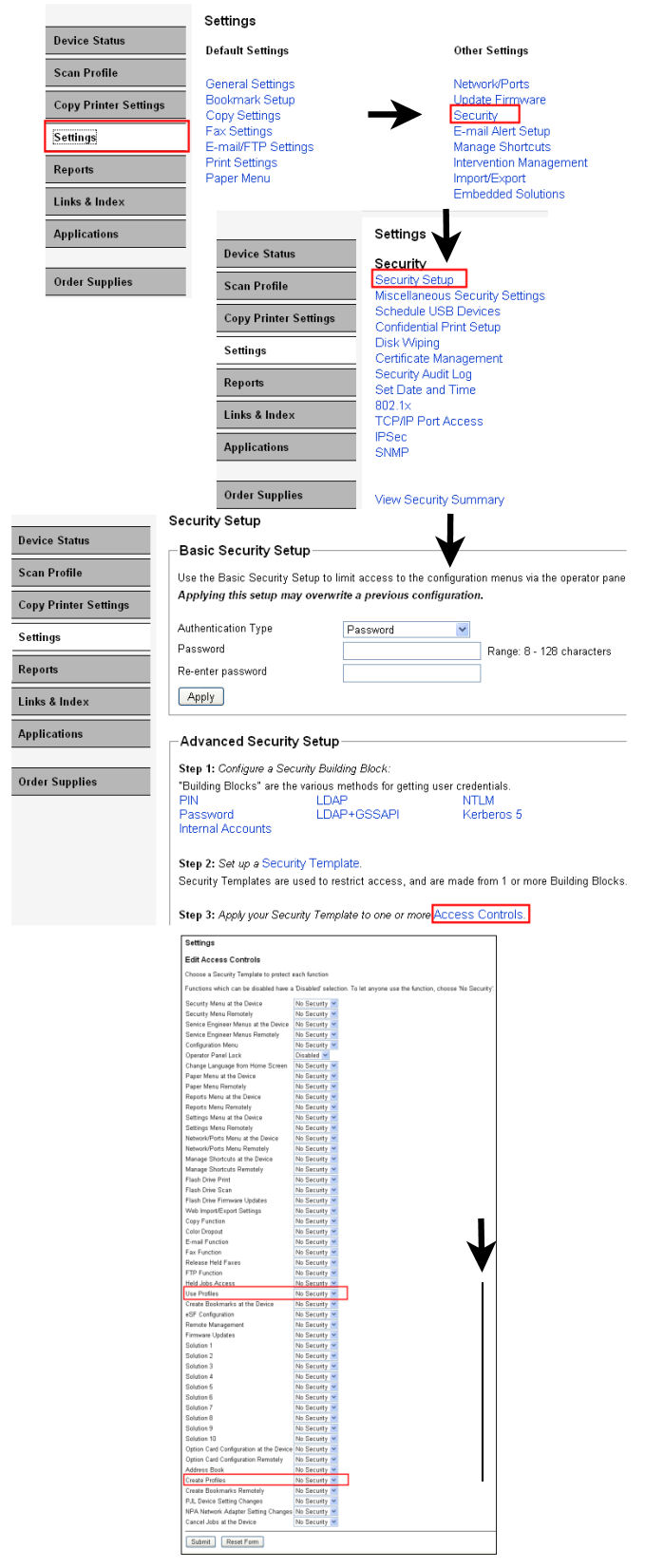
Set up authentication and include an authentication security template to grant or restrict Use and Create profile privileges.
LDAP authentication template example:
- Verify a valid Building Block. Choose "Test ability Authentication Setup".
- Tie the Building Block to a Security Template name.
- Under Access Controls make sure that the security template name is chosen for Use or Create Profiles*.
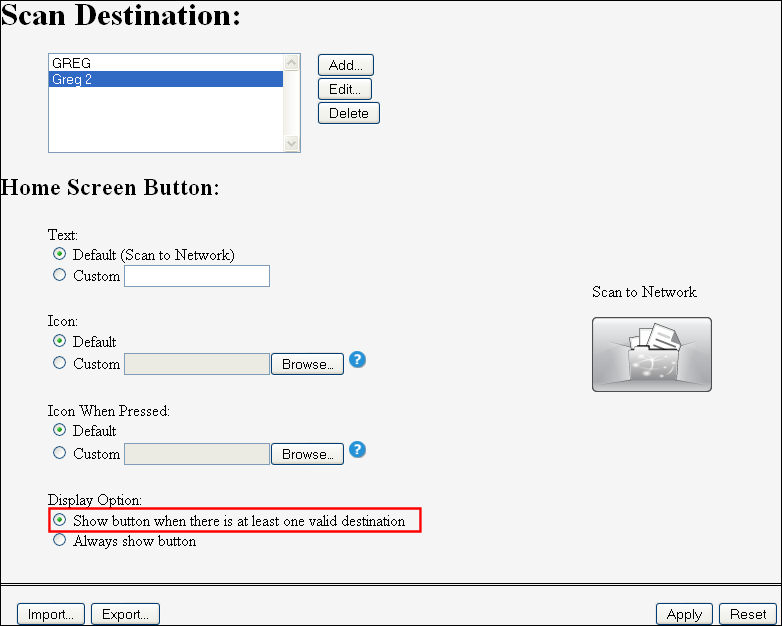
The Always show button is selected.
Select "Show button when there is at least one valid destination".
- Unable to connect to the destination (folder).
Possible cause Recommended action Connection to server.
Click here for a Microsoft™ article concerning 'Logon' servers.
Other considerations that may be affecting these anomalies include:
- Operating system incompatibility
- Disabled protocols
- Network anomalies
Permissions issue on the root shared folder.
Contact your network administrator.
Firewall Port Closure
Make sure to add the following to your firewall's exception list:
- 137-139 (NetBIOS over IP) and 445 (SMB over IP)
- 9100 (Printer PDL Data Stream) used by application
- 9400 (TCP Domain) used by application
Check for router acting as DHCP Server.
Click here for an article that may offer a possible solution.
Check NetBIOS over TCP/IP setting.
Click here for an article that may offer a possible solution.
Incorrect LDAP Path Attribute
Contact your LDAP administrator. An LDAP browser such as Softerra's™ LDAP browser may help identify this value.
Incorrect LDAP User ID Attribute
Contact your LDAP administrator.
Incorrect entry of a Path Suffix
Three possible actions:
Remove the entry from destination setup.
Edit your LDAP directory structure to include this folder name in each user's home directory.
Check spelling and capitalization.
Possible cause Recommended action Incorrect or modified LDAP Setup or Address book configuration.
If using MFP's credentials to log into the share, make sure that the username and password combination used in creating the MFP template is the same as the one needed to log into the share.
Incorrect credentials such as username and password.
Check the credentials and pay extra attention to the spelling and capitalization.
Possible cause Recommended action If you enter a Path Suffix, that corresponding folder name must exist in each user’s home directory. See also "Unable to Connect to the Destination"
Remove the entry from destination setup, or edit LDAP directory structure to include this folder name for every user.
The user does not have write permission on the share.
Contact a network administrator.
Possible cause Recommended action Improper WINS configuration.
Click here for one of many possible WINS configuration issues.
- Server address or share could not be determined
Possible cause Recommended action This may happen after updating to the latest firmware or SNF app version.
Note: Scan to home directory was working before the update was made.
Click here for recommendations on the required values when scanning to home directory.
Embedded web server configuration errors:
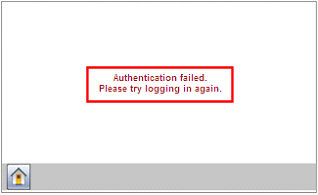
Possible cause Recommended action Improper authentication credentials.
If using MFP's credentials to log into the share, make sure that the username and password combination used in creating the MFP template is the same as the one needed to log into the share.
The
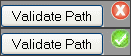
Validate Path button does not work.Possible cause Recommended action Validate Path only works with Guest or Static authentication options.
Confirm compatible authentication mechanism.
Incorrect Address or path entry.
Try the following in order if unable to validate the share path:
\\ip_address\share name
\\hostname\share
\\FQDN\share
Incorrect Domain entry.
Make sure that the correct value is entered if your network uses DNS.
Incorrect entry of 'Static' security credentials.
Verify correct entry of the Username and Password. Check spelling, capitalization, extra spaces, or missed characters.
Note: This is the Username and password assigned to a shared folder.
Permissions or administrative security or device policies
Contact your network administrator.
Certain network topology conditions may prevent this button from working properly.
Try to select the profile on the MFP and observe the result.

Related articles
- See this article to return to the main Scan to Network topics list.
- See this article for additional scanning-related topics.
- See the troubleshooting portion of the Scan to Network administrator's guide.
LEGACY ID: SO5463
Rate this article
We appreciate your feedback. We use it to identify content which needs to be updated for accuracy or usefulness.
Thank you for your feedback!