202.x3 paper jam
Troubleshooting a `202.x3? Paper Jam Issue
Issue description
A
202.03 Paper Jam
error message appears on the printer control panel display. The error indicates one or more sheets of paper are jammed on the printer standard output bin
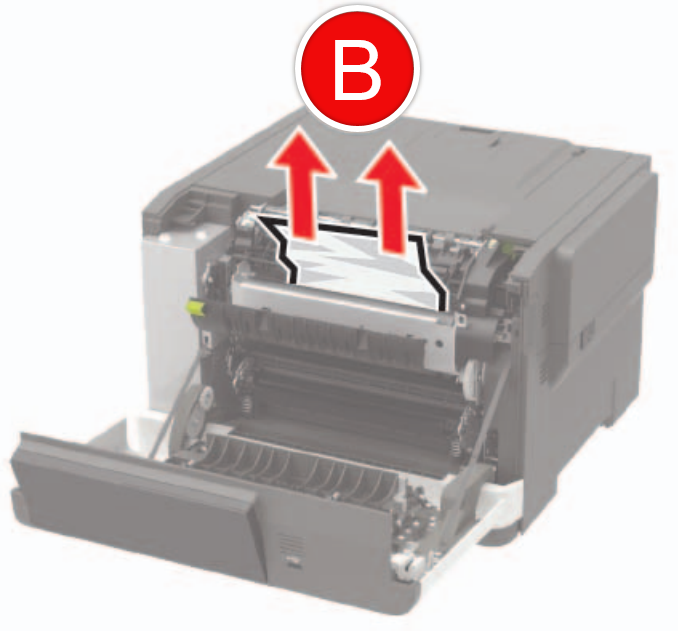
, in the Fuser area
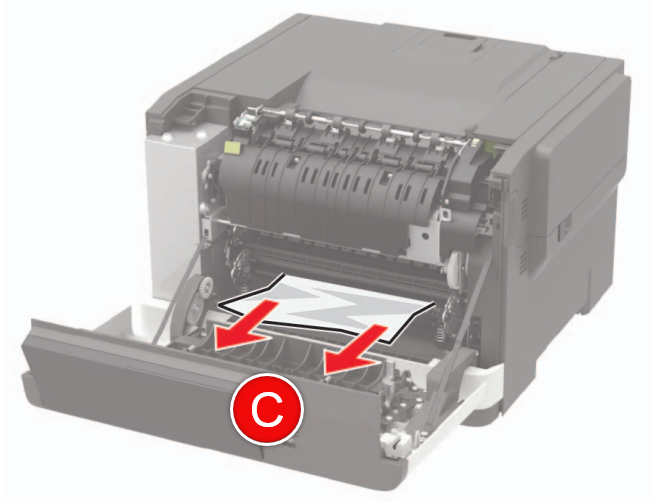
, or before entering the Fuser
.Paper Jam Locations
The paper jam can be in either one of the two locations below:
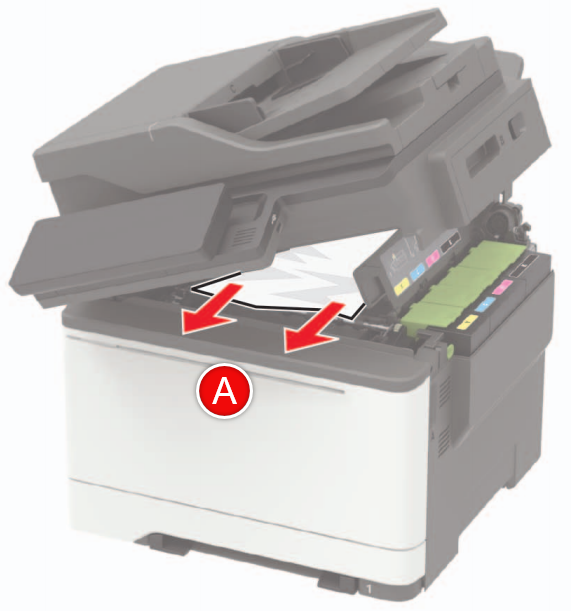 | 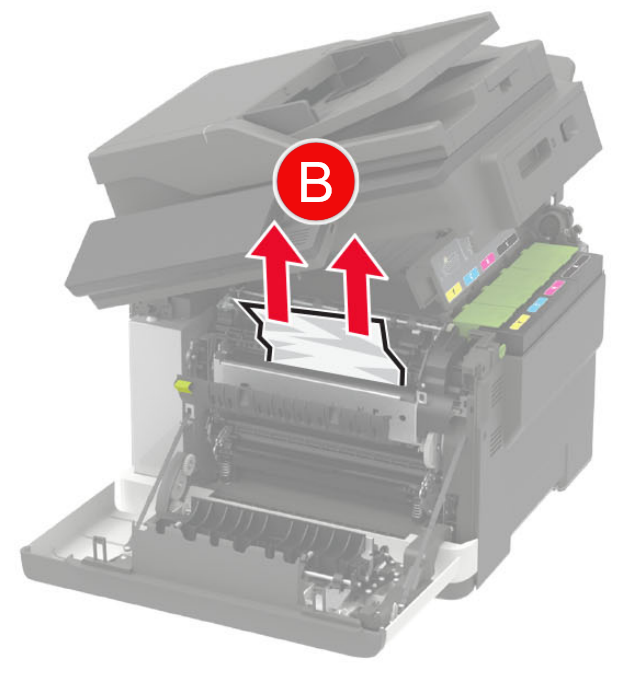 | 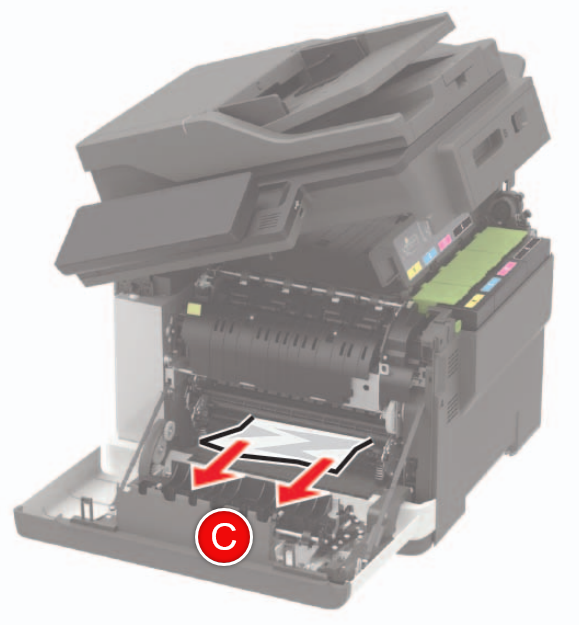 |
(A)
Standard Output Bin Jam (MFP) | (B)
Fuser Area Jam
(MFP) | (C)
Paper jam before Fuser
(MFP) |
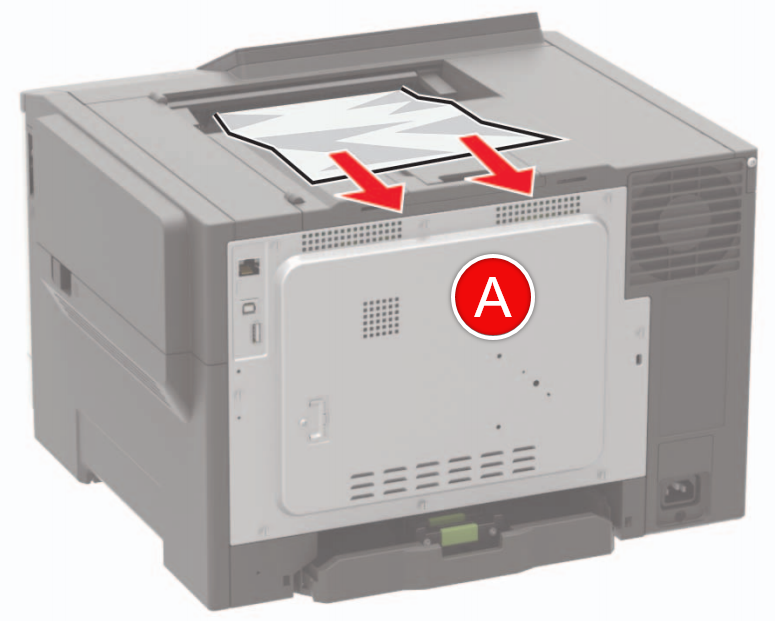 |  |  |
(A)
Standard Output Bin Jam
(SFP) | (B)
Fuser Area Jam
(SFP) | (C)
Paper jam before Fuser
(SFP) |
Solution
- Make sure that any previous jams have been completely removed.
- Make sure that the affected input tray (could be any input source) is loaded properly.
- Verify that thepaper size,type, andweightare within specification for the input source.Light-weight papercan jam more easily in the fuser. If running light media with heavy coverage, set to light paper mode.
- If the paper in the printer shows signs of excessivewrinkle,crease, ordampness, or if the sheets arebentorwavy, or haveream glueorcurl, there is probably too much moisture in the paper. Replace the paper in the printer with new paper from an unopened ream.
If the issue persists, search for more information related to this issue or contact support for further assistance.
LEGACY ID:
SO8841