Unable to connect to Pharos Blueprint server version 4.2.5588
Unable to Connect to Pharos Blueprint Server Version 4.2.5588 on 2016 Lexmark Products
Issue description
The 2016 Lexmark products are unable to connect to an older version of Pharos Blueprint server. When attempting the connection, the printer registers this error:

The connection error registered on the 2016 Lexmark products is a possible compatibility issue that causes inconsistencies and prevents the app to work correctly.
Solution
- Check the firmware version of the printer.
- If the firmware version is not yet updated, proceed to the next step.
- If the firmware version is already updated, proceed to step 3.
- Update the printer's firmware to versionXX.031.099or higher. Please refer to the Firmware Update Instructions for more information.
- If the printer is still unable to connect to the Pharos Blueprint server, then the app needs to be updated to a version 5.1 or higher.
How to update Pharos Blueprint server
The Pharos Blueprint version
5.2
or later
already uses this new database model. Should you need to update the license, proceed with Step 8
.A
new database model
is being implemented on all Pharos Blueprint app versions. To implement it on Pharos Blueprint version 5.1
or earlier
, perform the following steps:- Log in to theBlueprint Analyst server.
- Copy this BP_5.1orEarlierDeviceModelUpdater.rename_to_exe file to a temporary folder or location on the Blueprint Analyst server.
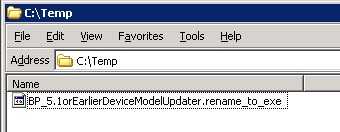
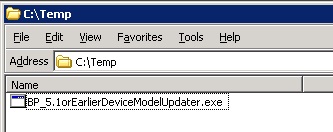
- Rename BP_5.1orEarlierDeviceModelUpdater.rename_to_exe toBP_5.1orEarlierDeviceModelUpdater.exe.
- Double-click onBP_5.1orEarlierDeviceModelUpdater.exe, and then clickStart.
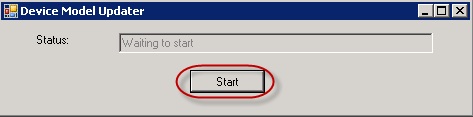
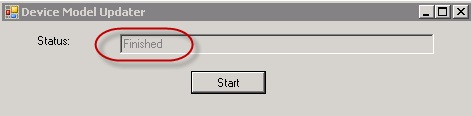
- The status message changes fromWaiting to startto Running.
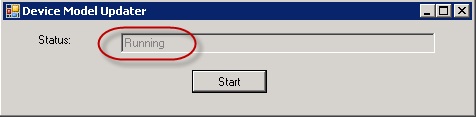
- When the update is complete, the status changes to Finished.
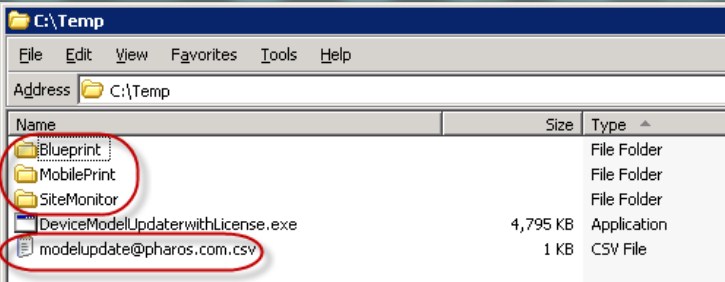
- New license(s) and an update log file are extracted in the folder.The license(s) may vary.
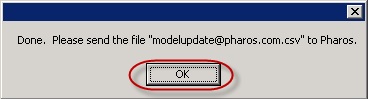
- ClickOKto close both updater windows.
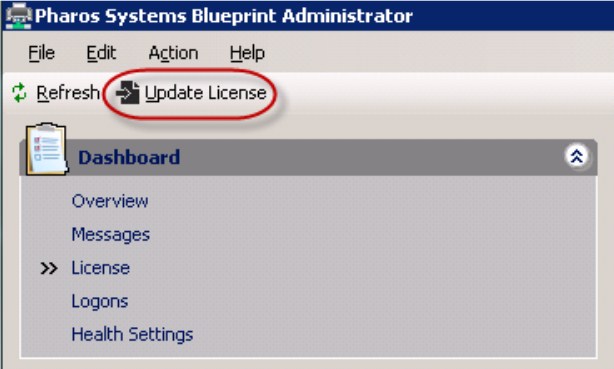
- Open theBlueprint Administrator, and then click on theUpdate Licensebutton.
- Attach the log filemodelupdate@pharos.com.csvto an e-mail, enter the Customer Name in the Subject field, and then send it to modelupdate@pharos.com.
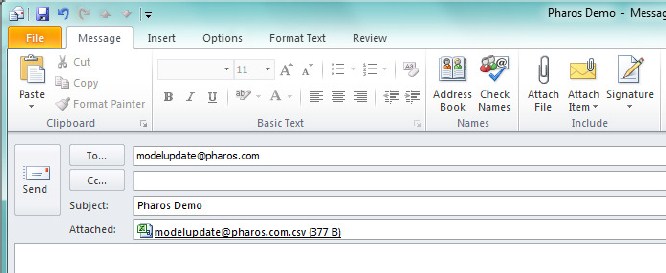 This provides information on the license update results and may help in product improvement.
LEGACY ID:
SO8253