The wireless print server is not recognized by the printer
No wireless connection or the settings are missing. The printer does not recognize the wireless print server or the wireless adapter is not working.
Issue description
- The printer is missing wireless settings or is no longer working on a wireless network.
- The control panel does not indicate any wireless icon even though the customer states it was set up and working previously.
- There is no Wireless menu in the Network/Ports Settings of the printer.
Wireless adapter detected | Wireless adapter not detected |
|---|---|
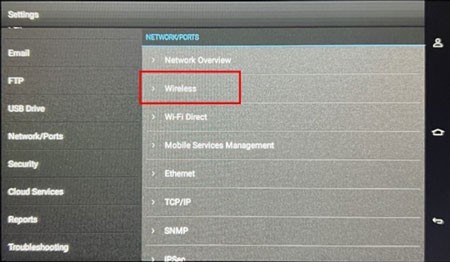 | 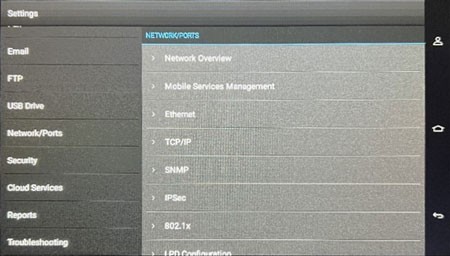 |
Solution
- Turn off the printer.
- Remove the screw (B), and then remove the wireless print server cover (A).
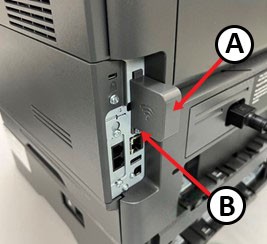
- Pull out the wireless print server and then push it back into place.
- Reinstall the wireless print server cover, and then turn on the printer.
- Check the Wireless menu in Network/Port Settings on the printer to see if the wireless printer server is already recognized.
If the issue persists, then contact customer support.