Missing Information on the Fax Cover Page
Affected Products:
Multifunction: MX622
Issue Description:
When sending or receiving Fax, the fax cover page printed from the printer has a missing logo and recipient information (to:).
Fax Cover Page Samples
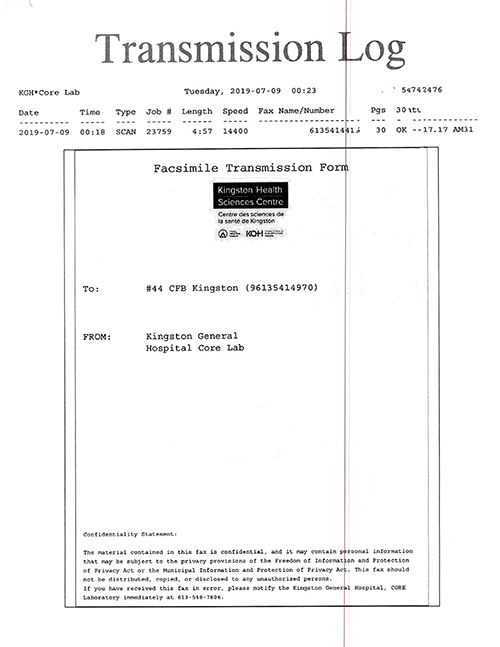 | 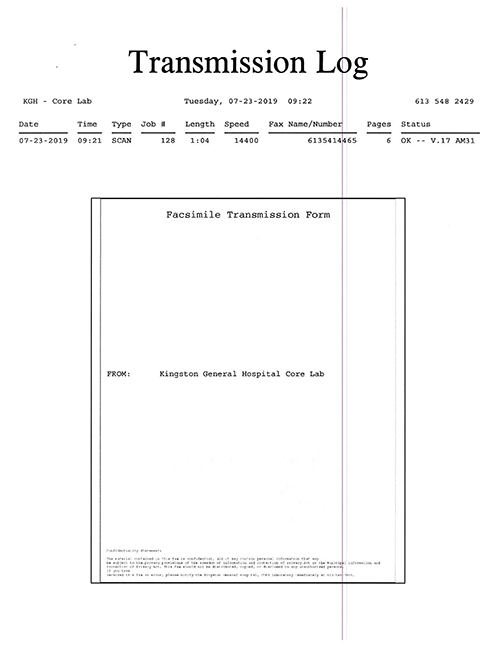 |
Fax cover page without issue | Fax cover page with missing information |
Solution:
- Power off the printer and power it back on. Then try sending or retrieving the fax.
- If the issue remains, contactLexmark Technical supportto obtain the firmware fix for the issue.
The Lexmark representative might ask for the printer's current firmware level. Please refer to Checking the latest Lexmark printer firmware for the steps. Once you obtain the file, you may proceed and update the firmware by following the steps from Downloading the latest Lexmark printer firmware.
Still Need Help?
Have the following available when calling Lexmark Technical Support;
- Printer model(s)
- Printer serial number
- Software or application used
LEGACY ID:
SO8868