Black, gray, or white vertical bar in scan or copy image check
Black or Gray or White Vertical Bar in Scan or Copy Image
Issue description
Electrostatic discharge events may occur in the Automatic Document Feeder which consequently cause sections in the Contact Image Sensor (CIS) Bar to ‘latch up’ or lock in a certain color. These ‘latch up’ events manifest as vertical bars at least 3 mm wide in a scan or copy image which may be white, black, or gray in color.
See the print defect samples below.
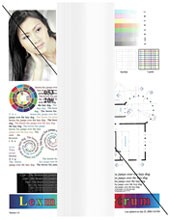 |  | 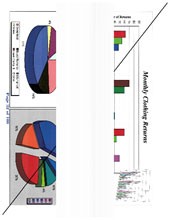 | 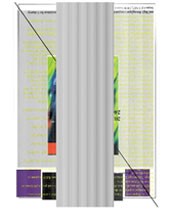 |
Solution
- Restart your printer and retry the scan or copy job. If the issue persists, proceed to the next step.
- Clean the scanner by following the steps outlined in Cleaning the scanner. Retry the scan or copy job.
- If the vertical bar is still in the image, take note of the following and contact thenext level of supportfor further diagnosis.
- Do the bars extend the length of the page?
- How wide are the bars?
- Are the bars in solid color?
If the issue persists, search for more information related to this issue or contact support for further assistance.
LEGACY ID:
TE948