Paper jam in the multipurpose feeder
Remove the paper that is stuck in the multipurpose feeder to continue printing.
The multipurpose feeder is available only if the optional 650-sheet duo tray is installed.
- Remove paper from the multipurpose feeder, and then close it.Remove the tray.
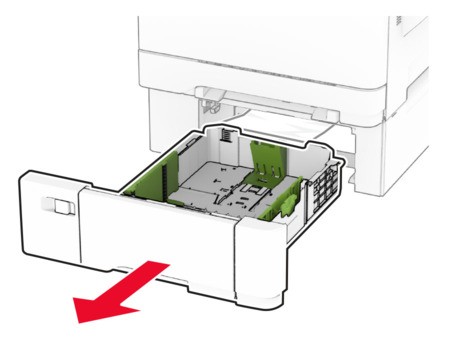 Remove the jammed paper.Make sure that all paper fragments are removed.
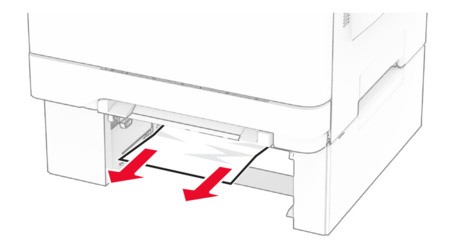 Insert the tray.Open the multipurpose feeder, and then reload paper.