Installing MarkNet N8372 Wireless Print Server
Connect your printer to wireless networks by adding the MarkNet N8372 Wireless Print Server on the front USB port.
- Turn off the printer.Apply isopropyl alcohol to a damp, soft, lint-free cloth, and then wipe the surface around the USB port.Install the wireless module.
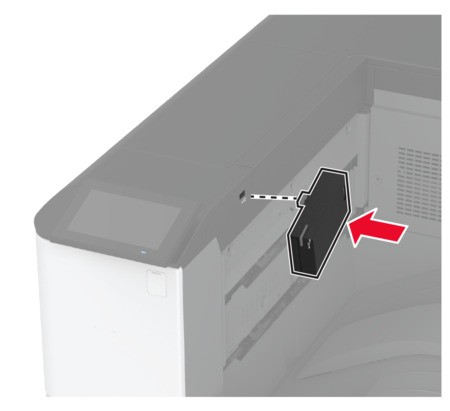
- Apply firm pressure to make sure that the tape sticks to the surface of the printer.
- Make sure that the printer surface is dry and free of condensed moisture.
- The module is best bonded to the printer after 72 hours.
Check for a gap between the module and the printer, then attach the spacer module if necessary.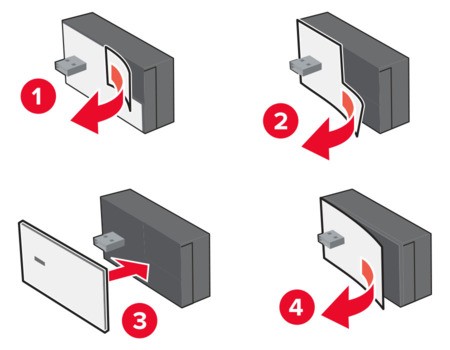 Turn on the printer.