Replacing the paper bail
Replace the used paper bail to hold printed paper in place in the output bin.
- Pinch the left side of the paper bail to unlock it.
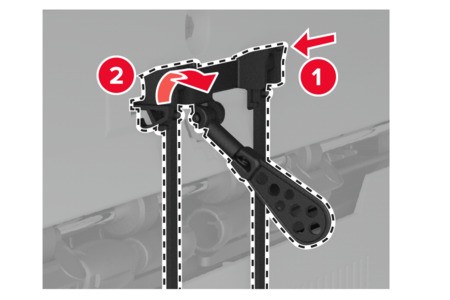
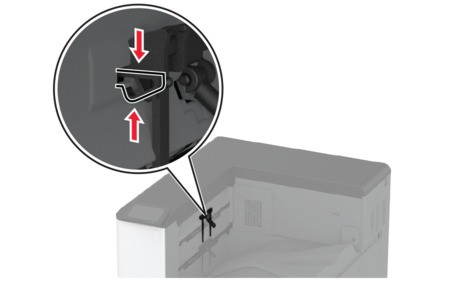 Remove the used paper bail.
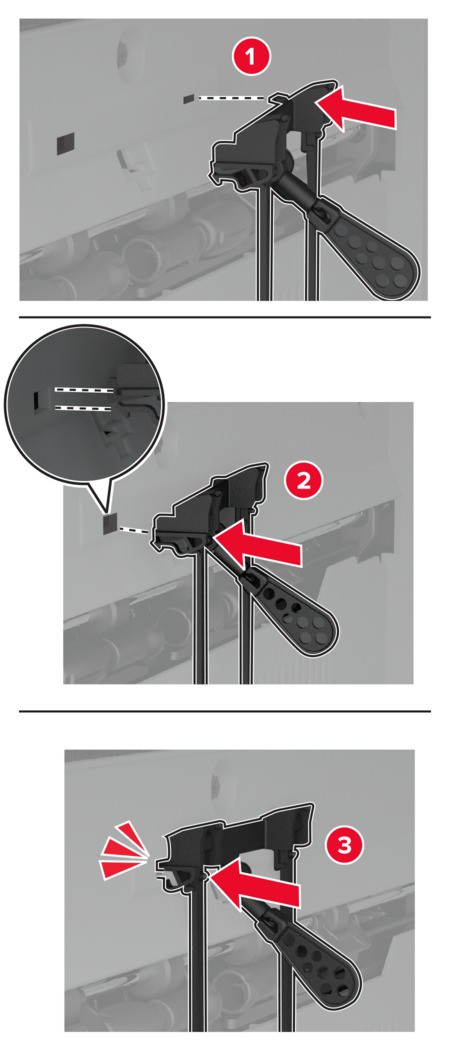
 Unpack the new paper bail.Insert the new paper bail until itclicksinto place.