Replacing the waste toner bottle
Learn how to replace the waste toner bottle of your printer. Changing the waste toner bottle regularly prevents toner spillage.
- Open the front door.
 Remove the waste toner transfer unit.
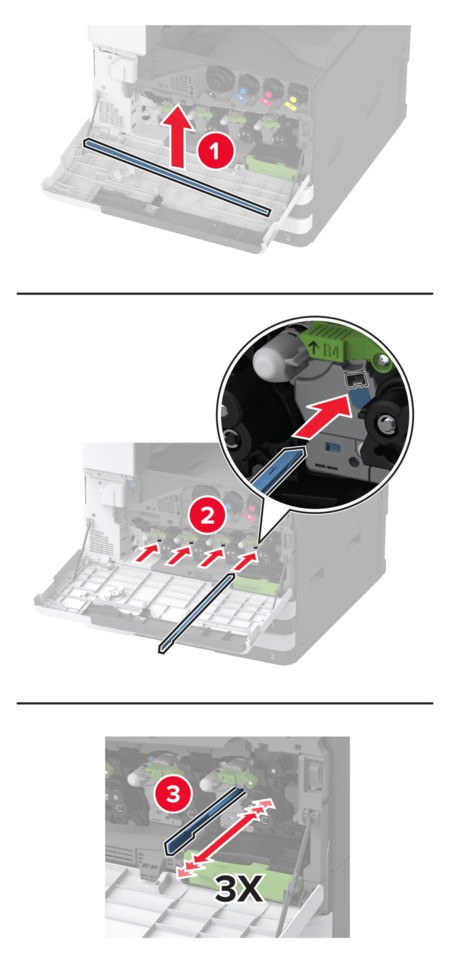
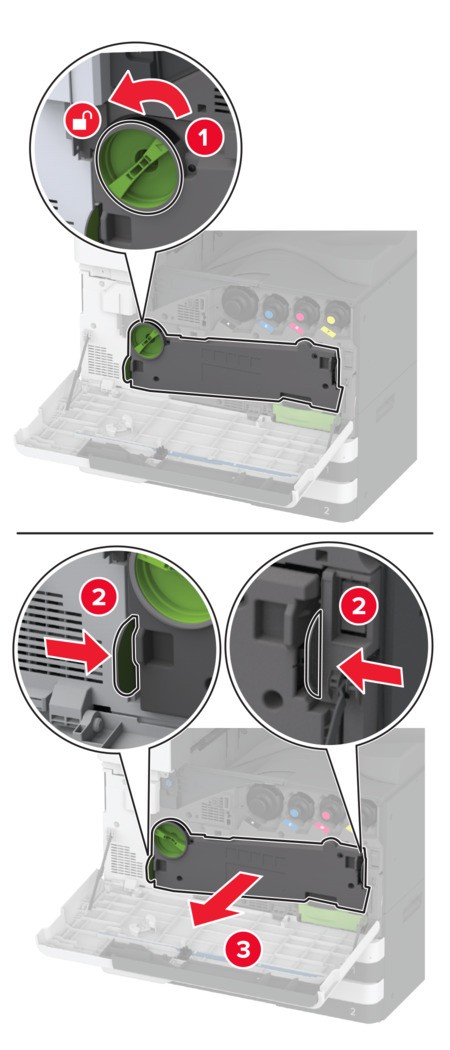 To avoid spilling the toner, place the unit in an upright position.Remove the printhead wiper, and then clean the printhead lenses.
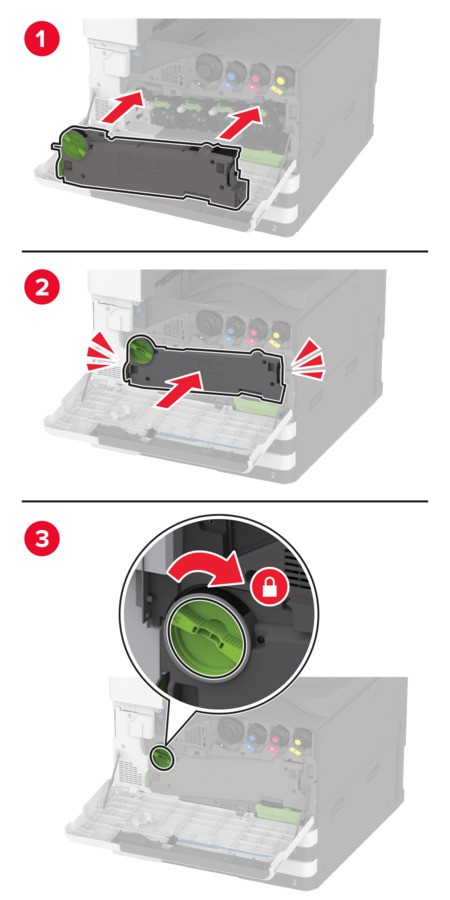
 Put the printhead wiper back into place.Insert the waste toner transfer unit until itclicksinto place, and then lock it.
 Remove the used waste toner bottle.
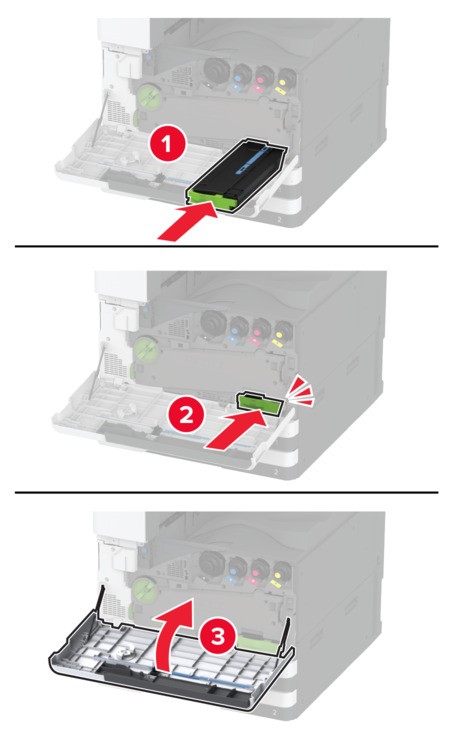
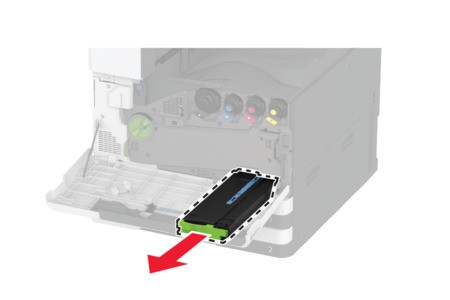 Unpack the new waste toner bottle.Insert the new waste toner bottle until itclicksinto place, and then close the door.