Installing the envelope tray
Know how to replace the standard tray with the envelope tray.
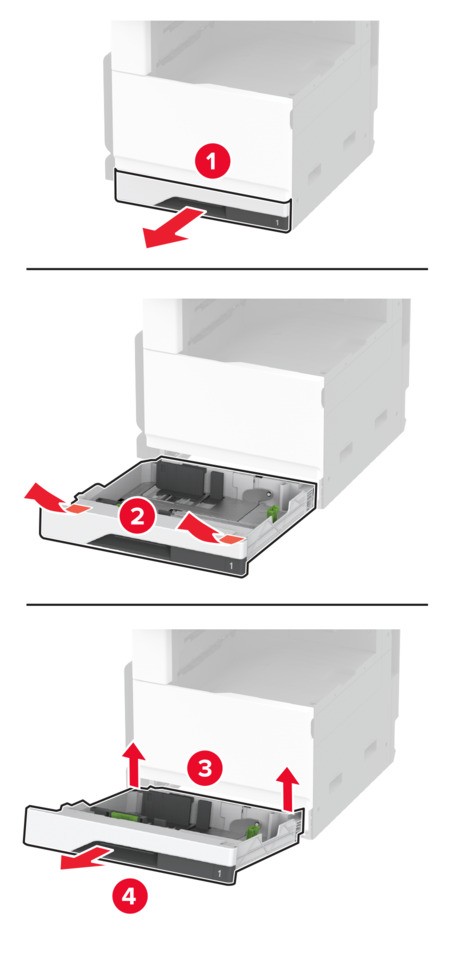
- Remove the standard tray.Do not throw away the standard tray.
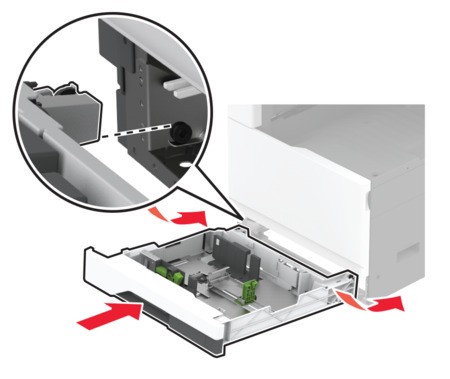
 Unpack the envelope tray, and then remove all the packing material.Insert the envelope tray.
 To make the envelope tray available for print jobs, from the home screen, touchSettings>Device>Maintenance>Configuration Menu>Tray Configuration>Envelope Tray Setup>On.