Replacing the transfer module
Change the transfer module when you start seeing low‑quality images on your prints.
- Turn off the printer.
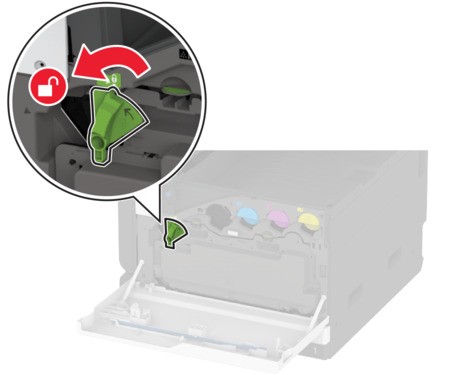
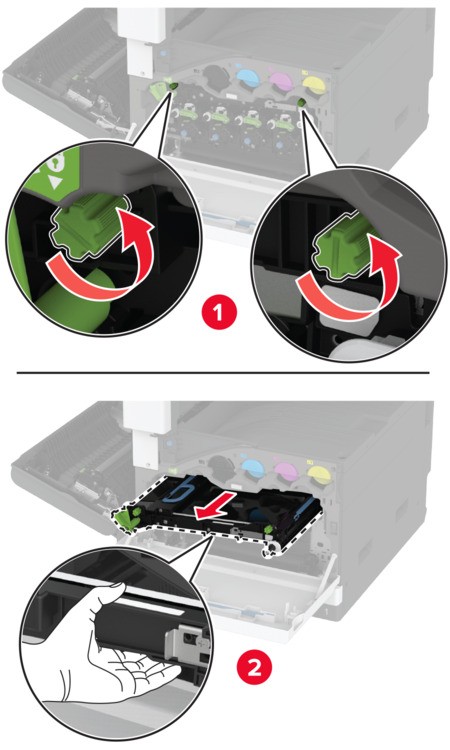
 Unlock the waste toner bottle.
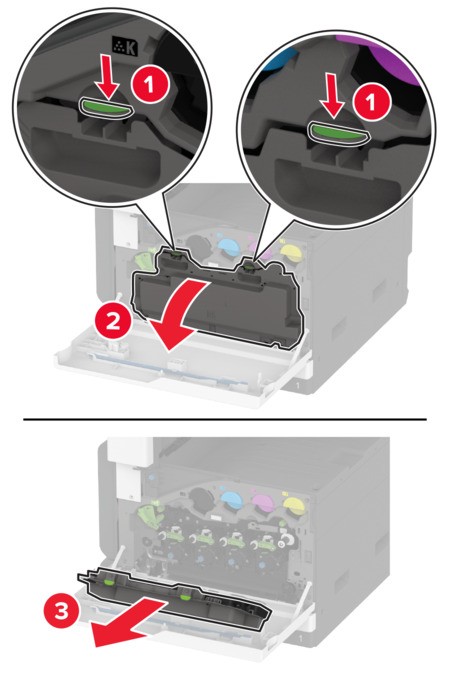
 Remove the waste toner bottle.
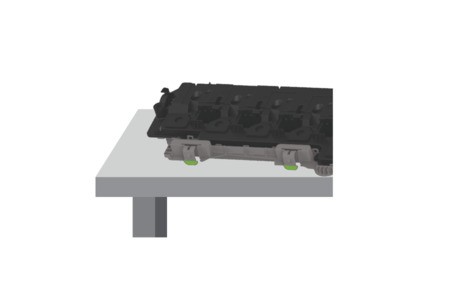
 To avoid spilling the toner, place the bottle in an upright position.
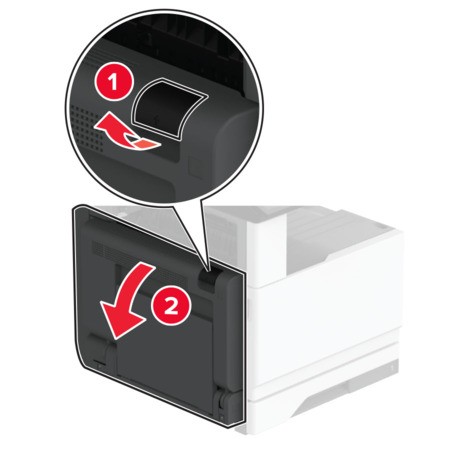
 Open door A.The inside of the printer might be hot. To reduce the risk of injury from a hot component, allow the surface to cool before touching it.
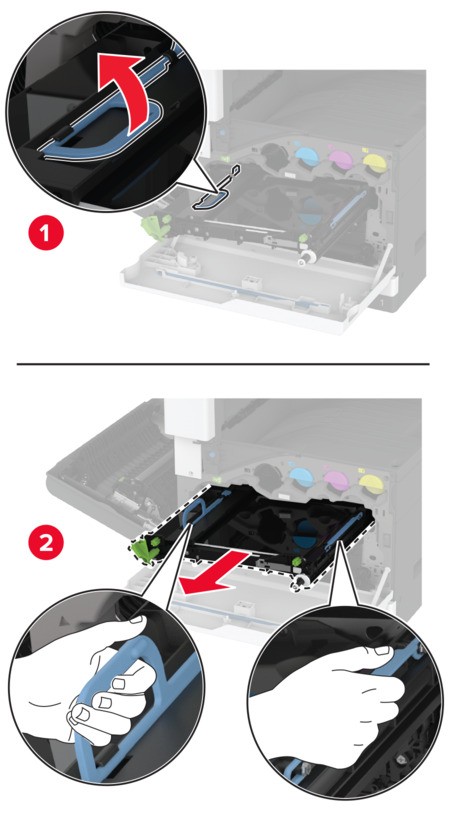
 Unlock, and then pull out the used transfer module.
 Remove the used transfer module.
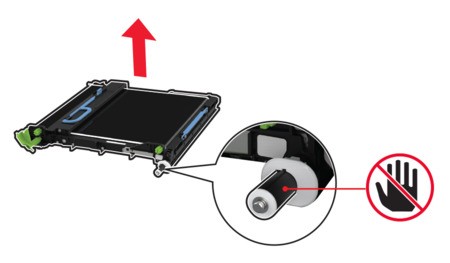
 Unpack the new transfer module.Do not touch the transfer belt. Doing so may affect the print quality of future print jobs.
 Insert the new transfer module until itclicksinto place.
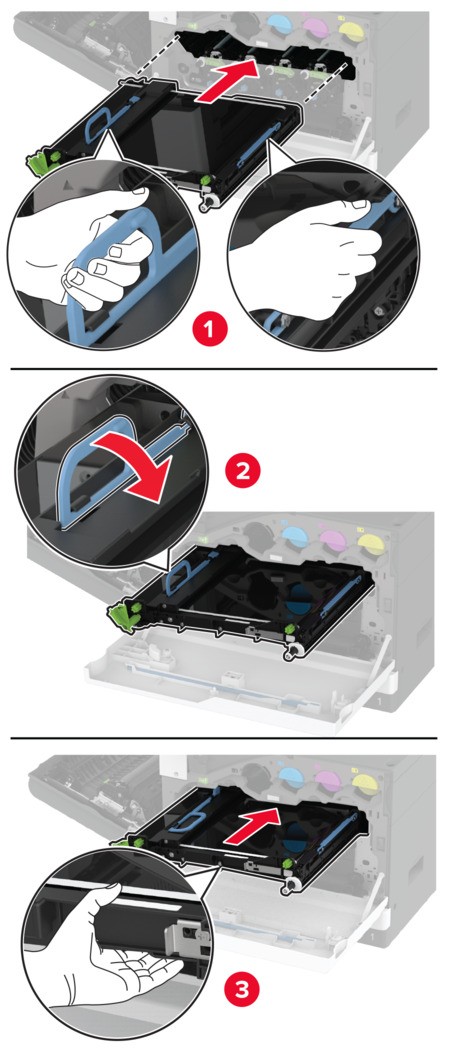 Lock the new transfer module, and then close door A.Insert the waste toner bottle until itclicksinto place.
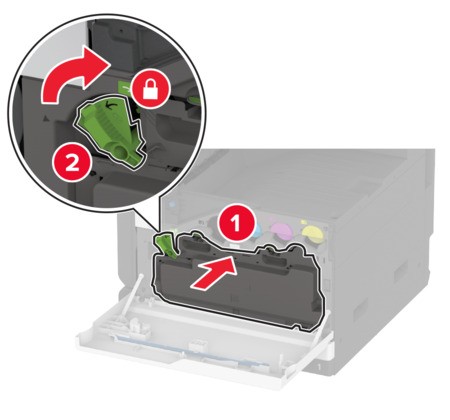
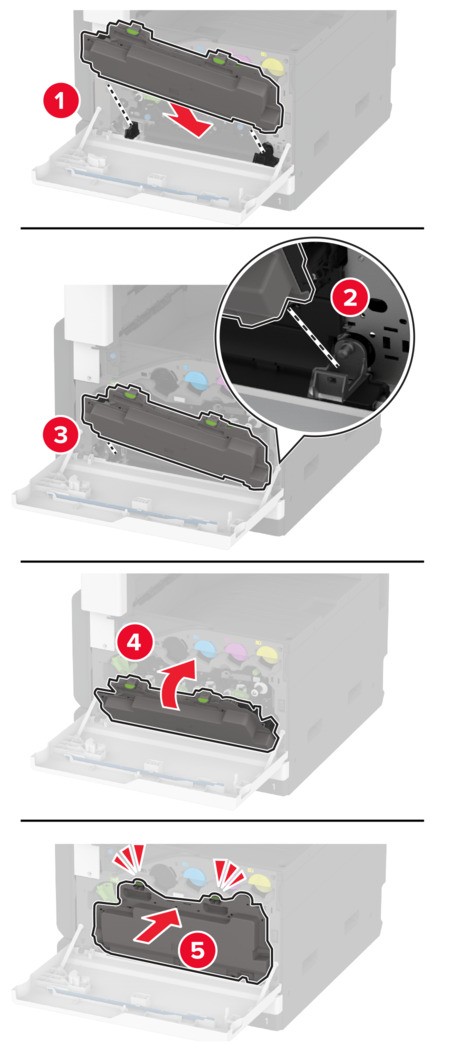 Lock the waste toner bottle.
 Turn on the printer.