Replacing the transfer roller
Change the transfer roller regularly to prevent toner leaks.
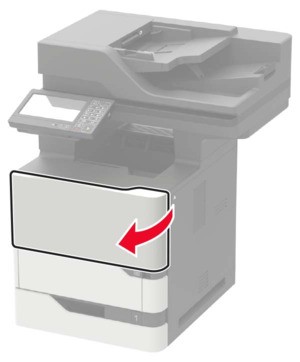
- Open door A.To prevent damage from electrostatic discharge, touch any exposed metal frame of the printer before accessing or touching interior areas of the printer.
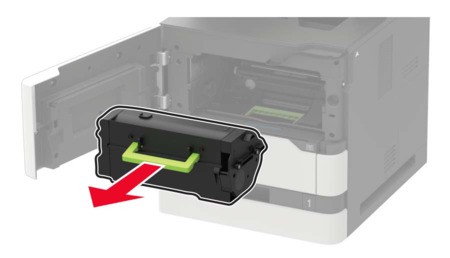
 Remove the toner cartridge.
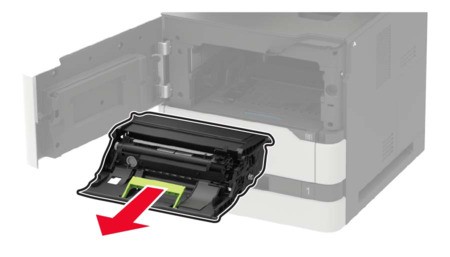
 Remove the imaging unit.
 Remove the used transfer roller.The inside of the printer might be hot. To reduce the risk of injury from a hot component, allow the surface to cool before touching it.
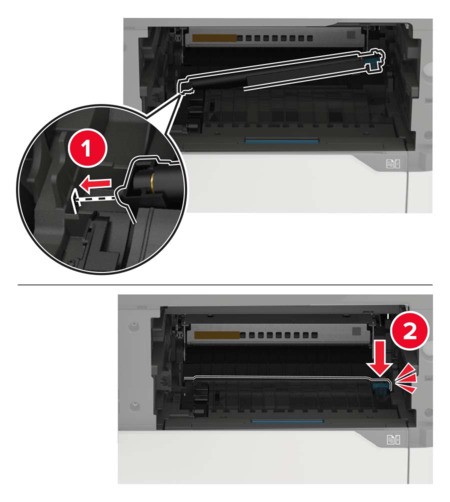
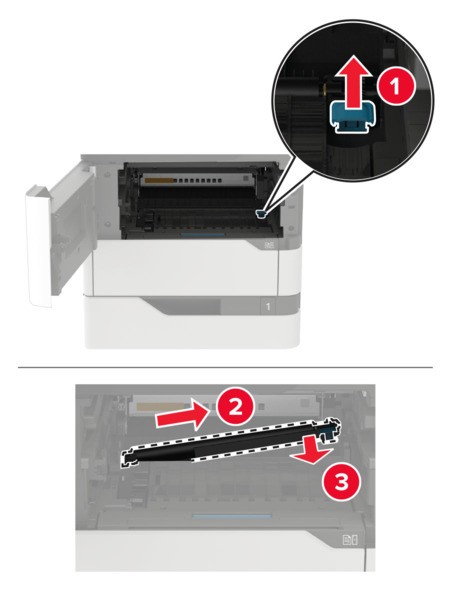 Unpack the new transfer roller.Insert the new transfer roller until itclicksinto place.
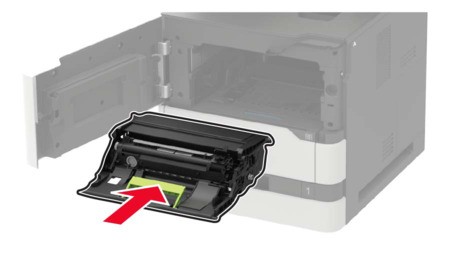
 Insert the imaging unit.
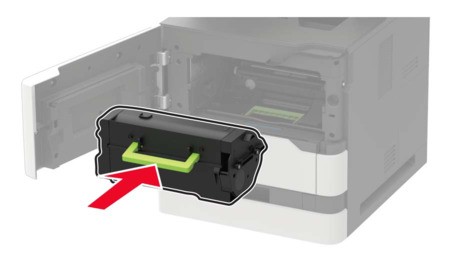
 Insert the toner cartridge.
 Close the door.