Replacing the imaging unit
Avoid printing delays. Install a new imaging unit when the printer prompts you to replace it.
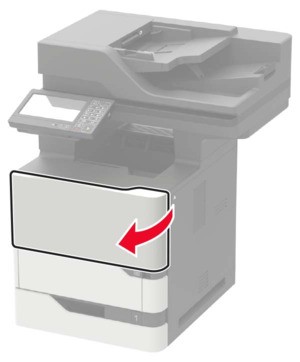
- Open door A.To prevent damage from electrostatic discharge, touch any exposed metal frame of the printer before accessing or touching interior areas of the printer.
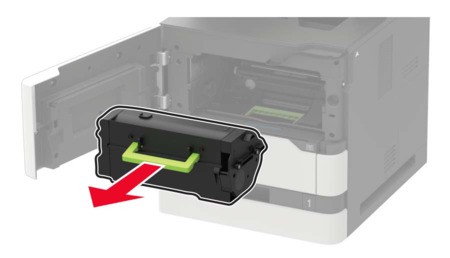
- Remove the toner cartridge.
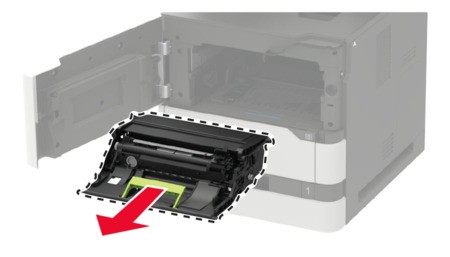
- Remove the used imaging unit.
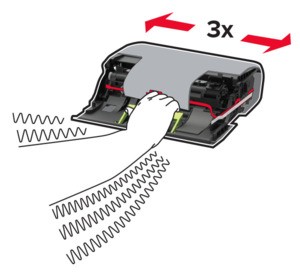
- Unpack the new imaging unit, and then shake it to redistribute the toner.
 Do not expose the imaging unit to direct light for more than 10 minutes. Extended exposure to light may cause print quality problems.Do not touch the photoconductor drum. Doing so may affect the quality of future print jobs.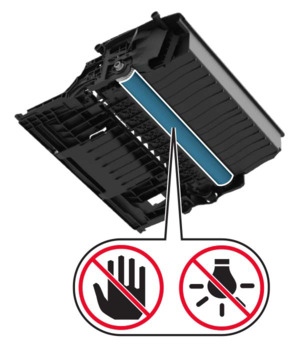
- Remove the packing material.
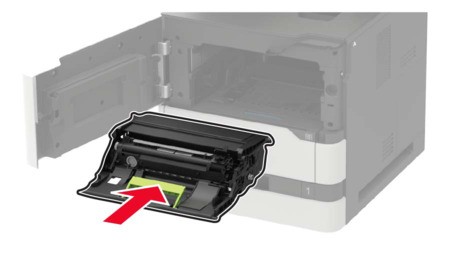
- Insert the new imaging unit.
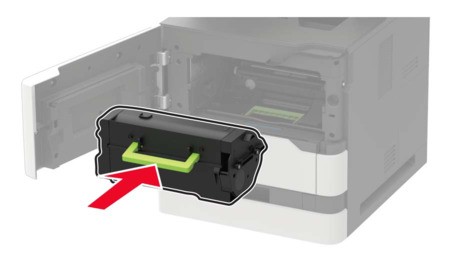
- Insert the toner cartridge.
- Close the door.