Downloading the Printer Enrollment Tool
Learn how to download the Printer Enrollment Tool from the Fleet Management web portal.
Use the Printer Enrollment Tool (PET) to discover and enroll printers in the Lexmark Cloud Services website. Depending on the printer firmware version, the PET installs the Printer Agent application in the printer or uses the Native Agent.
- From the Fleet Management web portal, do one of the following:If you are enrolling devices in Lexmark Cloud Services for the first time, then you can download the PET by following the steps:
- ClickUse Printer Agent>Download PET.
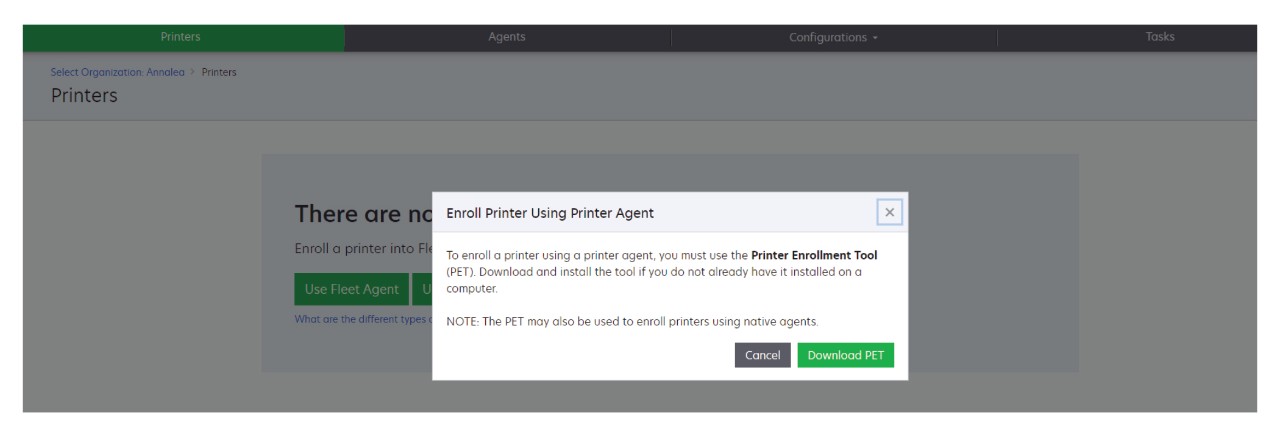
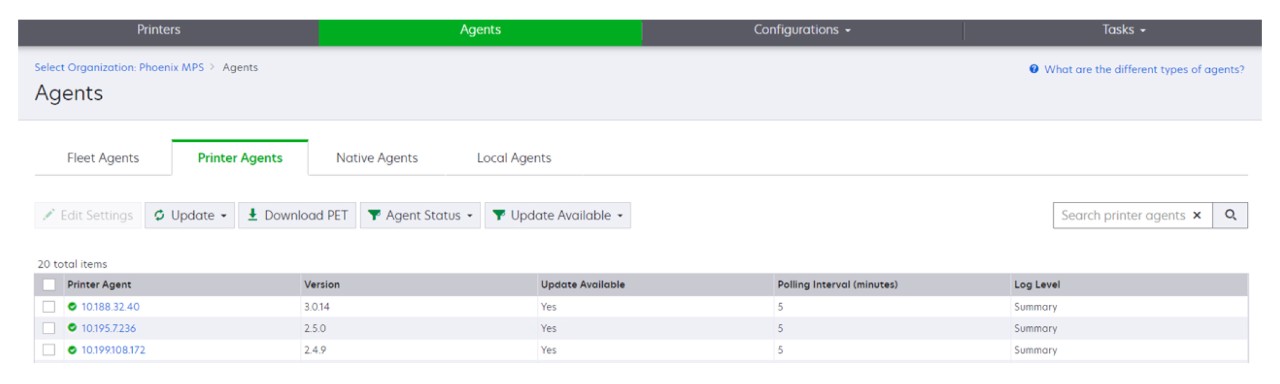
- ClickAgents>Printer Agents>Download Printer Enrollment Tool.
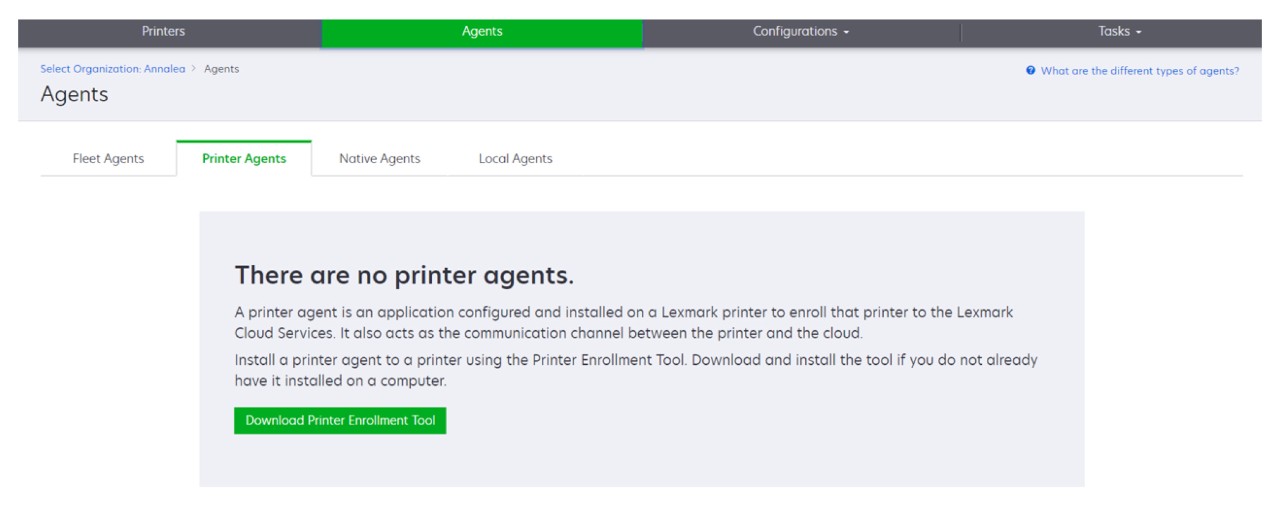
- ClickAgents>Native Agents>Enroll Printer>use thePrinter Enrollment Tool.
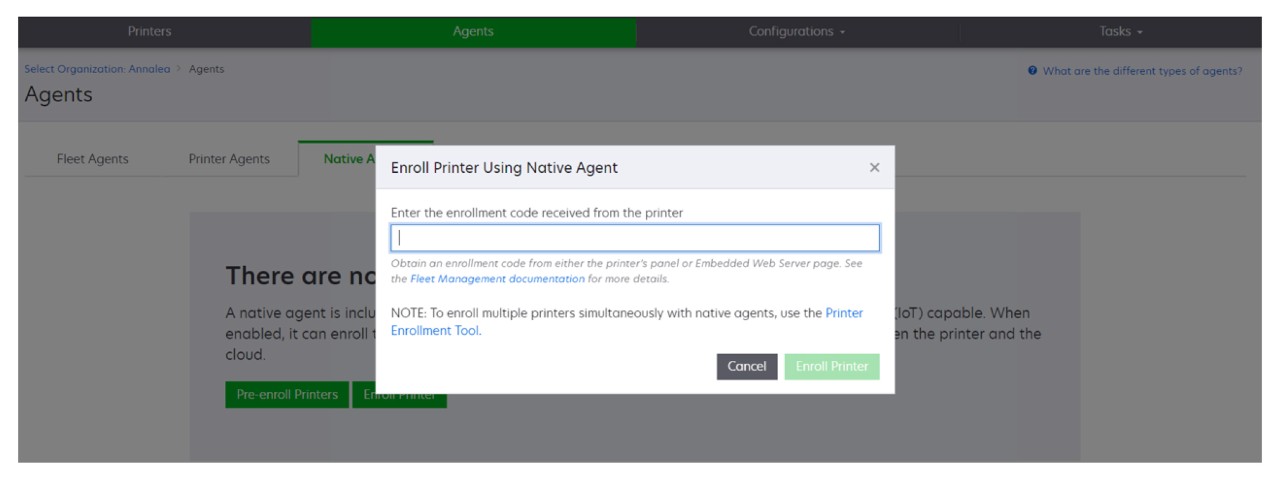
If you already have some devices enrolled, then you can download the PET by following the steps:- ClickPrinter>Enroll printer using>Printer agent>Download PET.
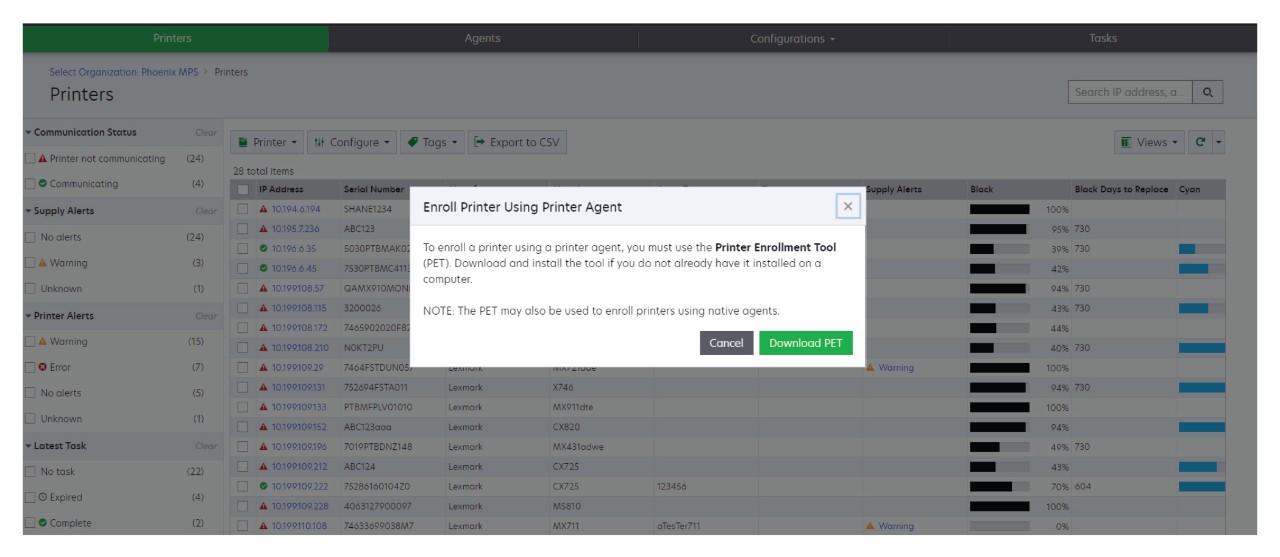
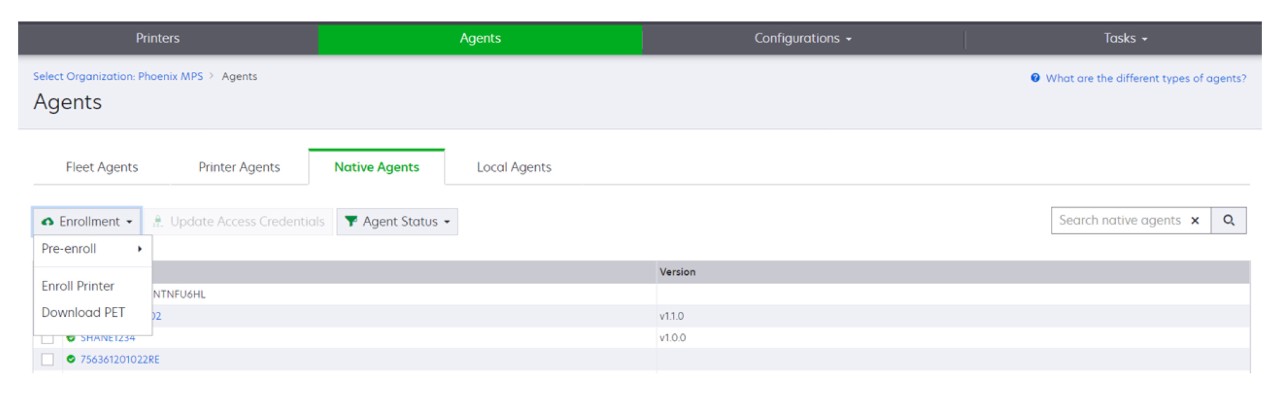
- ClickPrinter>Enroll printer using>Native agent>Enrollment>Download PET.
- ClickAgents>Printer Agents>Download PET.
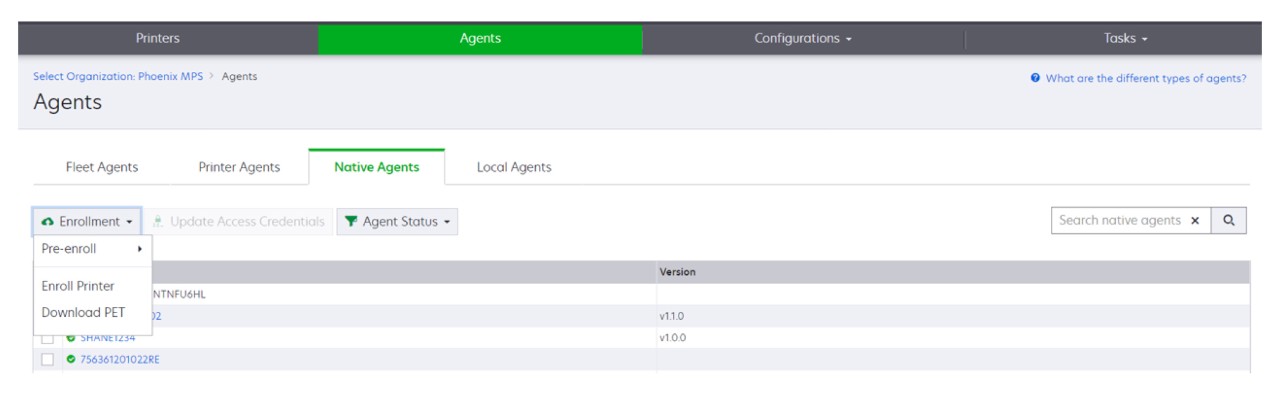
- ClickAgents>Native Agents>Enrollment>Download PET.
Accept the End-User License Agreement (EULA).Extract the zipped folder, and then locate the Printer Enrollment Tool launcher.