Enabling implicit grant and hybrid flows
Learn how to enable implicit grant and hybrid flows.
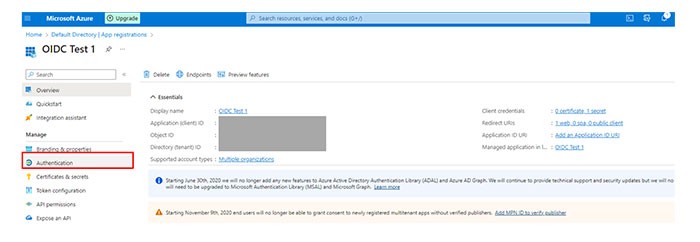
- From the Manage section, selectApp registrations.Select the application that you created (for example, OIDC Test 1).In theManagesection, selectAuthentication.
 In the Implicit grant and hybrid flows section, selectID tokens.ClickSave.IdP initiated flow is not supported.