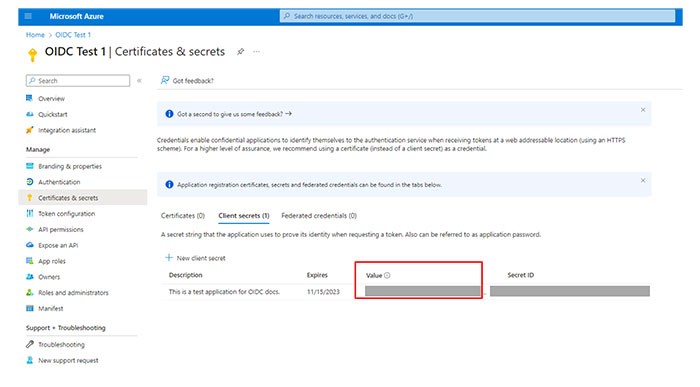
Creating a client secret
Learn how to create a client secret.
The client secret, also referred to as the application password, allows your application to exchange an authorization code for an access token
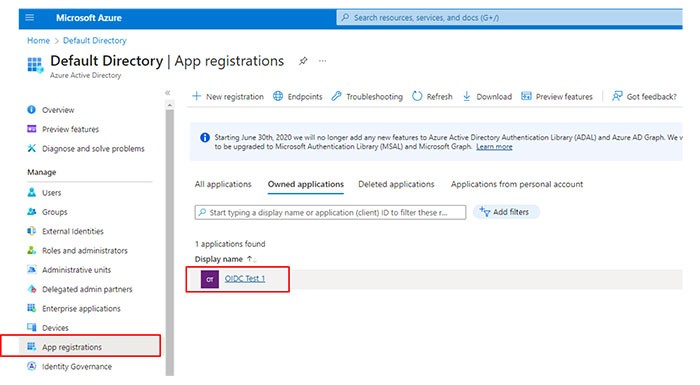
- From the Manage section, selectApp registrations.Select the application that you created (for example, OIDC Test 1).
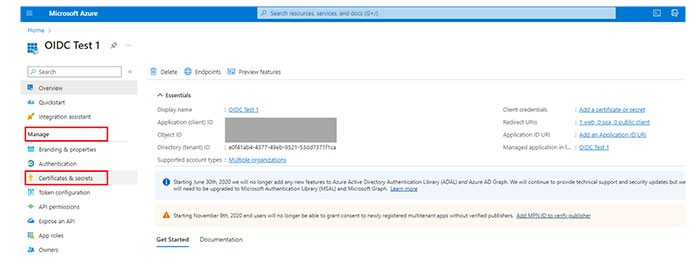
 In the Manage section, selectCertificates and secrets.
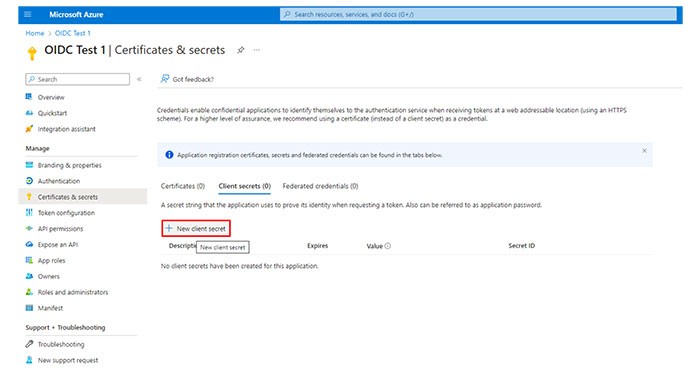
 ClickNew client secret.
 Provide a description.Set an expiry date.ClickAdd.
 Save the client secret for later use in this guide.