Replacing the pick roller assembly
Changing the pick roller assembly can prevent paper feed problems from happening again.
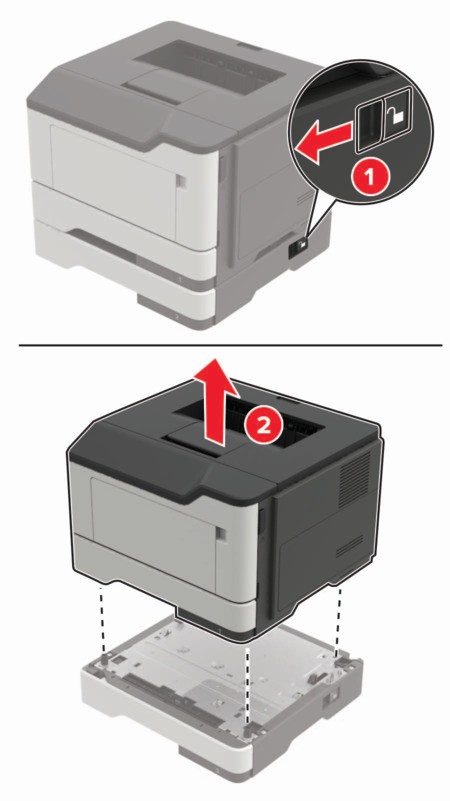
- Turn off the printer.Unplug the power cord from the electrical outlet, and then from the printer.Remove the optional tray.If the printer weight is greater than 18 kg (40 lb), then it requires two or more trained personnel to lift it safely.
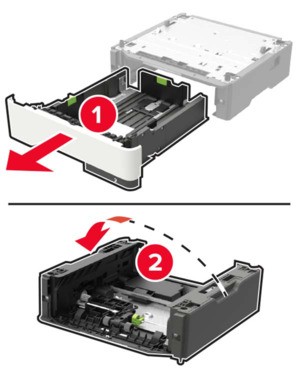
 Remove the tray insert, and then flip the tray base.
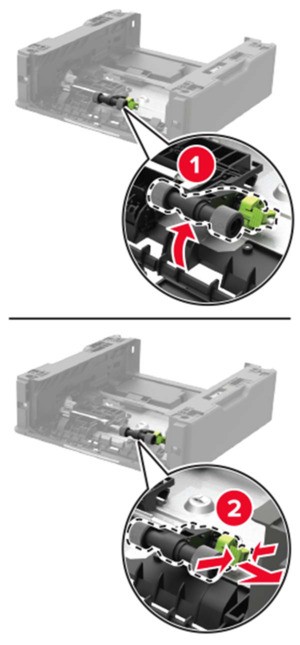
 Remove the used pick roller assembly.
 Unpack the new pick roller assembly.Insert the new pick roller assembly.
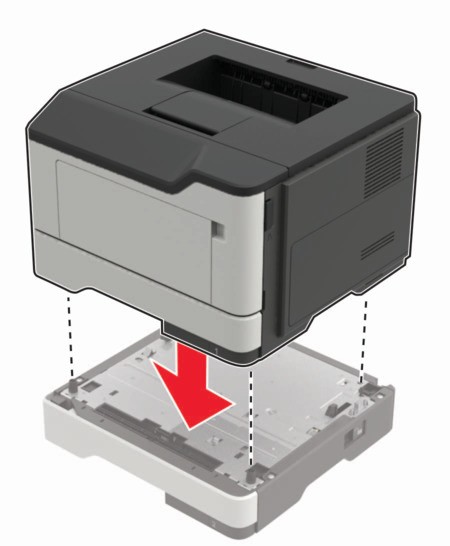
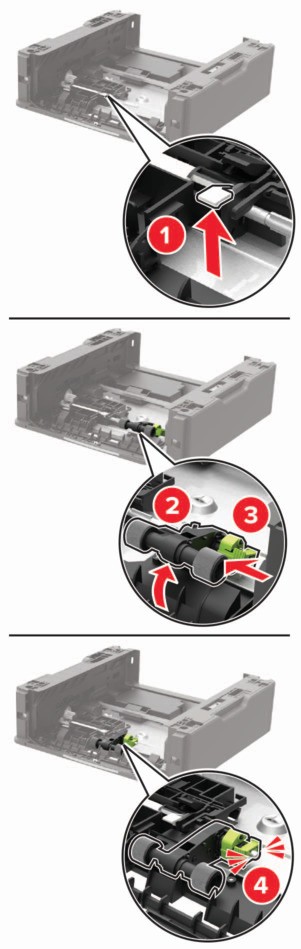 Flip the tray base, and then insert the tray insert.Align the printer with the optional tray, and then lower the printer until itclicksinto place.
 Connect the power cord to the printer, and then to the electrical outlet.To avoid the risk of fire or electrical shock, connect the power cord to an appropriately rated and properly grounded electrical outlet that is near the product and easily accessible.Turn on the printer.