Installing a memory card
Expand the memory capacity of your printer and enable it to print complex jobs and collate large print jobs.
To avoid the risk of electrical shock, if you are accessing the controller board or installing optional hardware or memory devices sometime after setting up the printer, then turn the printer off, and unplug the power cord from the electrical outlet before continuing. If you have any other devices attached to the printer, then turn them off as well, and unplug any cables going into the printer.
- Turn off the printer.
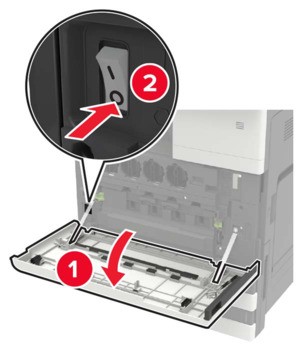 Unplug the power cord from the electrical outlet.Using the screwdriver stored inside door A, remove the connector cover from the rear of the printer.
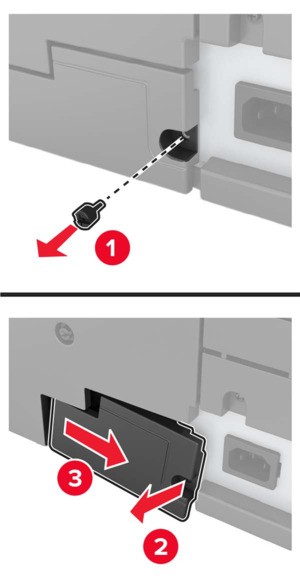 If the printer has a filter cover, then remove the cover.
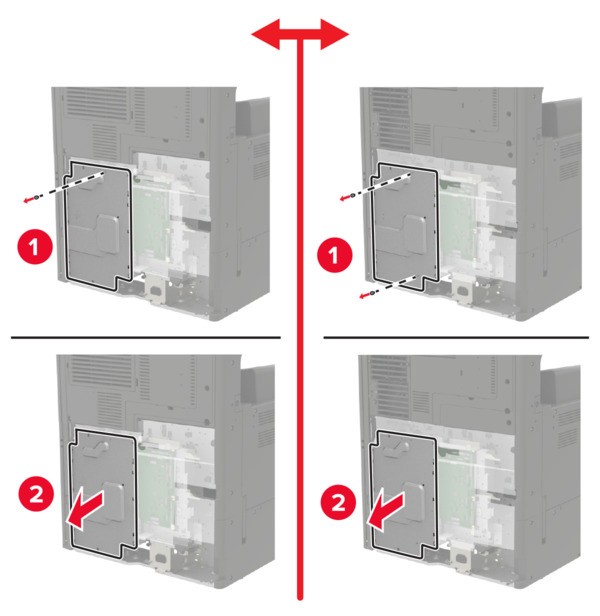
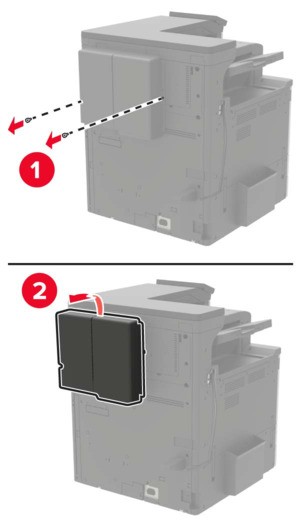 Remove the controller board access cover.Controller board electronic components are easily damaged by static electricity. Touch a metal surface on the printer before touching any controller board components or connectors.
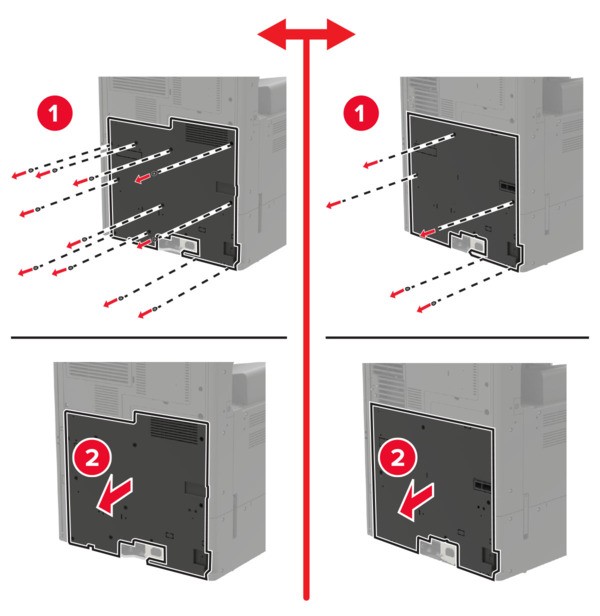 Remove the controller board shield.
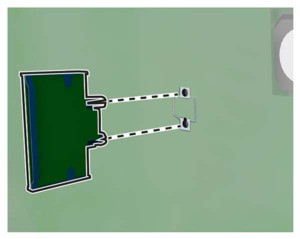
 Unpack the memory card.Avoid touching the connection points along the edge of the card.Insert the memory card until itclicksinto place.
 Attach the shield, and then attach the access cover.Attach the connector cover.If you removed a filter cover, then attach the cover.Connect the power cord to the electrical outlet, and then turn on the printer.To avoid the risk of fire or electrical shock, connect the power cord to an appropriately rated and properly grounded electrical outlet that is near the product and easily accessible.