Cleaning the printhead lens
Use the provided wiper to clean the printhead lens, and avoid print quality problems such as lines and smears.
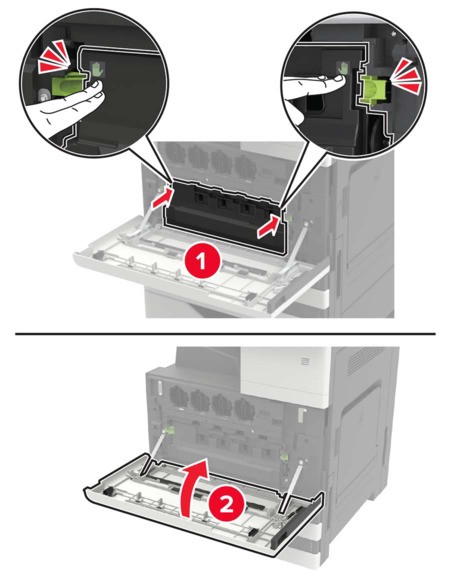
- Open door A.Remove the waste toner bottle.
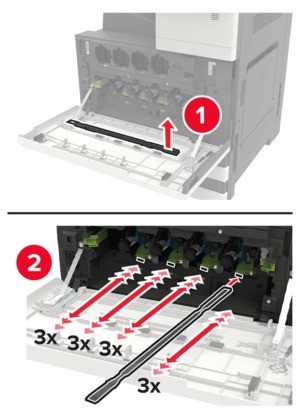
 Using the printhead wiper, clean the printhead lens.
 Insert the wiper back into place.Insert the waste toner bottle, and then close the door.