Replacing a toner cartridge
Learn how to replace the toner cartridge of your printer. Replace your used toner cartridge to maintain good quality prints.
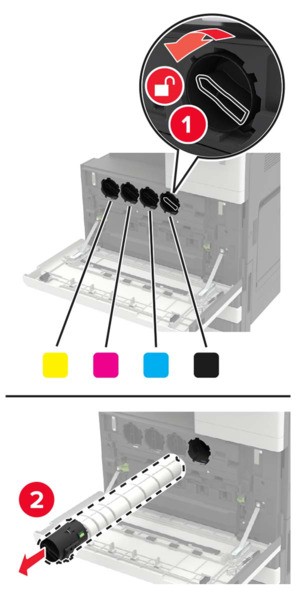
- Open door A.Remove the toner cartridge.
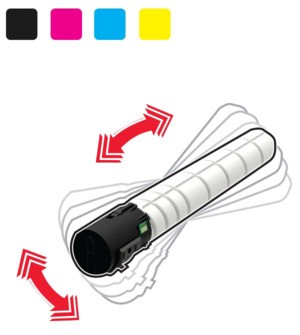
 Unpack the new toner cartridge.Shake the toner cartridge three times.
 Insert the new toner cartridge.
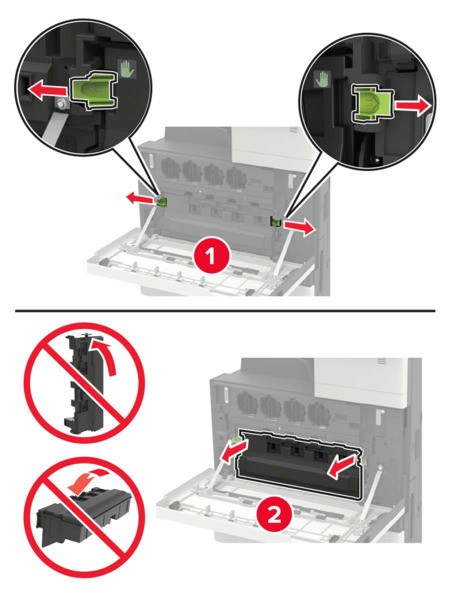
 Remove the waste toner bottle.
 Using the printhead wiper, clean the printhead lens.
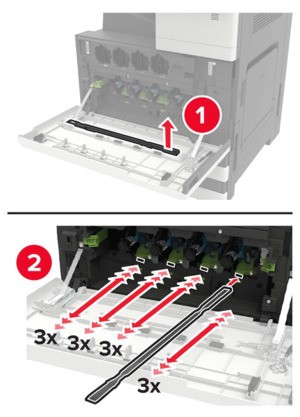 Insert the wiper back into place.Insert the waste toner bottle, and then close the door.