Paper jam in door J
Remove the paper that is stuck in the indicated areas found in door J to continue printing.
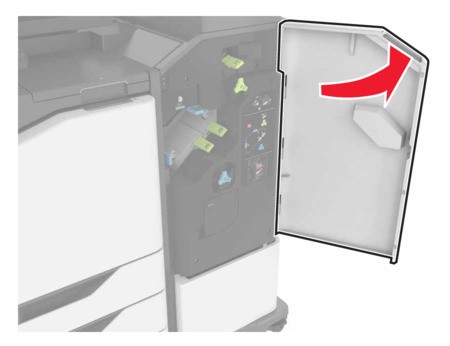
- Open door J.
 Remove the jammed paper.Make sure that all paper fragments are removed.
- Area J1
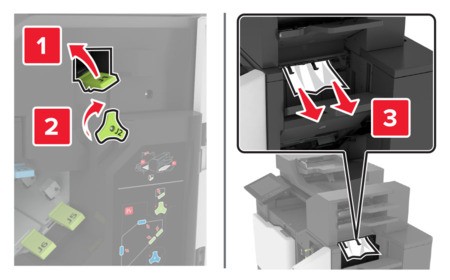
- Areas J3 and J4
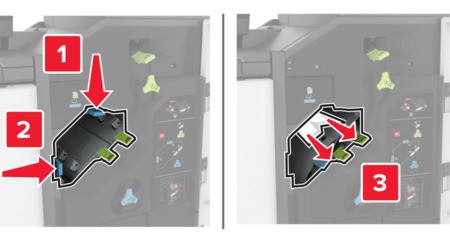
- Areas J5 and J6
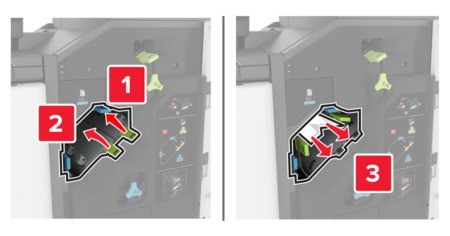
Close door J.