Replacing the fuser
Know which door to open and how to remove the fuser when you are installing a new one. Follow these simple steps.
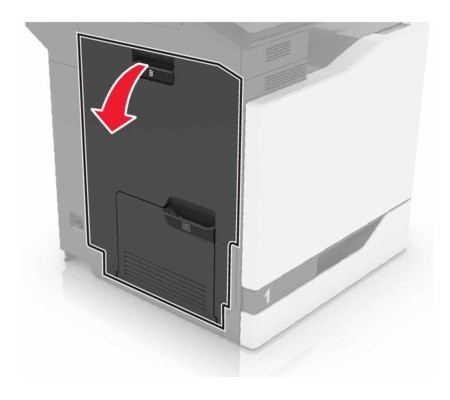
- Turn off the printer.Open door B.The inside of the printer might be hot. To reduce the risk of injury from a hot component, allow the surface to cool before touching it.
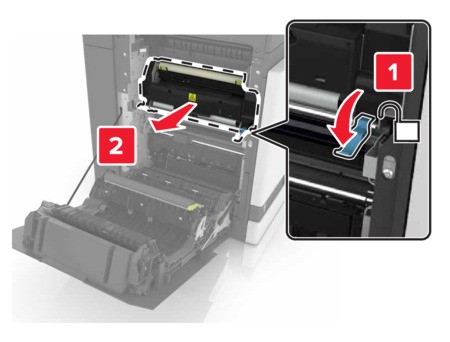
 Remove the fuser.
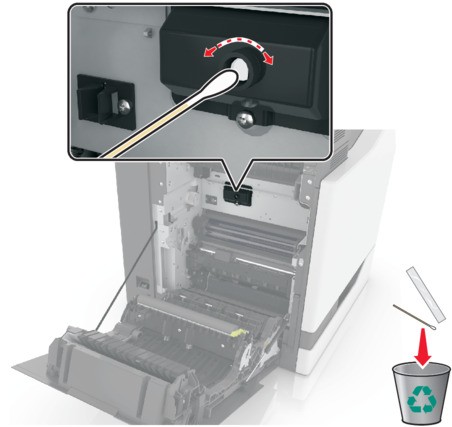
 Unpack the new fuser.Clean the fuser lens using the cotton swab that came with the package.
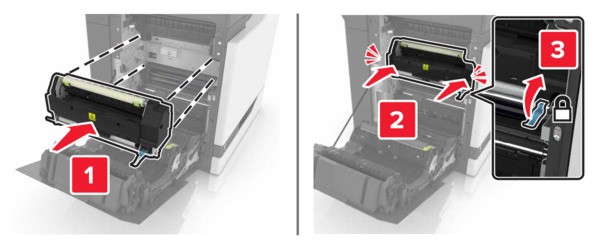
 Insert the new fuser until itclicksinto place.
 Close door B.Turn on the printer.