Avoiding jams
Find out how to prevent paper from getting stuck in the printer.
Load paper properly
- Make sure that the paper lies flat in the tray.Correct loading of paperIncorrect loading of paper
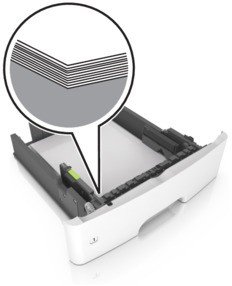
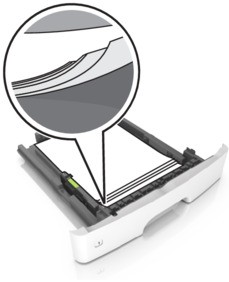
- Do not load or remove a tray while the printer is printing.
- Do not load too much paper. Make sure that the stack height is below the maximum paper fill indicator.
- Do not slide paper into the tray. Load paper as shown in the illustration.
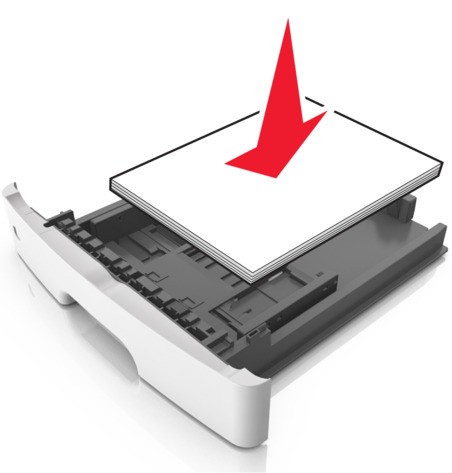
- Make sure that the paper guides are positioned correctly and are not pressing tightly against the paper or envelopes.
- Push the tray firmly into the printer after loading paper.
Use recommended paper
- Use only recommended paper or specialty media.
- Do not load paper that is wrinkled, creased, damp, bent, or curled.
- Flex, fan, and align the paper edges before loading.
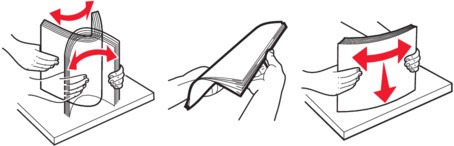
- Do not use paper that has been cut or trimmed by hand.
- Do not mix paper sizes, weights, or types in the same tray.
- Make sure that the paper size and type are set correctly on the computer or printer control panel.
- Store paper according to manufacturer recommendations.