Cleaning the scanner glass
Clean the scanner glass if you encounter print quality problems, such as streaks on copied or scanned images.
- Slightly dampen a soft, lint-free cloth or paper towel with water.Open the scanner cover.
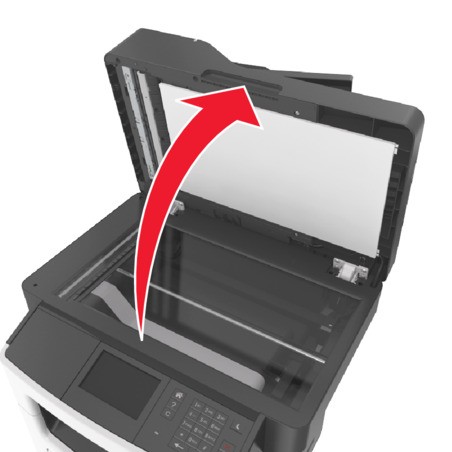 Clean all the areas shown, and then let them dry.
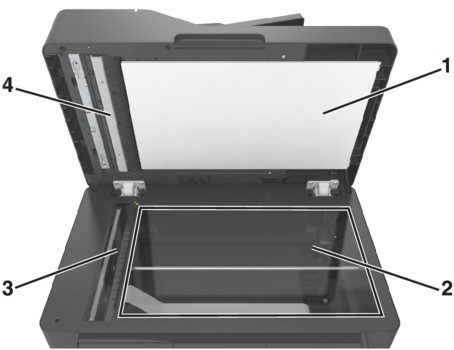 1White underside of the scanner cover2Scanner glass3ADF glass4White underside of the ADF coverClose the scanner cover.