Attaching cables
Connect the printer to the computer using a USB cable or to the network using an Ethernet cable.
Make sure to match the following:
- The USB symbol on the cable with the USB symbol on the printer
- The appropriate Ethernet cable to the Ethernet port
Do not touch the USB cable, any wireless network adapter, or the printer in the area shown while actively printing. A loss of data or a malfunction can occur.
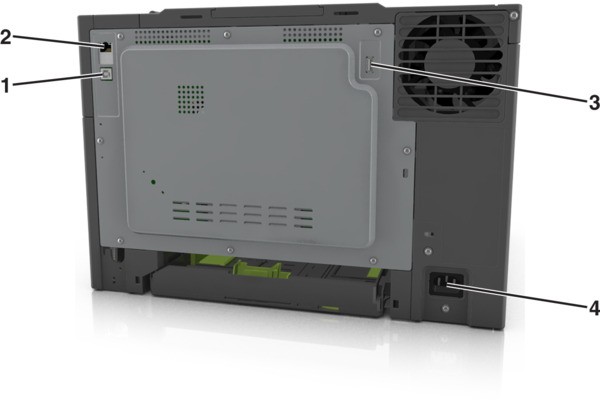
Use the | To | |
|---|---|---|
1 | USB printer port | Connect the printer to a computer. |
2 | Ethernet port | Connect the printer to a network. |
3 | USB port | Attach an optional wireless network adapter. |
4 | Printer power cord socket | Connect the printer to a properly grounded electrical outlet. |