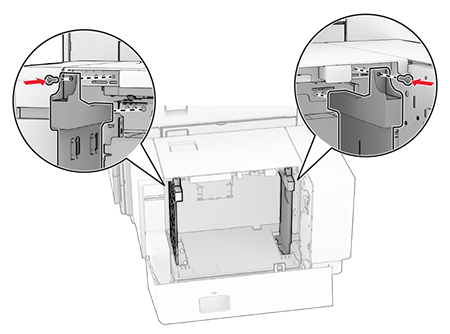
Loading the 1500-sheet tray
Learn the correct way of loading paper to avoid paper jam.
To reduce the risk of equipment instability, load each tray separately. Keep all other trays closed until needed.
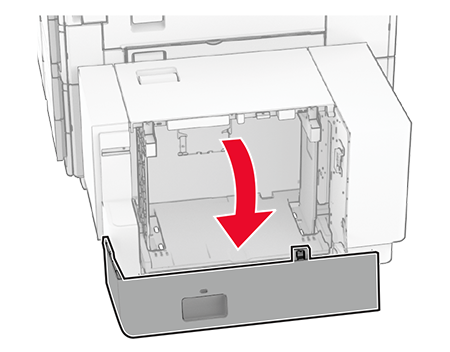
- Open door K.To avoid jams, do not open trays while the printer is busy.
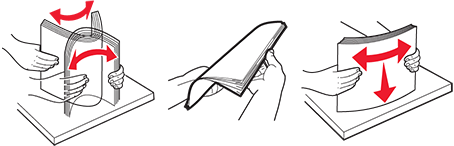
- Flex, fan, and align the paper edges before loading.
- Load the paper stack with the printable side facedown.
- Do not slide paper into the tray.
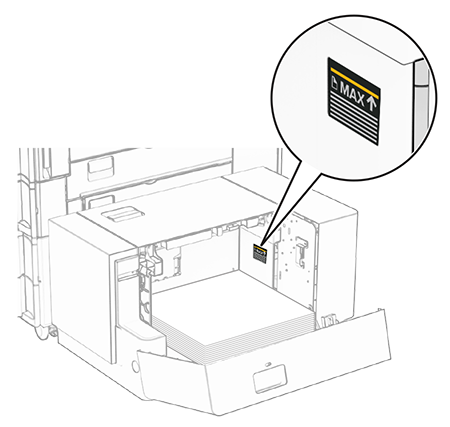
- Make sure that the stack height is below the maximum fill line. Overfilling may cause paper jams.
- Close door K.If necessary, set the paper size and type to match the paper loaded in the tray.
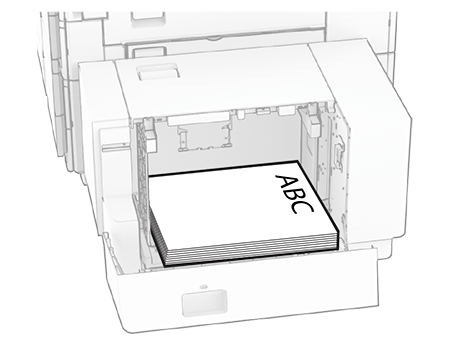
When loading letterhead for one-sided printing, load it facedown with the header toward the rear of the printer.
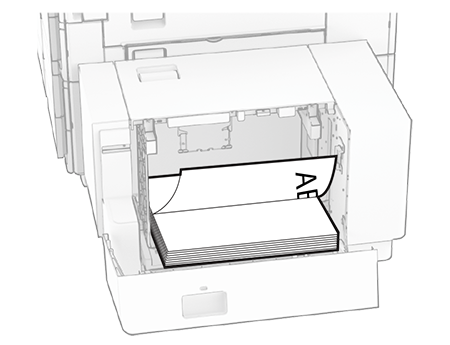
When loading letterhead for two-sided printing, load it faceup with the header toward the rear of the printer.
When loading a different paper size, make sure to adjust the guides. Do the following:
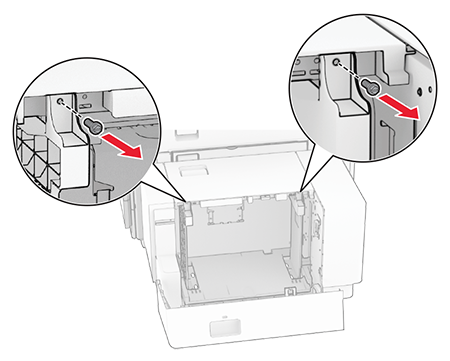
- Using a flat‑head screwdriver, remove the screws from the paper guides.
- Remove the paper guides.
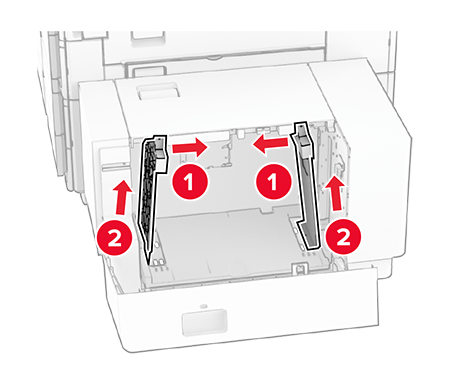
- Align the paper guides to match the size of the paper that you are loading.
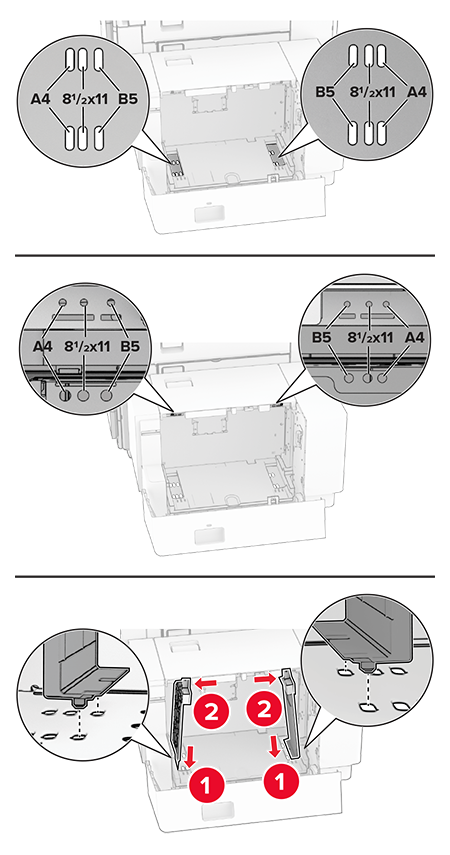
- Install the screws on the paper guides.