Support
United States (English)
Visit Lexmark.com
Support home
Printers
Solutions
Drivers & downloads
Warranty & service
Contact support
Visit Lexmark.com
guides
en
User's Guide
Maintain the printer
Cleaning printer parts
Cleaning the printhead lenses
Cleaning the printhead lenses
Clean the printhead lenses whenever you replace a cartridge or remove the imaging kit.
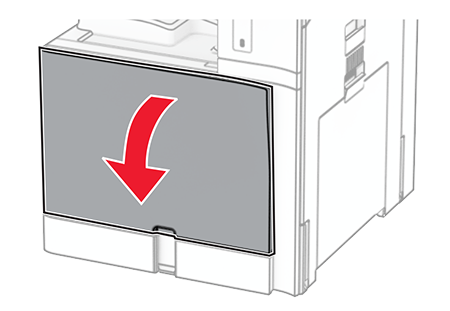
Open the front door.
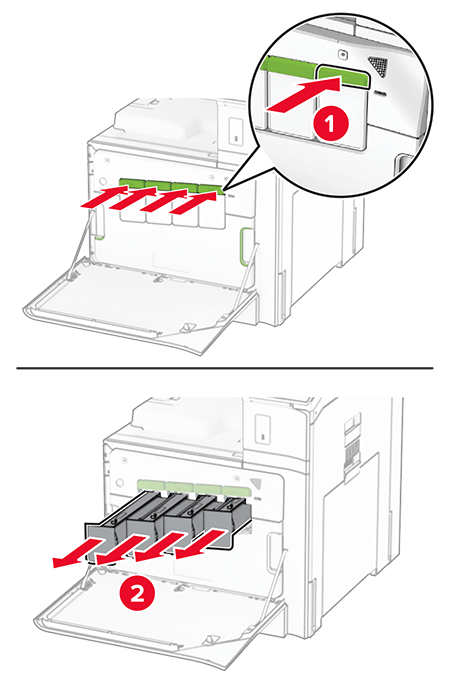
Remove the toner cartridges.
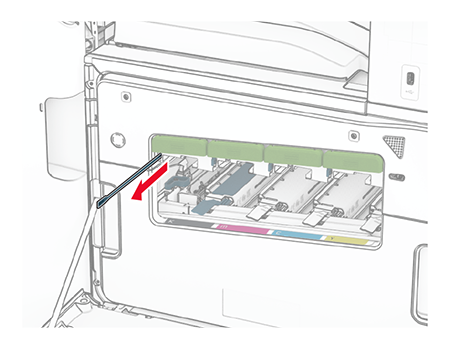
Gently pull out the wiper until it stops.
The wiper does not detach from the printer.
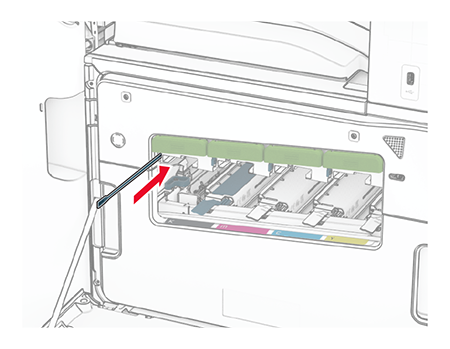
Push the wiper back into the printhead until it stops.
Repeat
step 3
and
step 4
three times for each printhead.
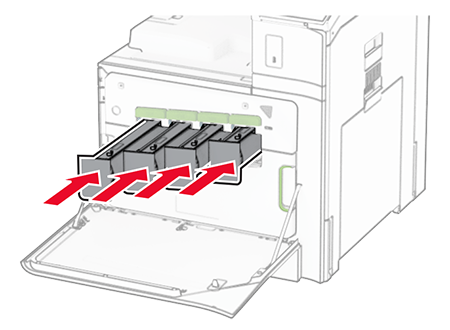
Insert the toner cartridges.
Close the front door.