Significant delay between first and second pages when printing or copying
Large Pause Between First and Second Pages when Printing or Copying
Issue description
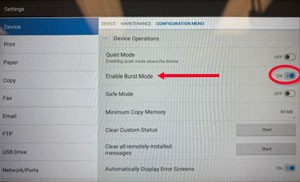
On the CX96x Series, machines with a print speed of 45ppm or less activate 'Burst Mode', where the first page is printed at 55ppm. This feature is intended to expedite quick copies or single-page prints.
However, for print speeds of 45ppm or less, this mode may result in a pause after the first page when printing multi-page documents.
Solution
If the customer frequently prints or copies multi-page documents and wants to avoid the pause, they can disable 'Burst Mode' in the printer settings.
Disabling "Burst Mode" will result in longer print times for single-page documents.
To disable Burst Mode:
- Navigate to:
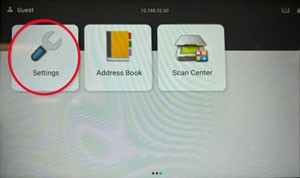
- Settings
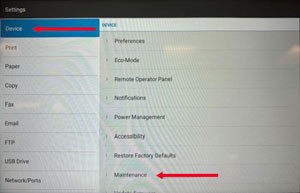
- Device>Maintenance
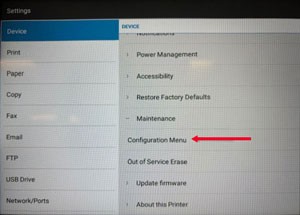
- Configuration Menu
- Device Operations
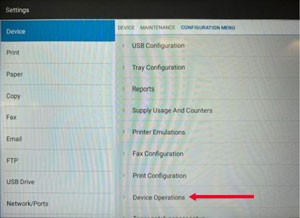
- Turn 'Burst Mode' toOFF.