Scan to RightFax XML icon does not appear on the printer home screen
The Scan to RightFax icon does not appear on the printer home screen after uploading a Scan to RightFax XML file.
Issue description
The Scan to RightFax XML icon does not appear on the printer home screen after uploading a Scan to RightFax XML file.
Possible cause:
The fax server is not set up in the printer.Solution
- Open a web browser, and then type the printer IP address in the address field.
- From the Embedded Web Server, do either of the following:
- Select .
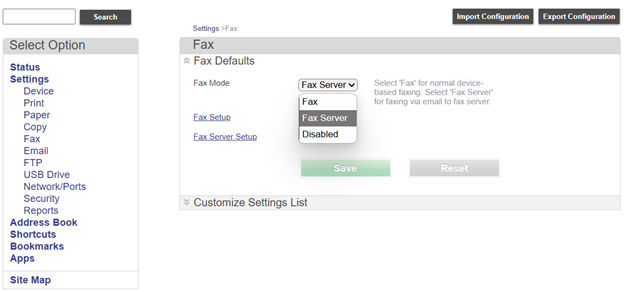
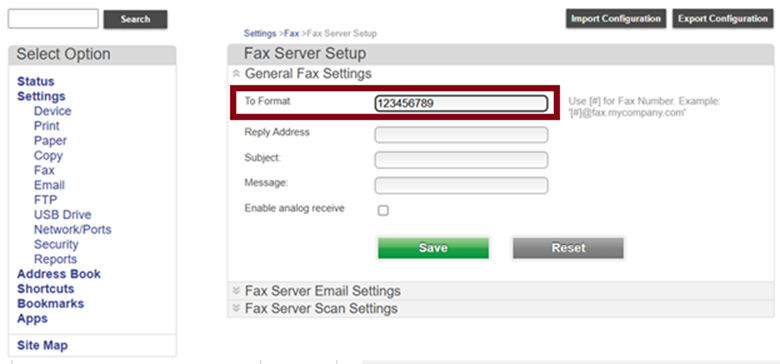
- Select . Enter the fax number in theTo Formatsection.
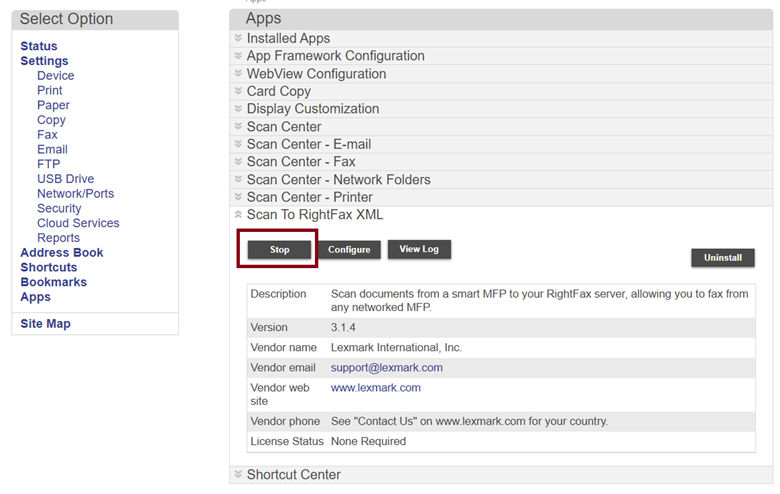
- Select . ClickStop, and then clickStart.
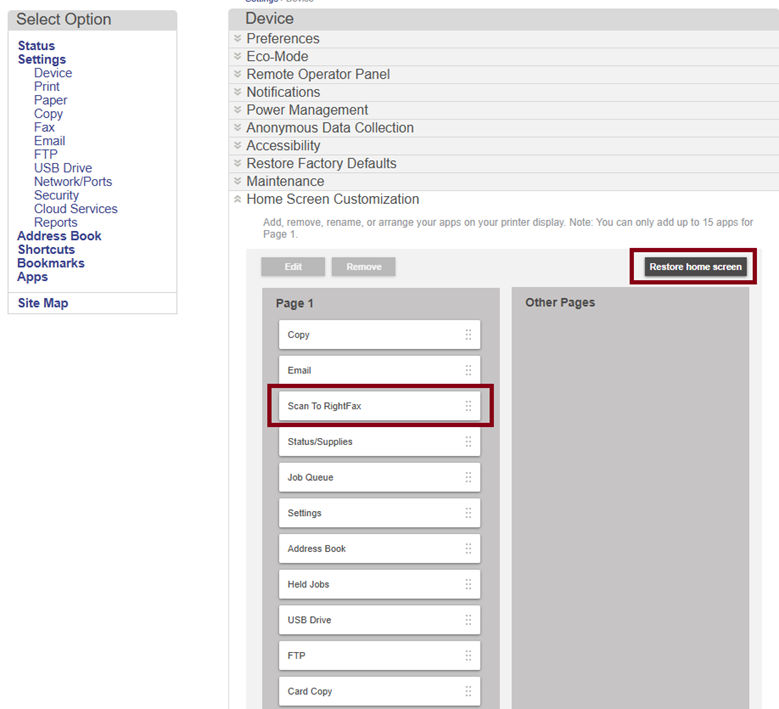
- Select . Check if Scan to RightFax is available. If not, then clickRestore home screen.
If the issue persists, then contact customer support.