Colored content appears in black and white when print previewed in Microsoft PowerPoint
Color preview is not applied when driver preference is set to “Print B/W”
Issue description
The content appears in grayscale or black and white when viewing a colored presentation in Print Preview using Microsoft PowerPoint
Expected Print Preview behavior | Current Print Preview behavior |
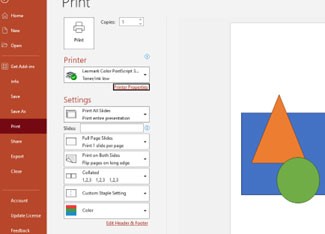 | 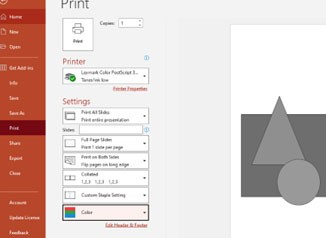 |
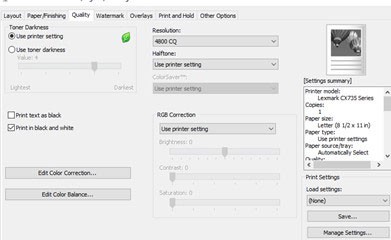
This issue occurs when
Print in black and white
is selected under the Quality
tab in Printer Properties or Printing Preferences
.
Switching from color to grayscale does not change the preview in actual time.
Solution
Unselect the
Print in black and white
option to avoid encountering this issueExplanation
Microsoft PowerPoint treats the driver as a black-and-white printer when the
Print in black and white
option is selected from outside the application.Changing the settings to Color within the application does not affect the Print Preview since it generalizes the overall settings.
This issue is considered as an Application Limitation.