How to set the port range for scanning to PC
How to Set the Port Range for Scanning to PC on an X644e/X646e MFP
Purpose
This procedure will help you to secure your network by selecting the port range that may be used by the Scan to PC function.
Instructions
To select your port range:
Step | Action | Illustration |
1 | Go to the web browser of the MFP. | |
2 | Click on Configuration . | 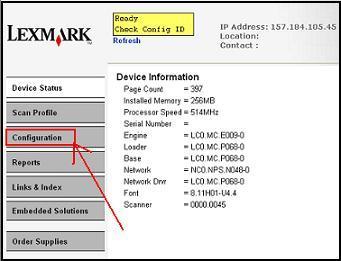 |
3 | Click on Security . | 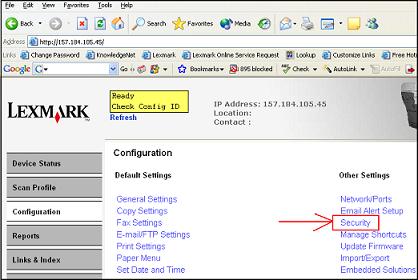 |
4 | Enter the Port Range you would like to use. | 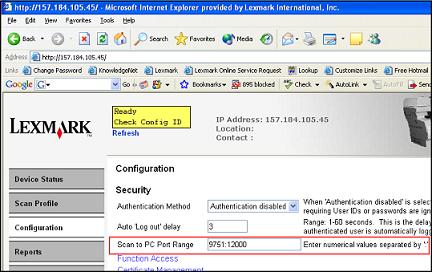 |
5 | Click Submit . |  |
Still Need Help?
Please contact Lexmark Technical Support for additional information.
NOTE:
When calling for support you will need to know your printer model type and serial number. Please call from near the printer in case the technician asks you to perform a task involving the printer.LEGACY ID:
HO3024