Forgot Confidential Print Password? How to Remove Print & Hold Jobs to Free Printer Resources
Overview
The "Confidential Printing" ("Print and Hold") feature secures print jobs in a portion of allocated printer memory until a password is used to free those held jobs. Unfortunately, forgotten passwords may cause a build-up of print jobs, which can lead to printer resource issues and possible "Out of Memory" error messages.
Procedure: Removing Confidential Print Jobs
The method to use depends on the model type and age of your Lex mark printer or MFP.

 The secure print data in the printer's memory is cleared when the printer is turned off.
WARNING:
Lexmark will not be held responsible for any jobs that are lost as a result of performing this procedure.
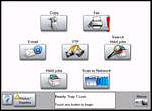
Current MFPs
(e.g. X644x, X646x, X78x, X85x MFPs)
with user interface:
- Press theMenubutton.
- PressSettings.
- PressPrint Settings.
- PressUtilities Menu.
- PressRemove Held Jobs.
- SelectConfidential.
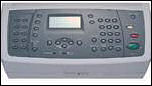
X642e MFP:
- Press the redCancelbutton.
- PressReset Printer.
- Observe the warning message "When resetting the printer, some data or jobs may be lost."
- PressReset.
- Observe "Resetting Printer, Please Wait."NOTE:You can avoid having to perform this procedure by configuringJob Expirationon the printer. Click here for theMenus and Messages Guidewhich explains this feature.
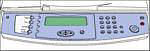
X422 MFP:
- Press thePrint/Profilesbutton to the left of the display.
- Press the directional down button to select the appropriateUsername.
- Press theSelectbutton.
- WhenUsername_Confidentialappears, press the redStopbutton.
- Press the directional right button.
- Press the directional down button untilReset Printeris displayed.
- PressSelect.
Lexmark laser printers with display:
- Press theMenubutton.
- Press the directiona l up or down button untilSettingsis displayed, and then pressSelect.
- Press the directional up or down button untilUtilities Menuis is displayed, and then pressSelect.
- Press the directional down button to selectRemove Held Jobs, and then pressSelect.
- "Confidential" should be displayed; clickSelect.
- Observe the "Deleting Held Jobs" message.
- Press theBackbutton to go back toReady.
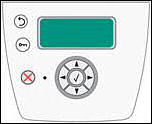
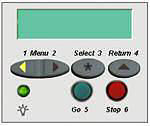
Lexmark laser printer with operator panel similar to:
- Press theStopbutton.
- Press the directional down button to selectReset Printer.
- PressSelect.
- Observe the message "Resetting the Printer".
- The printer should go back toReady.NOTE:You can avoid having to perform this procedure by configuringJob Expirationon the printer. Click here for theMenus and Messages Guidewhich explains this feature.
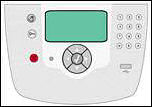
Lexmark laser printers with operator panel similar to:
- Press the right or left menu button untilUtilities Menuappears, and then pressSelect.
- Press the right or left menu button untilRemove Held Jobsappears, and then pressSelect.
- Press the right or left menu button until= Confidentialappears, and then pressSelect.
Lexmark X560 MFP (Secure Print):
Contacting Lexmark
If you need additional assistance, please contact
Lexmark Technical Support.
NOTE:
When calling for support, you will need your
printer model type
and
serial number
.
Please call from near the printer and computer in case the technician asks you to perform a troubleshooting task on one of these devices.
LEGACY ID:
HO3324
- Infoprint 1145 MFP ----------------------------------------------------------------------------- Infoprint 1540 MFP ----------------------------------------------------------------------------- Infoprint 1560 MFP ----------------------------------------------------------------------------- Infoprint 1570 MFP ----------------------------------------------------------------------------- Infoprint 1572 MFP ----------------------------------------------------------------------------- Infoprint 1580 MFP --------------- -------------------------------------------------------------- Infoprint 1650 MFP ----------------------------------------------------------------------------- Infoprint 1664 MFP ----------------------------------------------------------------------------- Infoprint 1764 MFP ----------------------------------------------------------------------------- Infoprint 1759 MFP ----------------------------------------------------------------------------- Infoprint 1769 MFP ----------------------------------------------------------------------------- IBM 1410 MFP